Hallo omar1979
Für Vertikale Addonleiste verwende ich dieses Script hier.
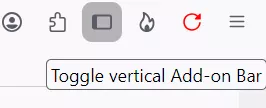
Die funktioniert einwandfrei. Hat eine Schaltfläche zum ein und ausblenden
und kann links oder rechts angezeigt werden.
CSS
// New switchable toolbar rechts/links – Version mit gleitendem Slide‑In/Out‑Effekt

// TEST mit Anpassenfenster

(function() {
  if (!window.gBrowser)
    return;

  const
  // ■■ START UserConfiguration ■■■■■■■■■■■■■■■■■■■■■■■■■■■■■■■■
    id           = 'NewToolbar_fly_button',
    label        = 'Toggle New Toolbar',
    tooltiptext  = 'Toggle New toolbar',
    // Icon-------------------------------------------------------
    icon         = 'sidebar1.svg',   // Icon-Dateiname
    //icon = 'flower-satt32.png';

    iconPath     = '/chrome/icons/',
    visible      = '38px',                  // Sichtbare Leistenbreite
    isPosH       = 0,                       // 0 = rechts, 1 = links
    isPosV       = '48%',                   // vertikale Position der Leiste
  // isPosV      = '0%',       Leiste am oberen Fensterrand;
  // isPosV      = '50%',      Leiste mittig zur Fensterhöhe;
  // isPosV      = '100%',     Leiste am unteren Fensterrand;
     delay       = '0.6s';                  // Dauer (schneller/langsamer)
  // ■■ END UserConfiguration ■■■■■■■■■■■■■■■■■■■■■■■■■■■■■■■■■■

  const curProfDir = PathUtils.toFileURI(PathUtils.join(PathUtils.profileDir));

  if (Services.prefs.getBoolPref('svg.context-properties.content.enabled') == false) {
    Services.prefs.setBoolPref('svg.context-properties.content.enabled', true);
  }

  const flybox_new = document.createXULElement('toolbox');
  flybox_new.setAttribute('orient','horizontal');
  flybox_new.id = 'flybox_new';

  const fly_bar = document.createXULElement('toolbar');
  fly_bar.id = 'new_flybar';
  fly_bar.setAttribute('orient', 'vertical');
  fly_bar.setAttribute('customizable', true);
  fly_bar.setAttribute('mode', 'icons');
  fly_bar.setAttribute('context', 'toolbar-context-menu');
  fly_bar.setAttribute('class','toolbar-primary chromeclass-toolbar browser-toolbar customization-target');
  fly_bar.setAttribute('toolboxid', 'navigator-toolbox');
  fly_bar.setAttribute('toolbarname', 'New Toolbar');
  fly_bar.setAttribute('label', 'New Toolbar');

  let savedState = false;
  try {
    savedState = Services.prefs.getBoolPref("userChrome.newFlybar.off");
  } catch(e) {}

  if (savedState) fly_bar.classList.add("fly_off_mode");

  flybox_new.appendChild(fly_bar);
  document.getElementById('browser').parentNode.appendChild(flybox_new);

  CustomizableUI.registerArea(fly_bar.id, {legacy: true});
  CustomizableUI.registerToolbarNode(fly_bar);

  try {
    CustomizableUI.createWidget({
      id,
      defaultArea: CustomizableUI.AREA_NAVBAR,
      label,
      tooltiptext,
      onCreated: (button) => {
        button.style.MozContextProperties = 'fill, stroke, fill-opacity, stroke-opacity';
        button.style.listStyleImage = 'url("' + curProfDir + iconPath + icon + '")';
        button.style.minWidth = 'fit-content';
      }
    });
  } catch(e) {};

  document.getElementById('NewToolbar_fly_button').addEventListener("click", flybar);

  function flybar(event) {
    if (event.button === 0) {
      const new_flybar = document.getElementById('new_flybar');
      new_flybar.classList.toggle("fly_off_mode");
      const state = new_flybar.classList.contains("fly_off_mode");
      Services.prefs.setBoolPref("userChrome.newFlybar.off", state);
    }
  }

  if (isPosH === 1)
    flybox_new.classList.add("fly_left");
  else
    flybox_new.classList.remove("fly_left");

  const css = `
    :root {
      --ug-toolbar_width: ${visible};
      --ug-bg_fly_color: #E7E7E7;
      --ug-fly_border_width: 1px;
      --ug-border_radius: 8px;
      --ug-border_color: #f3a200;
    }

    #flybox_new {
      position: fixed !important;
      display: flex !important;
      ${isPosH === 0
        ? `right: 0 ; margin-right: calc(-1 * var(--ug-fly_border_width));`
        : `left: 0 ; margin-left: calc(-1 * var(--ug-fly_border_width));`}
      top: ${isPosV} !important;
      transform: translateY(-${isPosV}) !important;
      height: fit-content !important;
      z-index: 4 !important;
      pointer-events: none;
	  margin-right: 19px;
      /*outline: 4px solid red !important;*/
    }

    #new_flybar {
      display: flex;
      width: calc(var(--ug-toolbar_width) + 2*var(--ug-fly_border_width));
      min-width: 0px !important;
      overflow: hidden !important;
      justify-content: center !important;
      padding-block: 4px;
      background-color: var(--ug-bg_fly_color) !important;
      border: var(--ug-fly_border_width) solid var(--ug-border_color) !important;
      ${isPosH === 0
        ? `border-radius: var(--ug-border_radius) 0 0 var(--ug-border_radius);`
        : `border-radius: 0 var(--ug-border_radius) var(--ug-border_radius) 0;`}
      transition: transform ${delay} ease-in-out,
                  opacity ${delay} ease-in-out,
                  border-width ${delay} ease-in-out,
                  width ${delay} ease-in-out;
      transform: translateX(0);
      opacity: 1;
      pointer-events: auto;
    }

    #new_flybar.fly_off_mode:not([customizing]) {
      transform: ${isPosH === 0 ? 'translateX(100%)' : 'translateX(-100%)'};
      opacity: 0;
      border-width: 0px !important;
      /*width: 0px !important;*/
    }

    #new_flybar > :is(.toolbarbutton-1, toolbaritem),
    #new_flybar toolbarpaletteitem > :is(.toolbarbutton-1, toolbaritem) {
      margin-inline: 0px !important;
      margin-block: 1px !important;
      padding: 0px !important;
      /*transition: none;*/
    }

    /*---  customizing  ---*/

    #main-window[customizing]  #flybox_new.fly_left {
      left: unset !important;
      right: 0px !important;
      margin-inline: 0px calc(-1 * var(--ug-fly_border_width)) !important;
    }

    #new_flybar[customizing] {
      align-items: center !important;
      /*width: calc(var(--ug-toolbar_width) + 2*var(--ug-fly_border_width)) !important;*/
      min-width: calc(var(--ug-toolbar_width) + 2*var(--ug-fly_border_width)) !important;
      width: initial !important;
      min-height: var(--ug-toolbar_width) !important;
      padding-bottom: 48px !important;
      border-radius: var(--ug-border_radius) 0 0 var(--ug-border_radius) !important;
      transition: none !important;
    }

    #main-window:not([customizing]) #new_flybar.fly_off_mode[customizing] {
      transition: none !important;
      opacity: 0 !important;
    }

    #customization-content-container {
      margin-right: var(--ug-toolbar_width) !important;
    }

  `;

  const sss = Cc['@mozilla.org/content/style-sheet-service;1'].getService(Ci.nsIStyleSheetService);
  const uri = Services.io.newURI('data:text/css,' + encodeURIComponent(css));
  sss.loadAndRegisterSheet(uri, sss.AGENT_SHEET);

})();Symbol für Schaltfläche:

Symbol muss im Chrome Ordner im Ordner icons abgelegt werden.
Kann aber alles im Script geändert werden. Zeile 15 und 18.
Ob links oder rechts wird auch im Script in Zeile 20 definiert.
Nach Installation muss man die gewünschten Schaltflächen dann über
den Anpassen Dialog in diese Leiste schieben.
Mfg.
Endor