Scaling/display problems

  • Firefox-Version
    151.0.4
    Betriebssystem
    Windows 10

    I'll try to keep this a brief as possible.

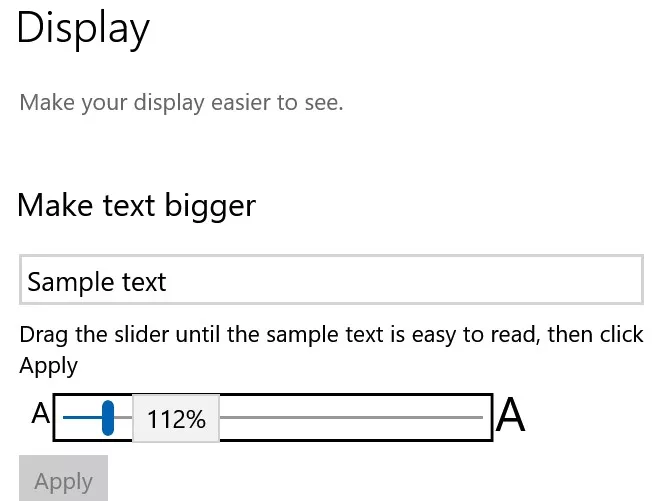
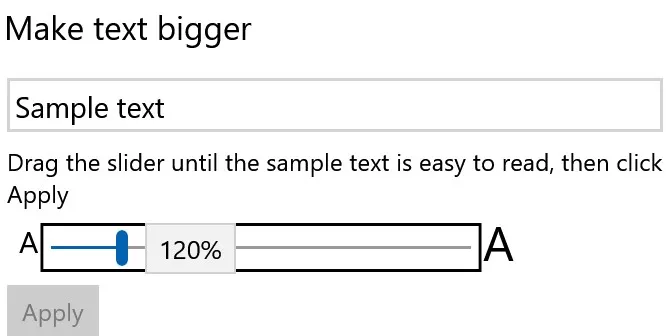
    I have a multiboot system, Within the past year, I created a fresh install on one disk, due to behavioral problems that related to my OS scaling change to 156%.

    There were visual and behavioral side effects, but from as far as text size and display proportions perspective was concerned, it was fine.

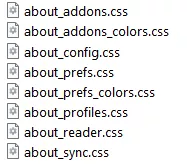
    I access the same Firefox profiles in both installations. The new OS, set to 150%, doesn't have the behavioral abnormalities, but Firefox has been affected. I believe it is due to my "my_userChrome.css" and perhaps my_userContent.css alterations.

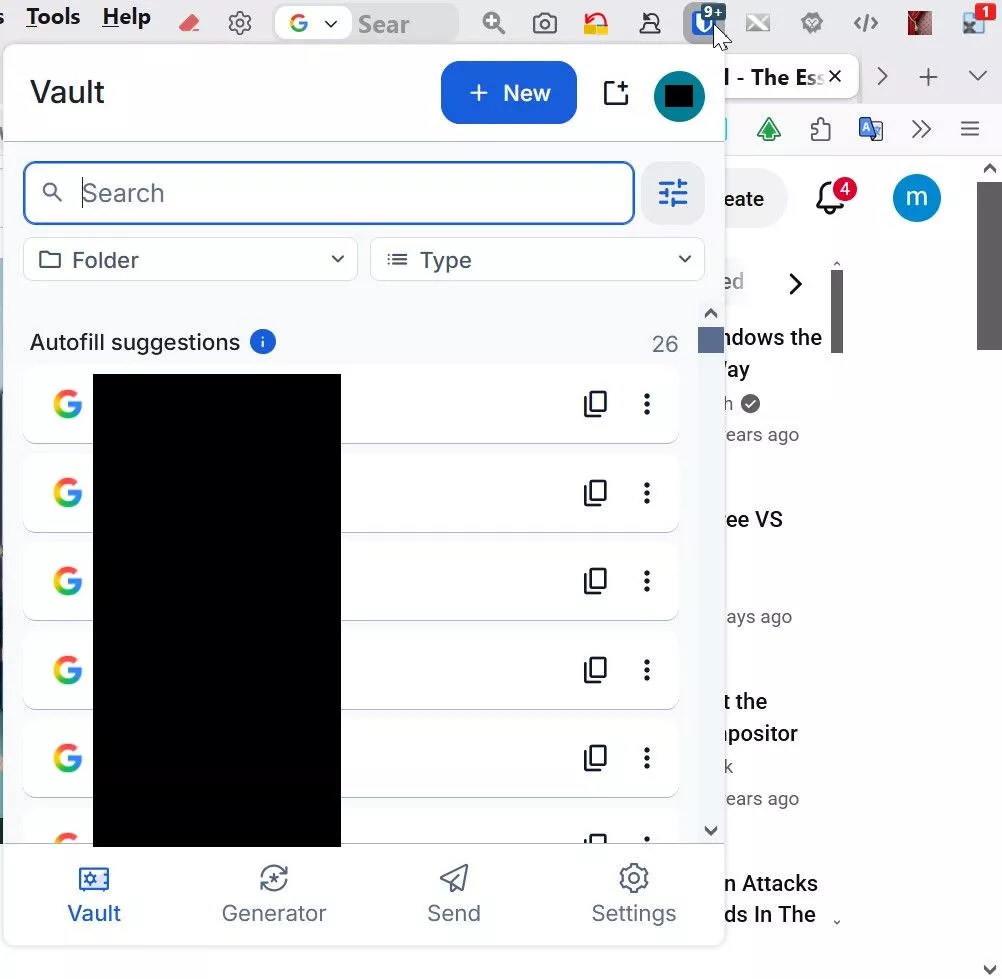
    Here are a few examples. Old OS tab bar

    Ich werde versuchen, mich so kurz wie möglich zu fassen.

    Ich habe ein Multiboot-System. Im Laufe des letzten Jahres habe ich auf einer Festplatte eine Neuinstallation durchgeführt, da es aufgrund meiner Änderung der Betriebssystemskalierung auf 156 % zu Verhaltensproblemen gekommen war.

    Es gab zwar visuelle und funktionale Nebenwirkungen, aber was die Textgröße und die Bildschirmproportionen betraf, war alles in Ordnung.

    Ich greife in beiden Installationen auf dieselben Profile zu. Das neue Betriebssystem weist keine Verhaltensauffälligkeiten auf, aber Firefox ist davon betroffen. Ich vermute, dass dies an meinen Änderungen an „my_userChrome.css“ und möglicherweise auch an „my_userContent.css“ liegt.

    Hier sind ein paar Beispiele. Tab-Leiste im alten Betriebssystem

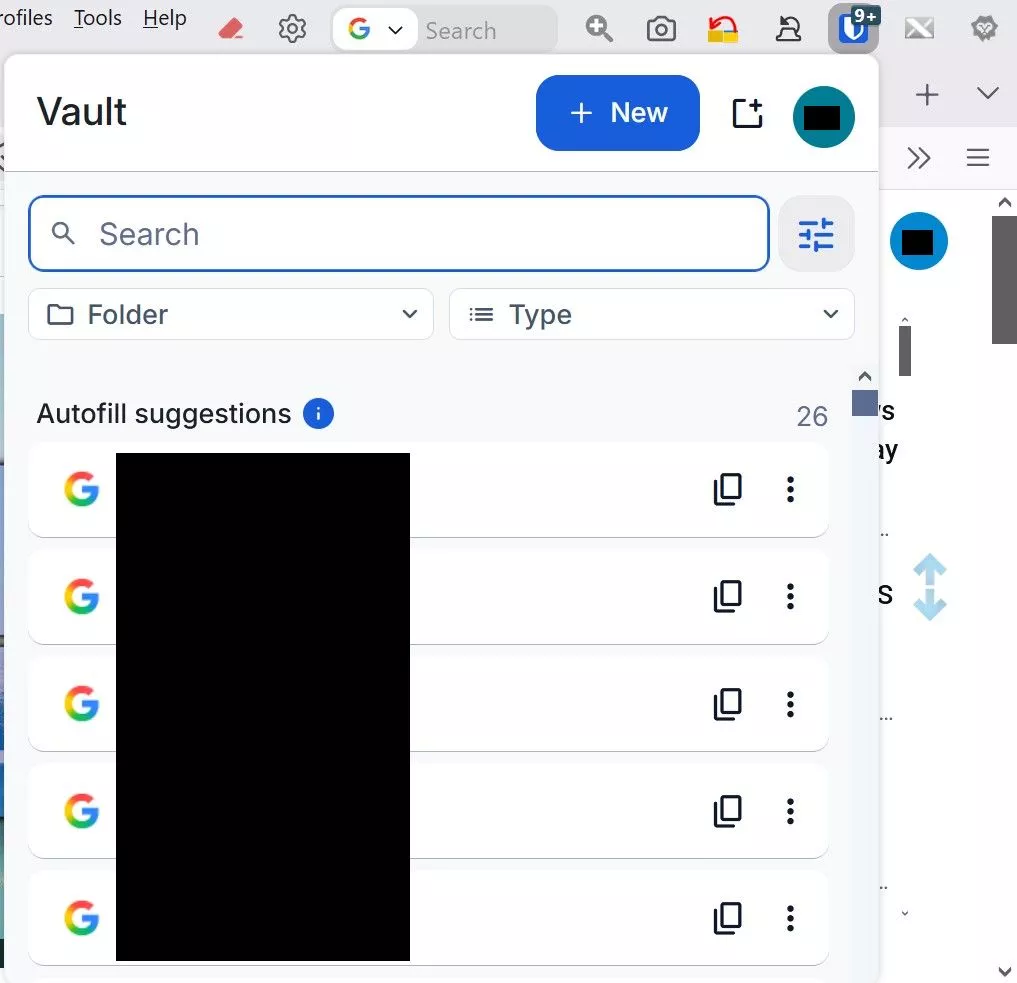
    Larger tab bar and tabs in the new OS

    Größere Registerleiste und Registerkarten im neuen Betriebssystem

    The major issue is page display distortion. On the majority of sites, I must reduce the page to 80%-90% to view the entire page. Without doing so, the right page border section is partially hidden and there is no horizontal scroll bar to reveal it, persistent top frames are enlarged to the point where half the page is hidden

    Example

    Das Hauptproblem ist die verzerrte Darstellung der Seiten. Auf den meisten Websites muss ich die Seite auf 80 % bis 90 % verkleinern, um die gesamte Seite sehen zu können. Andernfalls wird der rechte Seitenrand teilweise verdeckt, und es gibt keine horizontale Bildlaufleiste, um ihn sichtbar zu machen; die feststehenden oberen Rahmen werden so stark vergrößert, dass die Hälfte der Seite verdeckt wird.

    Beispiel
    Do I have permission to published the contents of those files to figure out what changes must be made. What needs to be eliminated or adjusted?

    Darf ich den Inhalt dieser Dateien veröffentlichen, um herauszufinden, welche Änderungen vorgenommen werden müssen?


  • Ich greife in beiden Installationen auf dieselben Profile zu.

    Warum?
    Meiner Meinung nach ist es besser, Du würdest das eine BS konsequent vom anderen BS trennen!

    Die Profile das Profil auf dem einen BS hättest Du doch klonen können.

    Aber sicher wird Dir da jemand antworten, der Dir das ganze viel besser erklären kann,
    und warum eine solche Konstellation m.M. keine gute Idee ist
    und eventuell genau für solche Probleme prädestiniert ist.
    Zumal eine Einstellung in dem BS natürlich auch Auswirkungen auf den Firefox hat.
    Sind diese auf den Systemen unterschiedlich, hast Du schon den Salat.

    Mit <3lichem Gruß

    Mira

  • Das sehe ich auch so. Wobei ich das aber auch schon praktiziert habe, nur nicht für eine Portable.

    Allerdings verhält sich je nach Windows 10<>11 etwas anders. Übergreifend zu Linux sind geteilte Profile völlig abwegig, da passt dann gar nichts mehr.

    Welche OS sind das denn? Ach ja, aktuell ist v152.0.1, bitte schleunigst aktualisieren!

    Frei nach Einstein: „Zwei Dinge sind unendlich, Marketing und die menschliche Gutgläubigkeit, bei einem bin ich mir noch nicht ganz sicher.“

    Meine Glückszahl hier: 98.

  • Why?
    In my opinion, it would be better if you consistently separated one BS from the other BS!

    What is BS? German abbreviation for operating system?

    Was bedeutet „BS“? Ist das eine deutsche Abkürzung für „Betriebssystem“?

    I agree. Although I've done that myself, just not with a portable device.

    I tried not to distract with a lot of trivial info, because this should be really simple, but here we go.

    I appreciate your speculations, but in this case, they are unfounded. Nothing is broken here.

    There is absolutely no association/relationship between these two installs that would cause any sort of conflict or corruption. They are completely separate of each other. When I am using one install, the other disk essentially functions as a data drive, as far as it's abilities are concerned

    The only reason I made mention of them is to illustrate why and how these display differences occur, which is particularly relevant in the case of Firefox.

    You said "portable device". I don't know exactly what the term "device" was a reference to, but the critical part of the discussion here is that I use the Firefox Profile Manager, which means that for me, Firefox is completely portable.

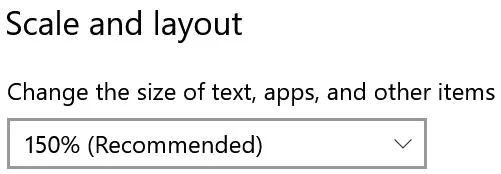
    As such, in my unique situation, the contrast in terms of display between the old OS and the later one is solely due to, as i mentioned in my original post, their scaling idiosyncrasies. The "simple" fact that the old OS is set to 156% scaling, while the new OS is set to the "recommended" 150%.

    It took me a long, miserable time at Tenforums and elsewhere discover this. Which led to the obvioous conclusion that, since my "my_userChrome.css" and my_userContent.css" alterations were originally visually based upon the 156% scaling of the old OS, "my_userChrome.css" and my_userContent.css" must be adjusted for the 150% scaling.

    All I need is for someone to examine both files and clean them up. To identity the relevant display related content, and if necessary, remove any obsolete data that might exist.

    Can you recommend where I might find such assistance?

    Ich habe versucht, euch nicht mit zu vielen nebensächlichen Informationen abzulenken, da das Ganze eigentlich ganz einfach sein sollte, aber los geht’s.

    Ich weiß eure Spekulationen zu schätzen, aber in diesem Fall sind sie unbegründet. Hier ist nichts kaputt.

    Es besteht absolut kein Zusammenhang zwischen diesen beiden Installationen, der zu Konflikten oder Datenbeschädigungen führen könnte. Sie sind völlig voneinander getrennt. Wenn ich eine der beiden Installationen nutze, fungiert die andere Festplatte, was ihre Funktionen angeht, im Wesentlichen als Datenträger.

    Ich habe sie nur deshalb erwähnt, um zu veranschaulichen, warum und wie diese Darstellungsunterschiede entstehen, was insbesondere im Fall von Firefox relevant ist.

    u sprachen von einem „portablen Gerät“. Ich weiß nicht genau, worauf sich der Begriff „Gerät“ bezog, aber der entscheidende Punkt in dieser Diskussion ist, dass ich den Firefox-Profil-Manager verwende, was bedeutet, dass Firefox für mich vollständig portabel ist.

    In meiner speziellen Situation ist der Unterschied in der Darstellung zwischen dem alten und dem neueren Betriebssystem daher, wie ich bereits in meinem ursprünglichen Beitrag erwähnt habe, ausschließlich auf deren jeweilige Besonderheiten bei der Skalierung zurückzuführen. Die „einfache“ Tatsache, dass das alte Betriebssystem auf 156 % eingestellt ist Skalierung, während das neue Betriebssystem auf die „empfohlenen“ 150 % eingestellt ist.

    Ich habe lange und mühsam bei Tenforums und anderswo recherchiert, bis ich das herausgefunden habe. Das führte zu der naheliegenden Schlussfolgerung, dass, da meine „my_userChrome.css“ und „my_userContent.css“ Da die Anpassungen ursprünglich auf der 156-prozentigen Skalierung des alten Betriebssystems basierten, müssen „my_userChrome.css“ und „my_userContent.css“ an die 150-prozentige Skalierung angepasst werden.

    Ich brauche lediglich jemanden, der beide Dateien überprüft und bereinigt. Die Daten in den Dateien, die die visuelle Darstellung bestimmen, müssen identifiziert werden, und sollten veraltete oder widersprüchliche Daten gefunden werden, müssen diese entfernt werden.

    Können Sie mir empfehlen, wo ich solche Unterstützung finden könnte?

    Einmal editiert, zuletzt von juzzlukin (19. Juni 2026 um 21:52)

  • Poste dein CSS.

    Frei nach Einstein: „Zwei Dinge sind unendlich, Marketing und die menschliche Gutgläubigkeit, bei einem bin ich mir noch nicht ganz sicher.“

    Meine Glückszahl hier: 98.

    Einmal editiert, zuletzt von .DeJaVu (20. Juni 2026 um 09:57)

  • Post your CSS

    The my_userChrome.css file has grown over many years. This toolbar may or may not be the vision others embrace, but it works for me. The tab bar proportions is the only adjustment I seek here

    Die Datei „my_userChrome.css“ ist im Laufe der Jahre immer umfangreicher geworden. Diese Symbolleiste entspricht vielleicht nicht unbedingt der Vorstellung anderer, aber für mich funktioniert sie. Die Proportionen der Registerkartenleiste sind die einzige Anpassung, die ich hier vornehmen möchte.

    Aside from that, I've already stated my main goals. Clean up the junk, make the adjustments.

    Abgesehen davon habe ich meine Hauptziele bereits dargelegt. Den Ballast beseitigen, die notwendigen Anpassungen vornehmen.

    /*****************************************MY TWEAKS*******************************************************/
    /* ADJUST HISTORY SIDEBAR MENU SPACING */
    #history-view treechildren::-moz-tree-row {
    height: 20px !important; /* Adjust height as needed */
    min-height: 20px !important;
    }

    /* Increase tab font size */
    .tab-text.tab-label{
    font-size: 14px;
    }

    /* Make all Firefox GUI fonts bold */
    * {
    font-weight: bold !important;
    }

    /* Enable yellow folder icons on bookmark folders */

    .bookmark-item[container] > :is(.menu-icon, .toolbarbutton-icon){ content: url("./image/folder-item.png") !important; }

    :root[uidensity="compact"] .unified-extensions-item-row-wrapper {
    margin-inline: -2px !important
    }

    /* Enable Go Button or arrow in the address bar */

    #urlbar-go-button {
    display: inline-block !important;
    /*list-style-image: url("chrome://global/skin/icons/search-glass.svg") !important;
    transform: scaleX(-1) !important;*/
    }

    /* enable Mute Button on active tab */

    .tab-icon-overlay {
    :is(
    :root[uidensity=compact],
    #tabbrowser-tabs[secondarytext-unsupported],
    :root:not([uidensity=compact]) #tabbrowser-tabs:not([secondarytext-unsupported]) .tabbrowser-tab
    ) .tab-icon-stack[indicator-replaces-favicon] > :not(&) {
    opacity: 0 !important;
    }

    :root:not([uidensity=compact]) #tabbrowser-tabs:not([secondarytext-unsupported]) .tabbrowser-tab:not(:hover) &[indicator-replaces-favicon] {
    opacity: 1.0 !important;
    }
    }

    /* hide pinned tabs on tab bar v119.0 ok */

    .tabbrowser-tab[pinned] {display: none !important;}

    /* hide pinned tabs on tab bar v118.0 ok */

    /* .tabbrowser-tab[pinned="true"] {
    display: none !important;} */

    /* hide multi-container button in urlbar */
    #page-action-buttons > #pageActionSeparator ~ .urlbar-page-action,
    #pageAction-urlbar-_testpilot-containers {
    display: none !important;
    } */

    /*** hide with unlock place on URL bar ***/

    #picture-in-picture-button {
    display: none !important
    }

    #picture-in-picture-button {
    visibility: collapse !important
    }

    #picture-in-picture-button {
    visibility: hidden !important
    }
    /* these fallback may works with z-index: */
    #picture-in-picture-button, #picture-in-picture-button * {
    height: 0 !important;
    width: 0 !important;
    margin: 0 !important;
    padding: 0 !important
    }

    /*** fails for disable use Tab key ***/

    #picture-in-picture-button {
    position: absolute !important;
    top: -1900px !important
    }
    /* "top:" removes background under possible other URL bar buttons */

    #picture-in-picture-button {
    position: absolute !important;
    clip: rect(0,0,0,0) !important
    }
    /* clip removes background under possible other URL bar buttons */

    #picture-in-picture-button {
    position: absolute !important;
    clip-path: circle(0) !important
    }
    /* clip-path removes background under possible other URL bar buttons */
    /* recommended is convert clip to clip-path as "clip" is deprecated */

    /*** hide only icon, but place still reserved (annoying on small window) - needed fallback with resize like for "visibility: hidden !important"
    ***/

    #picture-in-picture-button {
    top: -1900px !important;
    position: relative !important
    }

    #picture-in-picture-button {
    z-index: -214748364 !important
    }

    #picture-in-picture-button {
    opacity: 0 !important;
    pointer-events: none !important;
    user-select: none !important
    }

    /*** FIREFOX TRANSLATION BAR BELOW THE NAVBAR ***/

    /*** :root {
    --tab_below_navigation_toolbar_bottom_padding: 35px !important;
    } ***/

    /*** MAKE SIDEBAR BOOKMARKS, HISTORY, AND "MANAGE HISTORY FOLDERS MORE COMPACT ***/

    /** treechildren::-moz-tree-row,
    treechildren::-moz-tree-cell,
    treechildren::-moz-tree-cell-text,
    treechildren,
    treechildren *,
    .bookmark-item,
    .bookmark-item * {
    appearance: unset !important;
    margin: 0 !important;
    padding: 0 !important;
    min-height: unset !important;
    height: unset !important;
    } */

    treechildren::-moz-tree-row,
    treechildren::-moz-tree-cell,
    treechildren::-moz-tree-cell-text,
    treechildren,
    treechildren *,
    .bookmark-item,
    .bookmark-item * {
    appearance: unset !important;
    margin: 1 !important;
    padding: 0 !important;
    min-height: unset !important;
    height: unset !important;
    }

    /*** CHANGE THE COLOR OF THE ADDRESS BAR & OVERFLOW MENU ZOOM BUTTON LEVEL NUMBER BUTTON TO RED ***/
    #zoom-reset-button {
    color: red !important;
    }

    #urlbar-zoom-button{
    color: red !important;
    }

    /*** Scrollbar for long Bookmark menu "popups" ***/

    [placespopup="true"] {
    --allow-scroll-bar: auto;
    }

    scrollbox[part="scrollbox"] {
    overflow-y: var(--allow-scroll-bar, inherit) !important;
    }

    /* CORRECT SEARCH FIELD FROM BEING VERTICALLY OFF CENTER - 2-3-23 */

    .searchbar-textbox {
    margin-top: 1px !important;
    }

    /* ADJUST MENUBAR HEIGHT - 12-2-24 */

    #toolbar-menubar {
    height: 25px !important;
    min-height: unset !important;
    }

    /* CORRECT MENUBAR FROM BEING VERTICALLY OFF CENTER - 12-2-24 */

    #main-window #toolbar-menubar .toolbarbutton-1 {
    margin-top: 3px !important;
    }

    /* INCREASE RIGHT SIDE MENUBAR SPACING BETWEEN MIN-MAX-CLOSE BUTTONS AND BUTTON TO THE LEFT - 11-29-24 */

    /* .titlebar-buttonbox {
    padding-left: 3px !important;
    padding-right: 3px !important;
    } */

    /* MOVE MENUBAR BUTTONS CLOSER TOGETHER (ARIS) */
    #toolbar-menubar > toolbaritem,
    #toolbar-menubar > toolbarbutton,
    #toolbar-menubar > toolbaritem toolbarbutton {
    padding: 0 !important;
    margin: 0 !important;
    }

    /* MAKE ALL MENUS COMPACT - MINIMAL SPACE BETWEEN ENTRIES VERTICALLY - 12-14-24*/

    /* override default browser code - normal popups */
    menupopup {

    Media (-moz-platform: windows) {
    > menu,
    > menuitem {
    padding-block: 0px !important;
    }
    }

    }

    /* override default browser code - panel popups */
    .toolbar-menupopup :is(menu, menuitem),
    .subview-subheader,
    panelview .toolbarbutton-1,
    .subviewbutton,
    .widget-overflow-list .toolbarbutton-1 {
    min-height: 0px !important;
    padding: 0px !important;
    }

    /* override context_bfrsb_*.css options */
    #context-navigation > .menuitem-iconic > .menu-iconic-left > .menu-iconic-icon {
    margin-top: 0px !important;
    margin-bottom: 0px !important;
    }

    /* MAKE ALL MENUS COMPACT - MINIMAL SPACE BETWEEN ENTRIES VERTICALLY */

    /* menupopup > menuitem,
    menupopup > menu {
    padding-top: 0px !important;
    padding-bottom: 4px !important;
    } */

    /* MAKE ALL MENUS COMPACT - MINIMAL SPACE BETWEEN ENTRIES VERTICALLY - 10-20-22 */
    /* #scrollbutton-up[disabled="true"],
    #scrollbutton-down[disabled="true"] {
    opacity: 1.0 !important;
    fill-opacity: 1.0 !important;
    } */

    /* CUSTOMIZE THE RESTART BUTTON ICON */
    #restart-button > .toolbarbutton-icon {
    list-style-image: url("R- RED 7.png") !important;
    }

    /* NIGHTLY 72 UPDATE FIX TOP FINDBAR */
    :-moz-any(.browserContainer,#viewSource) :-moz-any(findbar,#FindToolbar) {
    z-index: 10000 !important;
    }

    /* REMOVE LASTPASS FROM PAGE CONTEXT MENU (Lastpass "Hide Context Menu Option" not working) */
    menu[label="LastPass"] {
    display: none !important;
    }

    /* MAKE SEARCH BAR DROP DOWN SEARCH ENGINE LABELS BLACK */
    #PopupSearchAutoComplete,
    #PopupSearchAutoComplete * {
    color: black !important;
    }

    /* MAKE ADDRESS BAR SUGGESTIONS CLOSER TOGETHER */
    .urlbarView-row {
    min-height: 14px !important;
    height: unset !important;
    padding-top: 2px !important;
    padding-bottom: 2px !important;
    }

    /* From [TABS BELOW NAVIGATION AND BOOKMARKS TOOLBARS] conflicts with menu bar -
    https://github.com/Aris-t2/CustomCSSforFx/issues/132 */

    /* don't show back or forward buttons if there's nothing to go back or forward to show */
    #ctraddon_back-button[disabled="true"],
    #ctraddon_forward-button[disabled="true"],
    #back-button[disabled="true"],
    #forward-button[disabled="true"] {
    display: none !important;
    }

    /* close icon */
    #TabsToolbar #tabbrowser-tabs .tabbrowser-tab:not([pinned]) .tab-close-button {
    -moz-box-ordinal-group: 0 !important;
    -moz-margin-start: -9px !important;
    -moz-margin-end: 0px !important;
    }

    #main-window #navigator-toolbox #TabsToolbar .close-icon > .toolbarbutton-icon,
    #main-window #navigator-toolbox #TabsToolbar .tab-content .close-icon {
    min-width: 20px !important;
    width: 20px !important;
    min-height: 20px !important;
    height: 20px !important;
    }

    /* Tab numbers on tabs / Tabs numbers in 'all tabs' popup */
    #tabbrowser-tabs,
    #alltabs-popup, /*Fx60-61 */
    #allTabsMenu-allTabsViewTabs, /*Fx62+ */
    #allTabsMenu-allTabsView-tabs { /*Fx126+*/
    counter-reset: n_tabs 0;
    }
    .tabbrowser-tab .tab-content {
    -moz-padding-start: 0px;
    }
    .tabbrowser-tab .tab-content::before,
    .alltabs-item::before, /*Fx60-61 */
    .all-tabs-button::before { /*Fx62+ */
    display: -moz-box;
    -moz-padding-end: 8px;
    counter-increment: n_tabs;
    content: counter(n_tabs);
    font-weight: bold !important;
    font-size: 15px !important;
    margin-top: -2px !important;
    }

    /* REMOVE EDIT MENU (IF YOU ALREADY USE ALL THE KEYBOARD SHORTCUTS) */
    #edit-menu { display: none !important; }
    #file-menu { display: none !important; }
    #view-menu { display: none !important; }
    #history-menu { display: none !important; }
    #bookmarksMenu { display: none !important; }
    #profiles-menu { display: none !important; }


    /* drag text encoding button to menu bar before editing userChrome.css */

    toolbarbutton#characterencoding-button {
    -moz-binding: url("userChrome.xml#js");
    }
    #main-window:not([customizing="true"]) toolbarbutton#characterencoding-button {
    visibility: collapse;
    }

    /* fix tab toolbars button width/height for default tabs */

    #navigator-toolbox #TabsToolbar .scrollbutton-up,
    #navigator-toolbox #TabsToolbar .scrollbutton-down,
    #navigator-toolbox #TabsToolbar #alltabs-button,
    #navigator-toolbox #TabsToolbar #new-tab-button {
    padding: 0px !important;
    }

    #navigator-toolbox #TabsToolbar .scrollbutton-up > .toolbarbutton-icon,
    #navigator-toolbox #TabsToolbar .scrollbutton-down > .toolbarbutton-icon,
    #navigator-toolbox #TabsToolbar #alltabs-button > .toolbarbutton-icon,
    #navigator-toolbox #TabsToolbar #new-tab-button > .toolbarbutton-icon,
    #navigator-toolbox #TabsToolbar .tabs-newtab-button > .toolbarbutton-icon {
    padding: 0px !important;
    width: 16px !important;
    height: 16px !important;
    }

    /* hide empty space before and after tabs */
    hbox[type="pre-tabs"],
    hbox[type="post-tabs"] {
    min-width: 1px !important;
    width: 1px !important;
    max-width: 1px !important;
    opacity: 0 !important;
    }

    #main-window[tabsintitlebar][sizemode="normal"] #toolbar-menubar[autohide="true"][inactive="true"],
    #main-window[tabsintitlebar][sizemode="maximized"] #toolbar-menubar[autohide="true"][inactive="true"] {
    margin-top: unset !important;
    }

    #main-window[lwtheme] #toolbar-menubar[autohide="true"][inactive="true"] ~ #nav-bar,

    #main-window:not([lwtheme])[tabsintitlebar] #toolbar-menubar[autohide="true"][inactive="true"] ~ #nav-bar,
    #main-window[tabsintitlebar] #toolbar-menubar[autohide="true"][inactive="true"] ~ #nav-bar {
    -moz-margin-end: 1px !important;
    -moz-appearance: none !important;
    background: transparent !important;
    border-top: unset !important;
    }

    #main-window[sizemode="normal"] #navigator-toolbox #nav-bar {
    border-left: 0px !important;
    border-right: 0px !important;
    }

    #main-window[tabsintitlebar] #toolbar-menubar[autohide="true"][inactive="true"] ~ #nav-bar #nav-bar-customization-target {
    -moz-padding-start: 50px !important;
    }

    /* selected tab text color ****************************/
    /* text color */
    .tabbrowser-tab[selected] .tab-label {
    color: red !important;
    }

    /* ALTER THE URLBAR AND SEARCH BAR FONT SIZES */
    #searchbar { font-size: 15px !important; }
    #urlbar { font-size: 15px !important; }

    /* MAKE THE BOX TO THE LEFT OF THE ADDRESS BAR NARROWER ******************************************************** */
    /* Firefox Quantum userChrome.css tweaks ************************************************/
    /* Github: https://github.com/Aris-t2/Custom…bels_hidden.css */

    #identity-icon-labels {
    display: none !important;
    }

    #identity-box {
    padding-inline-end: 4px !important;
    margin-inline-end: 4px !important;
    }

    /**/

    /* SHRINK MIN-MAX-CLOSE BUTTON - ARIS ******************************************************** */
    .titlebar-button {
    padding: 0 !important; /* no more wasting space */
    color: black !important; /* set own color */
    }+ toolbarbutton#alltabs-button {

    #tabContextMenu #context_bookmarkTab {

    display: none !important;

    }

    /* RESTORE BOTTOM POSITION OF "AVAILABLE UPDATES" SIDEBAR ELEMENT OF ABOUT:ADDONS */
    #category-availableUpdates {
    -moz-box-ordinal-group: 100 !important;
    }

    /* FIX APPLICATION/HAMBURGER BUTTON MENU BUTTON */
    #PanelUI-button #whats-new-menu-button {
    display: none !important;
    }

    /* SHOW A NUMBER BEFORE TAB TEXT - ANOTHER CODE TO CREATE NUMBERED TABS IS THE CURRENT ONE EVER FAILS */

    /* .tabbrowser-tab:first-child{ counter-reset: nth-tab 0 } /* Change to -1 for 0-indexing */
    .tab-text::before{ content: counter(nth-tab) " "; counter-increment: nth-tab } */