- Firefox-Version
- 149
- Betriebssystem
- Microsoft Windows 10 Professional (x64) Build 19045.7058 (22H2)
This has been happening regularly for a long time. This is with my main profile. I have another profile that doesn't seem to have a problem. The main profile has more addons.
The pattern is it seems to occur after extended periods of use, or extended periods of being open, but idle.
Sometimes it will just freeze. If I wait long enough, it could be 2-10 minutes, it may go back to normal. Sometimes it will crash my system. If I can't get to the task manager to end task, I usually decide to reboot the OS manually with the power button on the device.
Or, more often, it occurs when I attempt to close the browser, and either the freeze will occur, or the responses to my mouse or keyboard are severely delayed, accompanied by that little blue spinning circle. or "Page is not responding". In that scenario, it may eventually close.
However, after that type of episode, it will usually not launch for an extended length of time, due to the following.
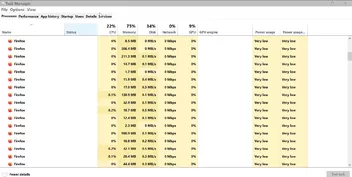
That is only a fraction of the 40-50 "Firefox" entries there to be revealed by scrolling. In order to relaunch, I must manually "End Task" on 2-3 of them.
Occasionally, I get the repeated messaged that a "website page is slowing things down". I don't know if that is related to the other symptoms.
Since it happens randomly, and I cannot create it the situation, about:support does not help.
Would it be helpful if I posted an image of my about:addons list?

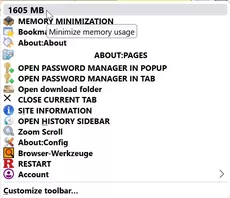
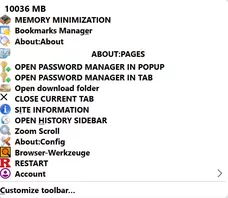
 Inkl. der "profiles.ini".