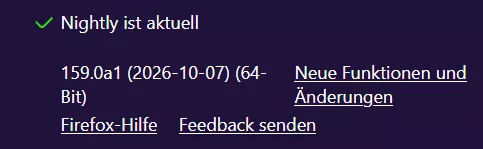
Firefox beenden Warnung.uc.js funktioniert in Fx 159 nicht mehr
-
2002Andreas -
30. September 2026 um 14:22 -
Erledigt
-
-
Ohne es getestet zu haben, sieht das definitiv nach einer notwendigen Änderung in allen Scripts aus, die window.__SSi nutzen.
2078286 - Store SessionStore's window IDs in a WeakMap instead of window expandosRESOLVED (dao+bmo) in Firefox - Session Restore. Last updated 2026-10-06.bugzilla.mozilla.org -
Scheint die Lösung zu sein. Ich habe hier ein anderes Skript, welches seit heute ebenfalls nicht mehr funktionierte. Dort war die selbe Zeile drin. Nach dem Austausch flutscht es wieder. Heißen Dank!

-

Ersetze in dem Skript
Hallo BrokenHeart...perfekt...ganz herzlichen Dank dafür

-
Auch mit dieser Änderung funktioniert das Skript aus #11 bei mir nicht!
Mehrere Tabs geöffnet und per Beenden schließen!
Kein Allert!
Muss ich da noch etwas in den Einstellungen ändern oder an irgendeiner anderen Stelle? -

Mehrere Tabs geöffnet und per Beenden schließen!
Hast du hier den Haken drin?

Funktioniert hier in 3 versch. Nightly Profilen einwandfrei.
-
Die scheinen gerade mächtig an der Nighty am Arbeiten zu sein!
Ja, das GeminiScript funktioniert nur noch mit der Änderung von Andreas!
Aber auch mit der Nightly habe ich gerade so meine Probleme!
Es gibt zwar ein Update, das wohl auch installiert wird,
aber nach jedem Neustart eben wieder!
Das nimmt gerade kein Ende! So kann ich das nicht testen! -
-
Hast du hier den Haken drin?
Äh, ja habe ich jetzt gemacht und das Skript mal deaktiviert!
Wo zu braucht man dann noch das Skript? -
Wo zu braucht man dann noch das Skript?
Um eine Warnung bei nur einem geöffneten Tab zu erhalten.
-

Um eine Warnung bei nur einem geöffneten Tab zu erhalten.
Ah, ok, Danke.
Jetzt muss ich mich aber erst einmal um den Loop kümmern! -
Hinweis:
Die Änderung im Skript funktioniert auch schon in der Release 157.0.1
-
Habe jetzt a. das Problem mit dem Loop behoben.
b. auch das GeminiSkript zur gewünschten Funktionsweise gebracht!
Als Backup? Soll ich es hier reinstellen? -
Ich nutze dazu folgendes Script:
JavaScript
Alles anzeigen// Angepasst durch aborix // ab Fx 133 wird in den Zeilen 57 und 58 pinnedTabCount statt _numPinnedTabs verwendet // Änderung in Zeile 12 durch Sören am 30.09.2026 (function() { if (window.__SSi != 'window0') return; const lazy = {}; ChromeUtils.defineESModuleGetters(lazy, { BrowserGlue: "moz-src:///browser/components/BrowserGlue.sys.mjs." }); lazy.BrowserGlue.prototype._onQuitRequest = function BG__onQuitRequest(aCancelQuit, aQuitType) { // If user has already dismissed quit request, then do nothing if (aCancelQuit instanceof Ci.nsISupportsPRBool && aCancelQuit.data) { return; } // There are several cases where we won't show a dialog here: // 1. There is only 1 tab open in 1 window // 2. browser.warnOnQuit == false // 3. The browser is currently in Private Browsing mode // 4. The browser will be restarted. // 5. The user has automatic session restore enabled and // browser.sessionstore.warnOnQuit is not set to true. // 6. The user doesn't have automatic session restore enabled // and browser.tabs.warnOnClose is not set to true. // // Otherwise, we will show the "closing multiple tabs" dialog. // // aQuitType == "lastwindow" is overloaded. "lastwindow" is used to indicate // "the last window is closing but we're not quitting (a non-browser window is open)" // and also "we're quitting by closing the last window". if (aQuitType == "restart" || aQuitType == "os-restart") { return; } // browser.warnOnQuit is a hidden global boolean to override all quit prompts. if (!Services.prefs.getBoolPref("browser.warnOnQuit")) { return; } var windowcount = 0; var pagecount = 0; let pinnedcount = 0; for (let win of BrowserWindowTracker.orderedWindows) { if (win.closed) { continue; } windowcount++; let tabbrowser = win.gBrowser; if (tabbrowser) { pinnedcount += tabbrowser.pinnedTabCount; // bis Fx 132 wurde statt pinnedTabCount _numPinnedTabs verwendet pagecount += tabbrowser.visibleTabs.length - tabbrowser.pinnedTabCount; // bis Fx 132 wurde statt pinnedTabCount _numPinnedTabs verwendet } } // No windows open so no need for a warning. if (!windowcount) { return; } // browser.warnOnQuitShortcut is checked when quitting using the shortcut key. // The warning will appear even when only one window/tab is open. For other // methods of quitting, the warning only appears when there is more than one // window or tab open. let shouldWarnForShortcut = this._quitSource == "shortcut" && Services.prefs.getBoolPref("browser.warnOnQuitShortcut"); let shouldWarnForTabs = //pagecount >= 2 && Services.prefs.getBoolPref("browser.tabs.warnOnClose"); if (!shouldWarnForTabs && !shouldWarnForShortcut) { return; } if (!aQuitType) { aQuitType = "quit"; } let win = BrowserWindowTracker.getTopWindow(); // Our prompt for quitting is most important, so replace others. win.gDialogBox.replaceDialogIfOpen(); let titleId = { id: "tabbrowser-confirm-close-tabs-title", args: { tabCount: pagecount }, }; let quitButtonLabelId = "tabbrowser-confirm-close-tabs-button"; let closeTabButtonLabelId = "tabbrowser-confirm-close-tab-only-button"; let showCloseCurrentTabOption = false; if (windowcount > 1) { // More than 1 window. Compose our own message based on whether // the shortcut warning is on or not. if (shouldWarnForShortcut) { showCloseCurrentTabOption = true; titleId = "tabbrowser-confirm-close-warn-shortcut-title"; quitButtonLabelId = "tabbrowser-confirm-close-windows-warn-shortcut-button"; } else { titleId = { id: "tabbrowser-confirm-close-windows-title", args: { windowCount: windowcount }, }; quitButtonLabelId = "tabbrowser-confirm-close-windows-button"; } } else if (shouldWarnForShortcut) { if (win.gBrowser.visibleTabs.length > 1) { showCloseCurrentTabOption = true; titleId = "tabbrowser-confirm-close-warn-shortcut-title"; quitButtonLabelId = "tabbrowser-confirm-close-tabs-with-key-button"; } else { titleId = "tabbrowser-confirm-close-tabs-with-key-title"; quitButtonLabelId = "tabbrowser-confirm-close-tabs-with-key-button"; } } // The checkbox label is different depending on whether the shortcut // was used to quit or not. let checkboxLabelId; if (shouldWarnForShortcut) { const quitKeyElement = win.document.getElementById("key_quitApplication"); const quitKey = ShortcutUtils.prettifyShortcut(quitKeyElement); checkboxLabelId = { id: "tabbrowser-ask-close-tabs-with-key-checkbox", args: { quitKey }, }; } else { checkboxLabelId = "tabbrowser-ask-close-tabs-checkbox"; } const [title, quitButtonLabel, checkboxLabel] = win.gBrowser.tabLocalization.formatMessagesSync([ titleId, quitButtonLabelId, checkboxLabelId, ]); // Only format the "close current tab" message if needed let closeTabButtonLabel; if (showCloseCurrentTabOption) { [closeTabButtonLabel] = win.gBrowser.tabLocalization.formatMessagesSync([ closeTabButtonLabelId, ]); } let warnOnClose = { value: true }; let flags; if (showCloseCurrentTabOption) { // Adds buttons for quit (BUTTON_POS_0), cancel (BUTTON_POS_1), and close current tab (BUTTON_POS_2). // Also sets a flag to reorder dialog buttons so that cancel is reordered on Unix platforms. flags = (Services.prompt.BUTTON_TITLE_IS_STRING * Services.prompt.BUTTON_POS_0 + Services.prompt.BUTTON_TITLE_CANCEL * Services.prompt.BUTTON_POS_1 + Services.prompt.BUTTON_TITLE_IS_STRING * Services.prompt.BUTTON_POS_2) | Services.prompt.BUTTON_POS_1_IS_SECONDARY; Services.prompt.BUTTON_TITLE_CANCEL * Services.prompt.BUTTON_POS_1; } else { // Adds quit and cancel buttons flags = Services.prompt.BUTTON_TITLE_IS_STRING * Services.prompt.BUTTON_POS_0 + Services.prompt.BUTTON_TITLE_CANCEL * Services.prompt.BUTTON_POS_1; } // 1 Fenster mit höchstens 1 nicht angehefteter Tab if (windowcount == 1 && pagecount < 2 && this._quitSource != "shortcut") { title.value = "Fenster schließen?"; quitButtonLabel.value = "Schließen"; checkboxLabel.value = null; } let buttonPressed = Services.prompt.confirmEx( win, title.value, null, flags, quitButtonLabel.value, null, showCloseCurrentTabOption ? closeTabButtonLabel.value : null, checkboxLabel.value, warnOnClose ); // If the user has unticked the box, and has confirmed closing, stop showing // the warning. if (buttonPressed == 0 && !warnOnClose.value) { if (shouldWarnForShortcut) { Services.prefs.setBoolPref("browser.warnOnQuitShortcut", false); } else { Services.prefs.setBoolPref("browser.tabs.warnOnClose", false); } } // Close the current tab if user selected BUTTON_POS_2 if (buttonPressed === 2) { win.gBrowser.removeTab(win.gBrowser.selectedTab); } this._quitSource = "unknown"; aCancelQuit.data = buttonPressed != 0; } })();Egal ob ich eineoder mehrere Fenster schließe.
Klappt tadellos. -
BarbaraZ- Das wird so in der Zukunft nicht mehr funktionieren!
Nutze doch bitte das hier korrigierte Script, bzw. merke es Dir vor,
wenn Du es nicht jetzt schon nutzen willst.JavaScript
Alles anzeigen// Angepasst durch aborix // ab Fx 133 wird in den Zeilen 57 und 58 pinnedTabCount statt _numPinnedTabs verwendet // Angepasst durch Sören für Fx 159 // https://www.camp-firefox.de/forum/thema/140987/?postID=1295025#post1295025 // Bugfix durch BrokenHeart für Fx 159 // https://www.camp-firefox.de/forum/thema/140987/?postID=1295793#post1295793 (function() { if (!window.gBrowser) return; const lazy = {}; ChromeUtils.defineESModuleGetters(lazy, { BrowserGlue: "moz-src:///browser/components/BrowserGlue.sys.mjs" }); lazy.BrowserGlue.prototype._onQuitRequest = function BG__onQuitRequest(aCancelQuit, aQuitType) { // If user has already dismissed quit request, then do nothing if (aCancelQuit instanceof Ci.nsISupportsPRBool && aCancelQuit.data) { return; } // There are several cases where we won't show a dialog here: // 1. There is only 1 tab open in 1 window // 2. browser.warnOnQuit == false // 3. The browser is currently in Private Browsing mode // 4. The browser will be restarted. // 5. The user has automatic session restore enabled and // browser.sessionstore.warnOnQuit is not set to true. // 6. The user doesn't have automatic session restore enabled // and browser.tabs.warnOnClose is not set to true. // // Otherwise, we will show the "closing multiple tabs" dialog. // // aQuitType == "lastwindow" is overloaded. "lastwindow" is used to indicate // "the last window is closing but we're not quitting (a non-browser window is open)" // and also "we're quitting by closing the last window". if (aQuitType == "restart" || aQuitType == "os-restart") { return; } // browser.warnOnQuit is a hidden global boolean to override all quit prompts. if (!Services.prefs.getBoolPref("browser.warnOnQuit")) { return; } var windowcount = 0; var pagecount = 0; let pinnedcount = 0; for (let win of BrowserWindowTracker.orderedWindows) { if (win.closed) { continue; } windowcount++; let tabbrowser = win.gBrowser; if (tabbrowser) { pinnedcount += tabbrowser.pinnedTabCount; // bis Fx 132 wurde statt pinnedTabCount _numPinnedTabs verwendet pagecount += tabbrowser.visibleTabs.length - tabbrowser.pinnedTabCount; // bis Fx 132 wurde statt pinnedTabCount _numPinnedTabs verwendet } } // No windows open so no need for a warning. if (!windowcount) { return; } // browser.warnOnQuitShortcut is checked when quitting using the shortcut key. // The warning will appear even when only one window/tab is open. For other // methods of quitting, the warning only appears when there is more than one // window or tab open. let shouldWarnForShortcut = this._quitSource == "shortcut" && Services.prefs.getBoolPref("browser.warnOnQuitShortcut"); let shouldWarnForTabs = //pagecount >= 2 && Services.prefs.getBoolPref("browser.tabs.warnOnClose"); if (!shouldWarnForTabs && !shouldWarnForShortcut) { return; } if (!aQuitType) { aQuitType = "quit"; } let win = BrowserWindowTracker.getTopWindow(); // Our prompt for quitting is most important, so replace others. win.gDialogBox.replaceDialogIfOpen(); let titleId = { id: "tabbrowser-confirm-close-tabs-title", args: { tabCount: pagecount }, }; let quitButtonLabelId = "tabbrowser-confirm-close-tabs-button"; let closeTabButtonLabelId = "tabbrowser-confirm-close-tab-only-button"; let showCloseCurrentTabOption = false; if (windowcount > 1) { // More than 1 window. Compose our own message based on whether // the shortcut warning is on or not. if (shouldWarnForShortcut) { showCloseCurrentTabOption = true; titleId = "tabbrowser-confirm-close-warn-shortcut-title"; quitButtonLabelId = "tabbrowser-confirm-close-windows-warn-shortcut-button"; } else { titleId = { id: "tabbrowser-confirm-close-windows-title", args: { windowCount: windowcount }, }; quitButtonLabelId = "tabbrowser-confirm-close-windows-button"; } } else if (shouldWarnForShortcut) { if (win.gBrowser.visibleTabs.length > 1) { showCloseCurrentTabOption = true; titleId = "tabbrowser-confirm-close-warn-shortcut-title"; quitButtonLabelId = "tabbrowser-confirm-close-tabs-with-key-button"; } else { titleId = "tabbrowser-confirm-close-tabs-with-key-title"; quitButtonLabelId = "tabbrowser-confirm-close-tabs-with-key-button"; } } // The checkbox label is different depending on whether the shortcut // was used to quit or not. let checkboxLabelId; if (shouldWarnForShortcut) { const quitKeyElement = win.document.getElementById("key_quitApplication"); const quitKey = ShortcutUtils.prettifyShortcut(quitKeyElement); checkboxLabelId = { id: "tabbrowser-ask-close-tabs-with-key-checkbox", args: { quitKey }, }; } else { checkboxLabelId = "tabbrowser-ask-close-tabs-checkbox"; } const [title, quitButtonLabel, checkboxLabel] = win.gBrowser.tabLocalization.formatMessagesSync([ titleId, quitButtonLabelId, checkboxLabelId, ]); // Only format the "close current tab" message if needed let closeTabButtonLabel; if (showCloseCurrentTabOption) { [closeTabButtonLabel] = win.gBrowser.tabLocalization.formatMessagesSync([ closeTabButtonLabelId, ]); } let warnOnClose = { value: true }; let flags; if (showCloseCurrentTabOption) { // Adds buttons for quit (BUTTON_POS_0), cancel (BUTTON_POS_1), and close current tab (BUTTON_POS_2). // Also sets a flag to reorder dialog buttons so that cancel is reordered on Unix platforms. flags = (Services.prompt.BUTTON_TITLE_IS_STRING * Services.prompt.BUTTON_POS_0 + Services.prompt.BUTTON_TITLE_CANCEL * Services.prompt.BUTTON_POS_1 + Services.prompt.BUTTON_TITLE_IS_STRING * Services.prompt.BUTTON_POS_2) | Services.prompt.BUTTON_POS_1_IS_SECONDARY; Services.prompt.BUTTON_TITLE_CANCEL * Services.prompt.BUTTON_POS_1; } else { // Adds quit and cancel buttons flags = Services.prompt.BUTTON_TITLE_IS_STRING * Services.prompt.BUTTON_POS_0 + Services.prompt.BUTTON_TITLE_CANCEL * Services.prompt.BUTTON_POS_1; } // 1 Fenster mit höchstens 1 nicht angehefteter Tab if (windowcount == 1 && pagecount < 2 && this._quitSource != "shortcut") { title.value = "Fenster schließen?"; quitButtonLabel.value = "Schließen"; checkboxLabel.value = null; } let buttonPressed = Services.prompt.confirmEx( win, title.value, null, flags, quitButtonLabel.value, null, showCloseCurrentTabOption ? closeTabButtonLabel.value : null, checkboxLabel.value, warnOnClose ); // If the user has unticked the box, and has confirmed closing, stop showing // the warning. if (buttonPressed == 0 && !warnOnClose.value) { if (shouldWarnForShortcut) { Services.prefs.setBoolPref("browser.warnOnQuitShortcut", false); } else { Services.prefs.setBoolPref("browser.tabs.warnOnClose", false); } } // Close the current tab if user selected BUTTON_POS_2 if (buttonPressed === 2) { win.gBrowser.removeTab(win.gBrowser.selectedTab); } this._quitSource = "unknown"; aCancelQuit.data = buttonPressed != 0; } })(); -
Hallo Mira,
Danke, mal gleich übernommen. -

Ich nutze dazu folgendes Script:
Im Nightly!?
-
Hallo Andreas,
nein, ich nutze nur die "aktive" Version. Kein Nightly und kein Beta. -
Kein Nightly und kein Beta.
Dachte ich mir, aber in diesem Thread geht es nur um die Nightly Version

-
Dann entschuldige bitte, dass ich mich hier reingehängt habe.
Allerdings, wenn es jetzt läuft, brauche ich es späetr nicht anzupassen. -