- Firefox-Version
- 151.0.2
- Betriebssystem
- Windows 10
Despite this setting, I receive no update notification
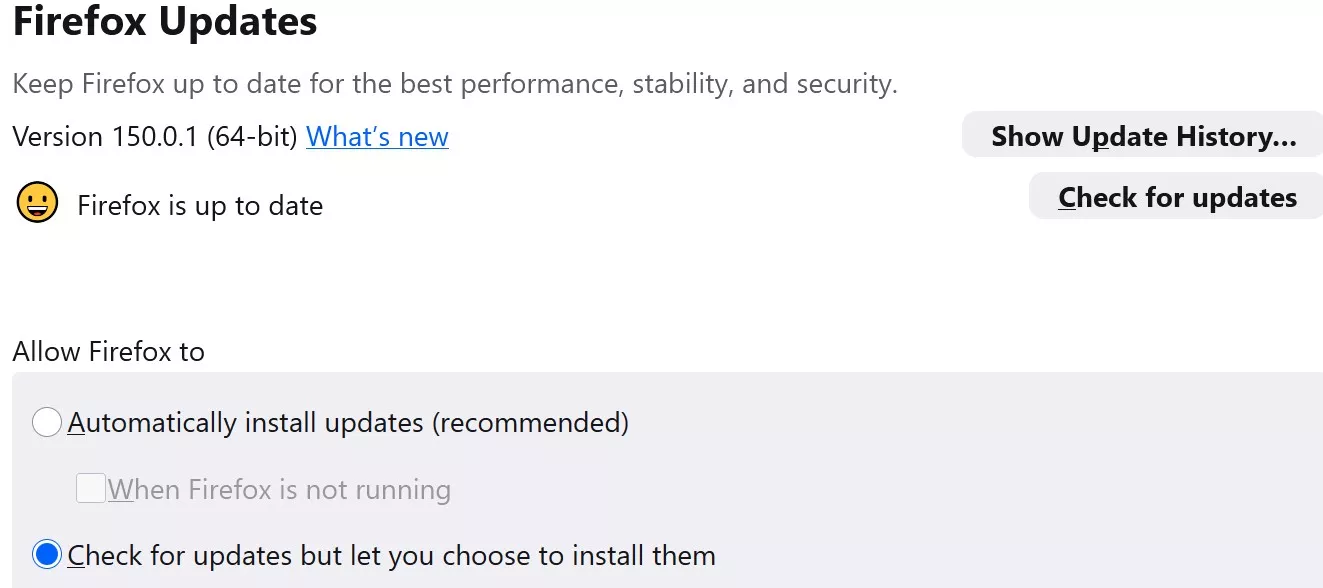

Despite this setting, I receive no update notification
German please.
find the mismatch

Prüfe dein System, kann alles sein. Ein dummes Antiovirus, ein dummer Cleaner.

Check your system, can be anything. A stupid antiovirus, a stupid cleaner.
I use the Firefox Profile Manager. The profile is portable. I'm not expecting Firefox to update itself, but simply to notify me when an update is available.
Ich verwende den Firefox-Profil-Manager. Das Profil ist portabel. Ich erwarte nicht, dass Firefox sich selbst aktualisiert, sondern lediglich, dass ich benachrichtigt werde, wenn ein Update verfügbar ist.
juzzlukin Den Profilmanager nutze ich auch, und auch ich habe mehrere Profile.
Aber der Firefox aktualisiert sich von ganz alleine, egal welches Profil ich gerade nutze!
Ich denke auch, dass der Fehler in Deinem System liegt.
Irgendeine Antivirensoftware oder irgendein Tuningtool!?
Nachtrag!
Ich weiß nicht wie das im Englischen heißt!
Aber unter PC-Einstellungen / System / Benachrichtigungen & Aktionen
kann man unten einzelnen Programmen erlauben oder verbieten
Auch wenn Firefox dort drin steht, funktioniert das nur, wenn es auch läuft. (WIndows-)Benachrichtigungen müssen dafür zwingend aktiviert sein.
Updates im Hintergrund suchen oder Benachrichtigen, wenn Firefox nicht läuft, benötigt zwingend den Update-Dienst.
Enable background updates on Firefox for Windows when Firefox is not running | Firefox Help
Ob die Portable den nutzen kann, falls anderweitig installiert, kann ich nicht sagen.
PS 151.0.2 war beim Erstellen des Beitrags schon "alt". Und inzwischen ist 151.0.4 aktuell.
[DEUTSCH]
Nein, Firefox Portable kann den installierten Mozilla Maintenance Service von Windows nicht nutzen. Der Dienst läuft mit erhöhten Systemrechten und aktualisiert aus Sicherheitsgründen nur Firefox-Installationen in fest registrierten Standardpfaden. Da Firefox Portable keine Registry-Einträge hinterlässt und oft von USB-Sticks oder Benutzerordnern läuft, verweigert der Dienst den Zugriff. Firefox Portable aktualisiert sich stattdessen ganz einfach selbst über "Hilfe -> Über Firefox" (da er im beschreibbaren Benutzerverzeichnis liegt und keine Admin-Rechte für Updates benötigt), über den PortableApps.com-Updater oder durch manuelles Drüberinstallieren.
[ENGLISH]
No, Firefox Portable cannot use the installed Mozilla Maintenance Service on Windows. For security reasons, this system service runs with elevated privileges and only updates Firefox installations located in officially registered system paths. Since Firefox Portable does not write registry entries and is typically run from USB drives or user folders, the service will reject it. Instead, Firefox Portable updates itself easily via "Help -> About Firefox" (as it runs in a writable user directory and doesn't need admin rights to update), through the PortableApps.com Updater, or by manually installing a newer version over the old one.

No, Firefox Portable cannot use the Mozilla Maintenance Service installed by Windows
Thank you for that confirmation. I choose to run portables whenever I can.
You are far more knowledgeable than I. Out of curiosity, would you be so kind as to educate me about why Firefox knows what my version is (by reading the executable),
Vielen Dank für diese Bestätigung. Ich versuche, wann immer möglich, portable Versionen zu verwenden.
Sie kennen sich damit viel besser aus als ich. Nur aus Neugier: Würden Sie mir bitte erklären, warum Firefox weiß, welche Version ich habe (indem er die ausführbare Datei ausliest)?
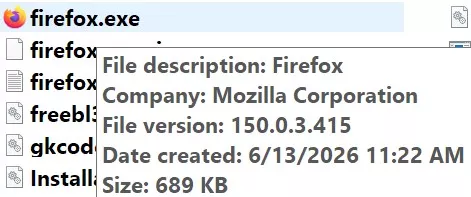
but, unlike virtually any of my other portables, in the "about" section
aber im Gegensatz zu so gut wie allen meinen anderen tragbaren Geräten steht im Abschnitt „Über“
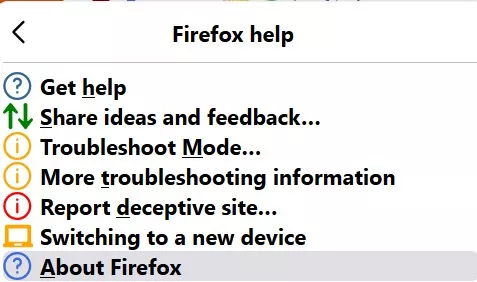
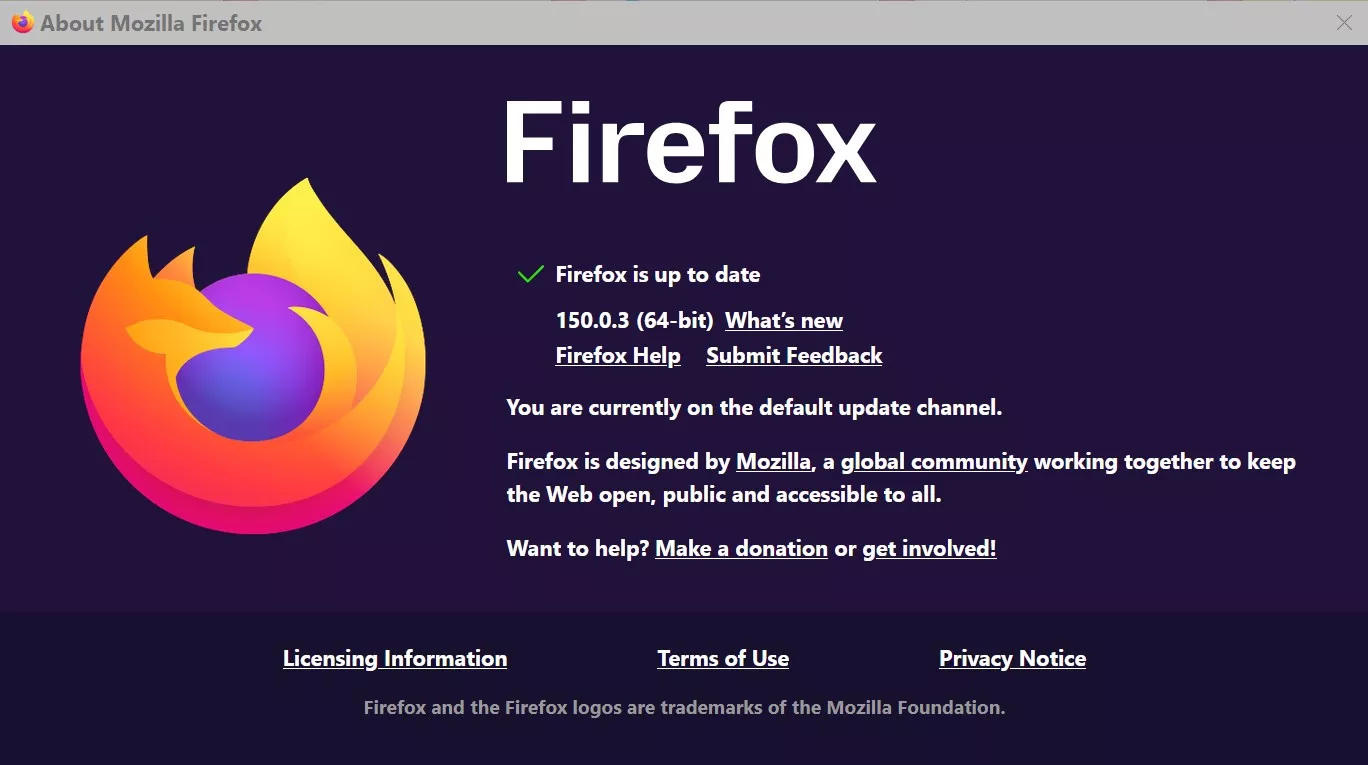
it says Firefox is up to date, when it is not, and there is no "Check for updates" option?
Es wird angezeigt, dass Firefox auf dem neuesten Stand ist, obwohl das nicht stimmt, und es gibt keine Option „Nach Updates suchen“?
PS 151.0.2 was already "old" when this post was written. And now version 151.0.4 is the current version.
Yes. I was trying to make the point that while v151.0.2 was due for an update, regardless of my settings, I was not receiving notifications.
Ja. Ich wollte damit sagen, dass ich zwar eine Benachrichtigung erhalten sollte, dass für Version 151.0.2 ein Update fällig war, aber unabhängig von meinen Einstellungen keine Benachrichtigung erhalten habe.
The version of Firefox shown in the screenshot is 150.0.3.415 for Microsoft Windows 64-bit.
The easiest solution would be to manually install the latest portable version of Firefox.
As of today, June 13, 2026, that is Firefox version 151.0.4.
The following page offers versions in various languages.
Mozilla Firefox, Portable Edition Version 151.0.4 for Windows, English
For automatic updates of portable apps, you can use PortableApps.com Platform 30.4.1 - Free App Store & Menu.
-------------------------------------------------------------------------------------------------------------------
Die auf dem Screenshot abgebildete Firefox Version ist 150.0.3.415 für Microsoft Windows 64 Bit.
Dir Lösung mit dem geringsten Aufwand wäre es die aktuellste Portable Version von Firefox manuell zu verwenden. Das ist Stand heute 13.06.2026 die Firefox Version 151.0.4 .
Auf folgender Seite gibt es Versionen für verschiedene Sprachen.
Mozilla Firefox, Portable Edition | PortableApps.com
Für automatische Updates von portablen Apps kannst du den PortableApps.com Platform 30.4.1 - Free App Store & Menu verwenden.
Downloading | PortableApps.com
Entweder Profil defekt, oder deine (kaputten) Scripte pfuschen da rein.
Ach ja, so sieht die Benachrichtigung aus, Linux.
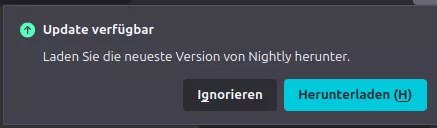
Ich bin aber damit raus.