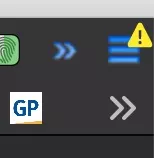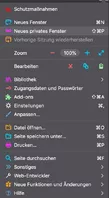
Super, danke an alle Beteiligten! Jetzt hab ich auch endlich wieder beides, das Schloss und das Favicon. ![]()
Beiträge von klickman
-
-
-
Hallo Andreas,
kurze Frage zu deinem Code.
Ich habe u. a. diesen hier in meiner userCrhome.css eingetragen:
Inwiefern unterscheidet sich deiner in der Wirkung zu meinem?
Muss dazu sagen, dass ich auch Aris' CustomCSSforFx verwende und dort mögicherweise auch eine Option gegen dieses Suche-PopUp gewählt hab (hab jetzt nicht extra nachgesehen). Kann es sein, dass mein obiger Code tatsächlich wirkungslos ist?
-
-
-
Auch das ist mit einer Datei von Aris möglich. Code aus der custom_tab_text_settings.css:
CSS
Alles anzeigen/* Firefox Quantum userChrome.css tweaks ************************************************/ /* Github: https://github.com/aris-t2/customcssforfx ************************************/ /****************************************************************************************/ /*******************************************/ /* default tab *****************************/ /* text color */ .tabbrowser-tab .tab-label { color: black !important; } /* text shadow */ .tabbrowser-tab .tab-label { text-shadow: 0px 1px 0px white, 0px 1px 4px white !important; } /*bold*//* .tabbrowser-tab .tab-label { font-weight: bold !important; } /* italic *//* .tabbrowser-tab .tab-label { font-style: italic !important; } /*******************************************/ /* selected tab ****************************/ /* text color */ .tabbrowser-tab[selected] .tab-label { color: blue !important; } /* text shadow */ .tabbrowser-tab[selected] .tab-label { text-shadow: 0px 1px 0px white, 0px 1px 4px white !important; } /*bold*/ .tabbrowser-tab[selected] .tab-label { font-weight: bold !important; } /* italic *//* .tabbrowser-tab[selected] .tab-label { font-style: italic !important; } /*******************************************/ /* busy/loading tab ************************/ /* text color *//* .tabbrowser-tab[busy] .tab-label { color: #9933CC !important; } /* text shadow *//* .tabbrowser-tab[busy] .tab-label { text-shadow: 0px 1px 0px #FFCCFF, 0px 1px 4px #FFCCFF !important; } /*bold*//* .tabbrowser-tab[busy] .tab-label { font-weight: initial !important; } /* italic *//* .tabbrowser-tab[busy] .tab-label { font-style: italic !important; } /*******************************************/ /* hovered tab ****************************/ /* text color *//* .tabbrowser-tab:hover:not([selected]) .tab-label { color: black !important; } /* text shadow */ .tabbrowser-tab:hover:not([selected]) .tab-label { text-shadow: 0px 1px 0px white, 0px 1px 4px white !important; } /*bold*/ .tabbrowser-tab:hover:not([selected]) .tab-label { font-weight: bold !important; } /* italic *//* .tabbrowser-tab:hover:not([selected]) .tab-label { font-style: italic !important; } /*******************************************/ /* unloaded/pending tab ********************/ /* text color */ .tabbrowser-tab[pending] .tab-label { color: purple !important; } /* text shadow */ .tabbrowser-tab[pending] .tab-label { text-shadow: 0px 1px 0px white, 0px 1px 4px white !important; } /*bold*/ .tabbrowser-tab[pending] .tab-label { font-weight: bold !important; } /* italic */ .tabbrowser-tab[pending] .tab-label { font-style: italic !important; } /**/Kennst du Aris' customCSSforFx ?
-
Das müsste mit diesem Code aus der custom_tab_color_settings.css, ebenfalls von Aris, machbar sein. Farbwerte müsstest du für deine Bedürfnisse anpassen.
CSS
Alles anzeigen/* Firefox Quantum userChrome.css tweaks ************************************************/ /* Github: https://github.com/aris-t2/customcssforfx ************************************/ /****************************************************************************************/ /* color names, hexcodes, rgb(a) and hsl(a) and gradients can be used */ :root { --default_tabs_bg_selected: linear-gradient(to bottom,#FF8800,#FFCC99); --default_tabs_toolbar_background: linear-gradient(to bottom,#FFCC99,#FFCC99); --default_tabs_bg_default: linear-gradient(to bottom,#FFCC99,#CCCCCC); --default_tabs_bg_hovered: linear-gradient(to bottom,#FF9900,#FF6600); --default_tabs_bg_unloaded: linear-gradient(to bottom,#FFCC99,#CCCCCC); --default_tabs_bg_newtab: linear-gradient(to bottom,#FFCC99,#CCCCCC); --default_tabs_bg_newtab_hovered: linear-gradient(to bottom,#FF9900,#FF6600); } /* selected tab ****************************/ #TabsToolbar #tabbrowser-tabs .tabbrowser-tab[selected] .tab-content { background: var(--default_tabs_bg_selected) !important; } /* background color on toolbars */ /*#main-window #navigator-toolbox toolbar:not(#TabsToolbar):not(#toolbar-menubar) { background: var(--default_tabs_toolbar_background) !important; }*/ /* background color for 'tabs below navigation toolbar' option */ /*#main-window #navigator-toolbox #TabsToolbar { background: var(--default_tabs_toolbar_background) !important; }*/ /* default tab *****************************/ #TabsToolbar #tabbrowser-tabs .tabbrowser-tab .tab-content { background: var(--default_tabs_bg_default) !important; } /* hovered tab ****************************/ #TabsToolbar #tabbrowser-tabs .tabbrowser-tab:hover:not([selected]) .tab-content { background: var(--default_tabs_bg_hovered) !important; } /* unloaded/pending tab ********************/ #TabsToolbar #tabbrowser-tabs .tabbrowser-tab[pending] .tab-content { background: var(--default_tabs_bg_unloaded) !important; } /* new tab *********************************/ #TabsToolbar #tabbrowser-tabs .tabs-newtab-button { background: var(--default_tabs_bg_newtab) !important; } /* hovered new tab *************************/ #TabsToolbar #tabbrowser-tabs .tabs-newtab-button:hover { background: var(--default_tabs_bg_newtab_hovered) !important; } -
Keine Lösung, eher ein Schuss ins Blaue (kommt vielleicht darauf an, wie alt deine Sicherung ist): Kann es sein, dass das Zurückspielen der Sicherung dieses hier auslöst?
-
-
Bingo!
Funktioniert super, genau so hatte ich mir das gewünscht,danke für Deine schnelle Hilfe.
Gerne Sabine, fein dass es klappt!

-
Sehr, sehr gerne. Und erwähnen möchte ich noch, dass der Dank aborix gebührt, denn von ihm stammt dieses Script, wenn ich mich recht erinnere.
-
Perfekt...danke mal dafür

Um Himmels Willen, wofür denn? Was mir hier selbst schon geholfen wurde!


-
Dieses Script verwende ich (auch unter FF 70.0b3) und liegt im chrome-Ordner:
FocusSearchBox.js
Code
Alles anzeigen(function() { if (location != 'chrome://browser/content/browser.xhtml') return; function doTab(aTab) { let browser = aTab.linkedBrowser; let title = browser.currentURI.spec; if (title == 'about:newtab' || title == 'about:home') { browser.messageManager.loadFrameScript( 'data:, content.focus(); content.document.getElementById("newtab-search-text").focus();', true); }; }; // Startseite setTimeout(function() { doTab(gBrowser.selectedTab); }, 1000); // neuer Tab gBrowser.tabContainer.addEventListener('TabOpen', function(event) { setTimeout(function() { doTab(event.target); }, 200); }); })(); -
FuchsFan Du meinst nicht zufällig die TabLEISTE, die mit nur einem Tab ausgeblendet werden soll?
-
Hallo,
gibt es eine gute Alternative zu CyberGhost IP Add-on bei Firefox? Wenn ja, welche nutzt ihr? Dank
Ich verwende bei Bedarf gerne FireX Proxy.
-
-
-
Leider ganz genauso.
Mittlerweile würde ich sagen, ich verzichte auf das Ausblenden der Tableiste mit nur einem Tab. 1. werden diese Frickeleien vermutlich immer wieder mal nötig sein und 2. hab ich schon ein schlechtes Gewissen, wenn ich jedes Mal deine Hilfsbereitschaft in Anspruch nehmen muss.
Es scheint mit macOS leider nicht ganz so einfach wie unter Windows zu sein.

-
So hab ich es für mich angepasst:
Schriftgröße:
CSS
Alles anzeigen/* GRÖßE SCHRIFT, TAB */ .tabbrowser-tab[selected="true"]{ font-size: 14px !important; } .tabbrowser-tab[unread="true"]{ font-size: 14px !important; } .tabbrowser-tab[pending="true"]{ font-size: 14px !important; } .tabbrowser-tab:hover:not[selected="true"]{ font-size: 14px !important; } .tabbrowser-tab{ font-size: 14px !important; }Schriftfarbe und -formatierung (fett, kursiv, Textschatten, etc.) (Aris' CustomCSSforFx entnommen:
CSS
Alles anzeigen/* Firefox Quantum userChrome.css tweaks ************************************************/ /* Github: https://github.com/aris-t2/customcssforfx ************************************/ /****************************************************************************************/ /*******************************************/ /* default tab *****************************/ /* text color */ .tabbrowser-tab .tab-label { color: white !important; } /* text shadow .tabbrowser-tab .tab-label { text-shadow: 0px 1px 0px white, 0px 1px 4px white !important; } */ /*bold*//* .tabbrowser-tab .tab-label { font-weight: bold !important; } /* italic *//* .tabbrowser-tab .tab-label { font-style: italic !important; } /*******************************************/ /* selected tab ****************************/ /* text color */ .tabbrowser-tab[selected] .tab-label { color: blue !important; } /* text shadow .tabbrowser-tab[selected] .tab-label { text-shadow: 0px 1px 0px white, 0px 1px 4px white !important; } */ /*bold*/ .tabbrowser-tab[selected] .tab-label { font-weight: bold !important; } /* italic *//* .tabbrowser-tab[selected] .tab-label { font-style: italic !important; } /*******************************************/ /* busy/loading tab ************************/ /* text color *//* .tabbrowser-tab[busy] .tab-label { color: white !important; } /* text shadow *//* .tabbrowser-tab[busy] .tab-label { text-shadow: 0px 1px 0px #FFCCFF, 0px 1px 4px #FFCCFF !important; } */ /*bold*//* .tabbrowser-tab[busy] .tab-label { font-weight: initial !important; } /* italic *//* .tabbrowser-tab[busy] .tab-label { font-style: italic !important; } /*******************************************/ /* hovered tab ****************************/ /* text color *//* .tabbrowser-tab:hover:not([selected]) .tab-label { color: white !important; } /* text shadow .tabbrowser-tab:hover:not([selected]) .tab-label { text-shadow: 0px 1px 0px white, 0px 1px 4px white !important; } */ /*bold*/ .tabbrowser-tab:hover:not([selected]) .tab-label { font-weight: bold !important; } /* italic *//* .tabbrowser-tab:hover:not([selected]) .tab-label { font-style: italic !important; } /*******************************************/ /* unloaded/pending tab ********************/ /* text color */ .tabbrowser-tab[pending] .tab-label { color: white !important; } /* text shadow .tabbrowser-tab[pending] .tab-label { text-shadow: 0px 1px 0px white, 0px 1px 4px white !important; } */ /*bold*/ .tabbrowser-tab[pending] .tab-label { font-weight: bold !important; } /* italic */ .tabbrowser-tab[pending] .tab-label { font-style: italic !important; } /**/ -