- Firefox-Version
- 148.02
- Betriebssystem
- Windows 10
I originally posted here Custom toolbars buttons have no icons, and thanks to all who responded, but the problems were never resolved,
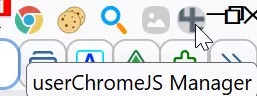
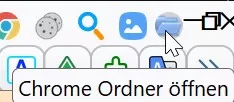
Up until FF148, two buttons were recognized & still working, but not now

Here one that was still working before FF148.
JavaScript
(function() {
    if (location != 'chrome://browser/content/browser.xul' && location != 'chrome://browser/content/browser.xhtml')
        return;

    try {
        CustomizableUI.createWidget({
            id: 'restart-button',
            type: 'custom',
            defaultArea: CustomizableUI.AREA_NAVBAR,
                onBuild: function(aDocument) {
                    var toolbaritem = aDocument.createElementNS('http://www.mozilla.org/keymaster/gatekeeper/there.is.only.xul', 'toolbarbutton');
                    toolbaritem.onclick = event => onClick(event);
                    var props = {
                        id: 'restart-button',
                        class: 'toolbarbutton-1 chromeclass-toolbar-additional',
                        label: 'Restart',
                        tooltiptext: 'Restart (with middle click userChrome.js cache is emptied)',
                                    style: 'list-style-image: url(chrome://browser/skin/sync.svg)'
                    };
                    for(var p in props)
                        toolbaritem.setAttribute(p, props[p]);
                    return toolbaritem;
                }
        });
    } catch(e) {};

    function onClick(event) {
        if(event.button == 1)
            Services.appinfo.invalidateCachesOnRestart();
        else if(event.button == 2)
            return;

        let cancelQuit = Cc["@mozilla.org/supports-PRBool;1"].createInstance(Ci.nsISupportsPRBool);
        Services.obs.notifyObservers(cancelQuit, "quit-application-requested", "restart");
        if(!cancelQuit.data)
            Services.startup.quit(Services.startup.eAttemptQuit | Services.startup.eRestart);
    }
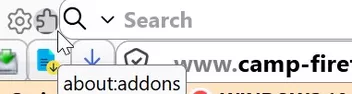
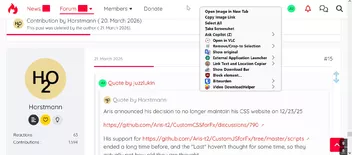
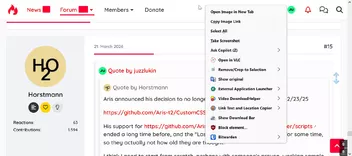
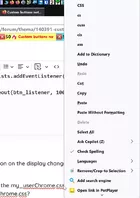
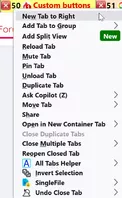
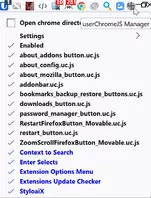
})();Here's the other one, but I don't know which .js file by name that represents it. I reverted back to v147..04 so I could post the image. Of course, we see all the other scripts were in use at one time.
I was ask to publish the scripts last time, but there are 15 of them. Instead of posting their contents, can I upload the .js files somehow?