1. Nachrichten
  2. Forum
    1. Unerledigte Themen
    2. Forenregeln
  3. Spenden
  • Anmelden
  • Registrieren
  • Suche
Alles
  • Alles
  • Artikel
  • Seiten
  • Forum
  • Erweiterte Suche
  1. camp-firefox.de
  2. Dinole

Beiträge von Dinole

  • Hilfe bei Konfiguration der "userChrome.css"

    • Dinole
    • 15. November 2022 um 17:43

    Guten Abend,

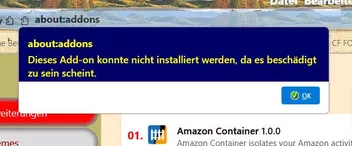
    wie im Betreff genannt, wäre ich dankbar, wenn ich einen Hinweis bekommen könnte, wie die Sensibilität des Einblendens der Lesezeichen-Sidebar reduziert werden könnte. Ich habe den Eindruck, dass seit Version 107.0 das Einblenden der Lesezeichen-Sidebar viel zu früh erfolgt, in dem diese schon eingeblendet wird, wenn der Mauszeiger noch weit vom Seitenrand entfernt ist. Eigentlich sollte sich die Sidebar erst öffnen, wenn der Mauszeiger den Seitenrand berührt. Den entsprechenden Code habe ich beigefügt.

    CSS
    tab[selected="true"] {
      background-color: rgb(205,69,50) !important;
      color: black !important;
    }
    tab {
      -moz-appearance: none !important;
    }
    /* Sidebar per Maushover einblenden */
    @-moz-document url("chrome://browser/content/places/bookmarksSidebar.xhtml"),
    url("chrome://browser/content/browser.xhtml") {
    
    #menu_bookmarksSidebar {
         display: -moz-box !important;
         }
    
    #bookmarks-view-children {
         margin-top: -125px !important;
         margin-left: -15px !important;
        }
    
    #sidebar-header {
        display: none !important;
        }
    
    /* #sidebar-search-container { */
        /* display: none !important; */
        /* } */
    
    .sidebar-placesTreechildren::-moz-tree-separator {
        margin: 0px 500px !important;
        }
    
    
    #sidebar-box {
        display: block !important;
        position: fixed!important;
        top: 145px;
        bottom: -35px;
        width: 0px !important;
        overflow-x: hidden !important;
        -moz-appearance: none !important;
        border: 1px solid transparent !important;
        border-left: 0 !important;
        opacity: 0 !important;
        transition: width .2s ease-out .2s, opacity .2s ease-out .2s !important;
        z-index: 2 !important;
        }
    
    #sidebar-box:hover {
        width: 300px !important; 
        opacity: 1 !important;
        transition: width .2s ease-out .2s, opacity .2s ease-out .2s !important;
        }
    
    #sidebar-splitter {
        display: none !important;
        }
    
    #sidebar {
        display: block !important;
        width: 100% !important;
        height: 95%;
        }
    }
    Alles anzeigen

    Vielen Dank für Eure Hilfe.

    Bilder

    • Screenshot 2022-11-15 173351.jpg
      • 41,28 kB
      • 817 × 240
  • Suche nach einer "about:Config" Einstellung bzw. Add-On

    • Dinole
    • 17. Oktober 2022 um 12:12
    Zitat von Sören Hentzschel

    Hallo,

    eine Option von Firefox war das mit Sicherheit noch nie. Oder anders formuliert: Es gibt dafür keine Option in about:config. Mir erschließt sich aber ehrlich gesagt auch nicht, wieso der Begriff überhaupt erst bei Google eingegeben werden soll, wenn die Suchergebnisse von Google dann eh explizit übersprungen werden sollen. Wäre es dann nicht sehr viel sinnvoller, den entsprechenden Begriff in die Adressleiste einzugeben? Ist die gewünschte Seite als Lesezeichen gespeichert, kann darüber dann ja auch gezielt in den Lesezeichen gesucht werden.

    ....gut, dann muss das ein Add-On gewesen sein, dass bei der Eingabe von z.B. "BMW" in der Suche von Yahoo oder Google automatisch die Seite "https://www.bmw.de/de/home.html" öffnete ohne vorher eine Ergebnisseite mit fast 1 Mrd. Einträgen zu BMW anzuzeigen, auch wenn diese Homepage nicht in den Favoriten gespeichert ist.

  • Suche nach einer "about:Config" Einstellung bzw. Add-On

    • Dinole
    • 17. Oktober 2022 um 11:55

    Hallo zusammen,

    ich kann mich dunkel daran erinnern, dass es vor Jahren im FF die Möglichkeit gab, für eine gesuchte Webseite den Link direkt im FF zu öffnen. Z.B., ich gebe in der Suche von Google "Yahoo" ein, Firefox überspringt die Seite "Ergebnisse für Yahoo" und öffnet dafür sofort die Seite "https://de.yahoo.com/".

    Daher meine Frage, ob es in der neuesten FF-Version noch diese Möglichkeit gibt.

    Besten Dank.

  • Firefox sagt Cookie-Dialogen den Kampf an

    • Dinole
    • 21. September 2022 um 11:00

    Hallo zusammen,

    da in der neuesten FF-Version 105.0 in about:config bereits die Einstellung cookiebanners.service.mode vorhanden ist, würde mich interessieren, ob diese Einstellung auch schon verwendet werden kann.

    Danke.

  • Avast übernimmt "I don't care about cookies"

    • Dinole
    • 16. September 2022 um 12:44
    Zitat von Boersenfeger

    Mir stellt sich das beim "Reinschiebversuch" in Nightly so dar

    ....bei mir auch!

  • Avast übernimmt "I don't care about cookies"

    • Dinole
    • 16. September 2022 um 12:38
    Zitat von Foxxiator

    Laut Deskmodder.de gibt es inzwischen einen Fork....

    ......"Das IDAC.zip kann heruntergeladen und in die Browser „geschoben“ werden." scheint aber so nicht beim FF zu funktionieren. Oder ich bin einfach nur zu blöd dazu.

  • Firefox reagiert nicht mehr

    • Dinole
    • 12. September 2022 um 14:32

    Hallo,

    mir ist auf 2 unterschiedlichen Rechnern aufgefallen, dass sporadisch FF nicht mehr reagiert und nur noch über den Task-Manager beendet werden kann. Einen Grund für dieses Verhalten kann ich nicht feststellen. Ähnliches Verhalten ist bei den Vorgängerversionen nicht aufgefallen.

  • Suche über die Adressleiste ergibt nur sporadisch ein Ergebnis

    • Dinole
    • 11. Oktober 2021 um 17:49

    ...so, das Problem sollte sich mit Zoom Page WE Vers. 19.2 erledigt haben.

  • Suche über die Adressleiste ergibt nur sporadisch ein Ergebnis

    • Dinole
    • 7. Oktober 2021 um 16:51

    Hallo zusammen,

    mir fällt nach dem Update auf FF 93 auf, dass teilweise die Eingabe eines Suchbegriffs in der Adressleiste nicht nach dem ersten Drücken der Return-Taste sonders meistens erst nach dem zweiten Drücken zu einem Ergebnis führen. Das war bis zur letzten FF-Version nicht der Fall.

  • Hilfe beim Aus- / Einblenden der Sidebar "FF 73.0"

    • Dinole
    • 12. Februar 2020 um 21:27

    Auch wenn mein Problem zufriedenstellend gelöst wurde würde ich doch gerne wissen, weshalb nach jeder neuen Firefox Version die chrome.css angepasst werden muss. Gibt es dafür einen plausiblen Grund?

  • Hilfe beim Aus- / Einblenden der Sidebar "FF 73.0"

    • Dinole
    • 12. Februar 2020 um 15:49
    Zitat von 2002Andreas

    Teste bitte:

    CSS
    tab[selected="true"] {
      background-color: rgb(205,69,50) !important;
      color: black !important;
    }
    tab {
      -moz-appearance: none !important;
    }
    /* Sidebar per Maushover einblenden */
    @-moz-document url("chrome://browser/content/places/bookmarksSidebar.xhtml"),
    url("chrome://browser/content/browser.xhtml") {
    
    #menu_bookmarksSidebar {
         display: -moz-box !important;
         }
    
    #bookmarks-view-children {
         margin-top: -120px !important;
         margin-left: -15px !important;
        }
    
    #sidebar-header {
        display: none !important;
        }
    
    /* #sidebar-search-container { */
        /* display: none !important; */
        /* } */
    
    .sidebar-placesTreechildren::-moz-tree-separator {
        margin: 0px 500px !important;
        }
    
    
    #sidebar-box {
        display: block !important;
        position: fixed!important;
        top: 116px;
        bottom: -35px;
        width: 0px !important;
        overflow-x: hidden !important;
        -moz-appearance: none !important;
        border: 1px solid transparent !important;
        border-left: 0 !important;
        opacity: 0 !important;
        transition: width .2s ease-out .2s, opacity .2s ease-out .2s !important;
        z-index: 2 !important;
        }
    
    #sidebar-box:hover {
        width: 230px !important; 
        opacity: 1 !important;
        transition: width .2s ease-out .2s, opacity .2s ease-out .2s !important;
        }
    
    #sidebar-splitter {
        display: none !important;
        }
    
    #sidebar {
        display: block !important;
        width: 100% !important;
        height: 95%;
        }
    }
    Alles anzeigen

    Ich verneige mich in Dankbarkeit!!!!

  • Hilfe beim Aus- / Einblenden der Sidebar "FF 73.0"

    • Dinole
    • 12. Februar 2020 um 15:38
    Zitat von 2002Andreas
    Zitat von Dinole

    obwohl schon einige geantwortet hat,

    Weil dein Beitrag verschoben wurde steht unter Allgemein noch die 0.

    Sorry, aber ich habe leider noch etwa übersehen. Jetzt ist zwar mit diesem Code die zusätzliche Scroll-Leiste verschwunden aber wie mir ist jetzt aufgefallen ist fehlt auch noch die Suchfunktion in den Lesezeichen. Könnte ich bitte dazu noch den entsprechenden Code-Schnipsel bekommen?

    Vielen Dank nochmals.

  • Hilfe beim Aus- / Einblenden der Sidebar "FF 73.0"

    • Dinole
    • 12. Februar 2020 um 13:55
    Zitat von 2002Andreas

    Teste bitte mal mit meinem Code.

    Evtl. musst du dir den einen oder anderen Wert etwas anpassen.

    CSS
    tab[selected="true"] {
      background-color: rgb(205,69,50) !important;
      color: black !important;
    }
    tab {
      -moz-appearance: none !important;
    }
    /* Sidebar per Maushover einblenden */
    @-moz-document url("chrome://browser/content/places/bookmarksSidebar.xhtml"),
    url("chrome://browser/content/browser.xhtml") {
    
    #menu_bookmarksSidebar {
         display: -moz-box !important;
         }
    
    #bookmarks-view-children {
         margin-top: -120px !important;
         margin-left: -15px !important;
        }
    
    #sidebar-header {
        display: none !important;
        }
    
    #sidebar-search-container {
        display: none !important;
        }
    
    .sidebar-placesTreechildren::-moz-tree-separator {
        margin: 0px 500px !important;
        }
    
    /* label[persist="value"][flex="1"][crop="end"][control="sidebar"][value="Lesezeichen"] { */
        /* display: none !important; */
        /* } */
    
    #sidebar-box {
        display: block !important;
        position: fixed!important;
        top: 116px;
        bottom: -35px;
        width: 0px !important;
        overflow-x: hidden !important;
        -moz-appearance: none !important;
        border: 1px solid transparent !important;
        border-left: 0 !important;
        opacity: 0 !important;
        transition: width .2s ease-out .2s, opacity .2s ease-out .2s !important;
        z-index: 2 !important;
        }
    
    #sidebar-box:hover {
        width: 230px !important; 
        opacity: 1 !important;
        transition: width .2s ease-out .2s, opacity .2s ease-out .2s !important;
        }
    
    #sidebar-splitter {
        display: none !important;
        }
    
    #sidebar {
        display: block !important;
        width: 100% !important;
        height: 95%;
        }
    }
    Alles anzeigen

    ....und wieder mal, genau das wars. Besten Dank!!!!

    Übrigens ist mir noch aufgefallen, dass bei meinem Beitrag, obwohl schon einige geantwortet hat, immer noch 0 Antworten angezeigt wird.

  • Hilfe beim Aus- / Einblenden der Sidebar "FF 73.0"

    • Dinole
    • 12. Februar 2020 um 13:28
    Zitat von 2002Andreas

    Teste bitte mal:

    CSS
    tab[selected="true"] {
      background-color: rgb(205,69,50) !important;
      color: black !important;
    }
    tab {
      -moz-appearance: none !important;
    }
    /* Sidebar per Maushover einblenden */
    @-moz-document url("chrome://browser/content/places/bookmarksSidebar.xhtml"),
    url("chrome://browser/content/browser.xhtml") {
    #menu_bookmarksSidebar {
         display: -moz-box !important;
         }
    #bookmarks-view-children {
    margin-top: -100px !important;
    margin-left: -15px !important;
        }
    sidebarheader {
        display: none !important;
        }
    .sidebar-placesTreechildren::-moz-tree-separator {
        margin: 0px 500px !important;
        }
    label[persist="value"][flex="1"][crop="end"][control="sidebar"][value="Lesezeichen"] {
        display: none !important;
        }
    #sidebar-box {
        display: block !important;
        position: fixed!important;
        top: 130px;
        bottom: -35px;
        width: 0px !important;
        overflow-x: hidden !important;
        -moz-appearance: none !important;
        border: 1px solid transparent !important;
        border-left: 0 !important;
        opacity: 0 !important;
        transition: width .2s ease-out .2s, opacity .2s ease-out .2s !important;
        z-index: 2 !important;
        }
    #sidebar-box:hover {
        width: 300px !important; 
        opacity: 1 !important;
        transition: width .2s ease-out .2s, opacity .2s ease-out .2s !important;
        }
    #sidebar-splitter {
        display: none !important;
        }
    /* #sidebar-header { */
        /* width:100%; */
        /* border: 0 !important; */
        /* } */
    #sidebar {
        display: block !important;
        width: 100% !important;
        height: 95%;
        }
    }
    Alles anzeigen

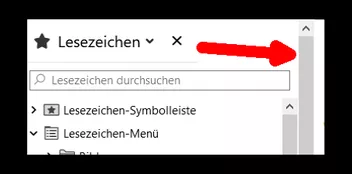
    Danke schon mal, aber leider ist es auch hiermit unverändert. Ich schätze, das ist die gleiche Scroll-Leiste, wie sie auch auf der rechten Seite zu sehen ist.

  • Hilfe beim Aus- / Einblenden der Sidebar "FF 73.0"

    • Dinole
    • 12. Februar 2020 um 12:44

    Hallo zusammen,

    leider bräuchte ich nach dem aktuellen Update wieder einmal Hilfe beim Code der Sidebar, da sich nun eine 2. Scroll-Leiste eingeschlichen hat.

    Der Code lautet:

    CSS
    tab[selected="true"] {
      background-color: rgb(205,69,50) !important;
      color: black !important;
    }
    tab {
      -moz-appearance: none !important;
    }
    /* Sidebar per Maushover einblenden */
    @-moz-document url("chrome://browser/content/places/bookmarksSidebar.xul"),
    url("chrome://browser/content/browser.xhtml") {
    #menu_bookmarksSidebar {
         display: -moz-box !important;
         }
    #bookmarks-view-children {
    margin-top: -100px !important;
    margin-left: -15px !important;
        }
    sidebarheader {
        display: none !important;
        }
    .sidebar-placesTreechildren::-moz-tree-separator {
        margin: 0px 500px !important;
        }
    label[persist="value"][flex="1"][crop="end"][control="sidebar"][value="Lesezeichen"] {
        display: none !important;
        }
    #sidebar-box {
        display: block !important;
        position: fixed!important;
        top: 130px;
        bottom: -35px;
        width: 0px !important;
        overflow-x: hidden !important;
        -moz-appearance: none !important;
        border: 1px solid transparent !important;
        border-left: 0 !important;
        opacity: 0 !important;
        transition: width .2s ease-out .2s, opacity .2s ease-out .2s !important;
        z-index: 2 !important;
        }
    #sidebar-box:hover {
        width: 300px !important; 
        opacity: 1 !important;
        transition: width .2s ease-out .2s, opacity .2s ease-out .2s !important;
        }
    #sidebar-splitter {
        display: none !important;
        }
    /* #sidebar-header { */
        /* width:100%; */
        /* border: 0 !important; */
        /* } */
    #sidebar {
        display: block !important;
        width: 100% !important;
        height: 95%;
        }
    }
    Alles anzeigen

    Vielen Dank!

  • Hilfe beim Aus- / Einblenden der Sidebar "FF 71.0"

    • Dinole
    • 5. Dezember 2019 um 22:23
    Zitat von 2002Andreas
    Zitat von Dinole

    nicht mehr die Funktion "Lesezeichen durchsuchen" vorhanden ist.

    Dann einfach ab Zeile 28 das entfernen:

    CSS
    #sidebar-search-container {
        display: none !important;
        }

    ..etwas zu entfernen, um wieder etwas zu erhalten, darauf muss man erst einmal kommen.

    Danke vielmals!

  • Hilfe beim Aus- / Einblenden der Sidebar "FF 71.0"

    • Dinole
    • 5. Dezember 2019 um 22:04

    Hallo,

    jetzt muss ich leider meinen Beitrag nochmals öffnen, da mir heute aufgefallen ist, dass in der geöffneten Lesezeichen Sidebar nicht mehr die Funktion "Lesezeichen durchsuchen" vorhanden ist. Ich wäre dankbar für einen Tipp, wie diese Funktion wieder hergestellt werden könnte.

    Besten Dank nochmals.

  • Hilfe beim Aus- / Einblenden der Sidebar "FF 71.0"

    • Dinole
    • 3. Dezember 2019 um 18:00
    Zitat von 2002Andreas

    In zeile 43 mal den Wert ändern und testen dann.

    Perfekt, besten Dank!!!

  • Hilfe beim Aus- / Einblenden der Sidebar "FF 71.0"

    • Dinole
    • 3. Dezember 2019 um 17:50
    Zitat von 2002Andreas

    Teste bitte mal:

    CSS
    tab[selected="true"] {
      background-color: rgb(205,69,50) !important;
      color: black !important;
    }
    
    tab {
      -moz-appearance: none !important;
    }
    
    /* Sidebar per Maushover einblenden */
    
    @-moz-document url("chrome://browser/content/places/bookmarksSidebar.xul"),
    url("chrome://browser/content/browser.xhtml") {
    
    #menu_bookmarksSidebar {
         display: -moz-box !important;
         }
    
    #bookmarks-view-children {
    margin-top: -120px !important;
    margin-left: -15px !important;
        }
    
    sidebarheader {
        display: none !important;
        }
    
    #sidebar-search-container {
        display: none !important;
        }
    
    .sidebar-placesTreechildren::-moz-tree-separator {
        margin: 0px 500px !important;
        }
    
    label[persist="value"][flex="1"][crop="end"][control="sidebar"][value="Lesezeichen"] {
        display: none !important;
        }
    
    #sidebar-box {
        display: block !important;
        position: fixed!important;
        top: 116px;
        bottom: -35px;
        width: 0px !important;
        overflow-x: hidden !important;
        -moz-appearance: none !important;
        border: 1px solid transparent !important;
        border-left: 0 !important;
        opacity: 0 !important;
        transition: width .2s ease-out .2s, opacity .2s ease-out .2s !important;
        z-index: 2 !important;
        }
    
    #sidebar-box:hover {
        width: 230px !important; 
        opacity: 1 !important;
        transition: width .2s ease-out .2s, opacity .2s ease-out .2s !important;
        }
    
    #sidebar-splitter {
        display: none !important;
        }
    
    /* #sidebar-header { */
        /* width:100%; */
        /* border: 0 !important; */
        /* } */
    
    #sidebar {
        display: block !important;
        width: 100% !important;
        height: 95%;
        }
    }
    Alles anzeigen

    Super, besten Dank, das Ein- und Ausblenden hat schon mal geklappt. Hättest Du noch einen Tipp für mich, wie ich die auf einmal auftretende Überlappung der Sidebar mit der Lesezeichen Menuleiste wegbekomme?

    [Blockierte Grafik: https://abload.de/img/anmerkung2019-12-03179lkae.jpg]

  • Hilfe beim Aus- / Einblenden der Sidebar "FF 71.0"

    • Dinole
    • 3. Dezember 2019 um 17:24

    ..auf ein Neues.....

    Hallo zusammen,

    leider geht nach dem heutigen Update auf FF 71.0 nicht mehr das automatische Aus- / Einblenden der Sidebar. Könnte mir mal bitte jemand einen Tip geben, was ich im Code der userChrome.css zu ändern habe?

    Besten Dank!

    CSS
    tab[selected="true"] {
      background-color: rgb(205,69,50) !important;
      color: black !important;
    }
    
    tab {
      -moz-appearance: none !important;
    }
    
    /* Sidebar per Maushover einblenden */
    
    @-moz-document url("chrome://browser/content/bookmarks/bookmarksPanel.xul"),
    
    url("chrome://browser/content/browser.xhtml"),
    
    url("chrome://browser/content/history/history-panel.xul") {
    
    #menu_bookmarksSidebar {
    display:-moz-box !important;
    }
    
    #sidebar-box {
    display:-moz-box !important;
    position:fixed!important;
    top:125px; /* Abstand nach oben bis zur untersten Leiste vom Browser */
    bottom:0px; /* Abstand nach unten bis zur Taskleiste */
    width: 0px !important;
    overflow-x: hidden !important;
    -moz-appearance: none !important;
    border: 1px solid transparent !important;
    border-left: 0 !important;
    opacity: 0 !important;
    -moz-transition: width .2s ease-out .2s, opacity .2s ease-out .2s !important;
    }
    
    #sidebar-box:hover {
    width: 300px !important; /* Breite der Sidebar */
    opacity: 1 !important;
    -moz-transition: width .2s ease-out .2s, opacity .2s ease-out .2s !important;
    }
    
    #sidebar-header {
    width:100%;
    border: 0 !important;
    }
    
    #sidebar {
    display:-moz-box !important;
    width:100%!important;
    height:92%!important; /* Höhe der Sidebar */
    }
    }
    Alles anzeigen

Unterstütze uns!

Jährlich (2025)

108,6 %

108,6% (705,72 von 650 EUR)

Jetzt spenden
  1. Kontakt
  2. Datenschutz
  3. Impressum
Community-Software: WoltLab Suite™
Mastodon