1. Nachrichten
  2. Forum
    1. Unerledigte Themen
    2. Forenregeln
  3. Spenden
  • Anmelden
  • Registrieren
  • Suche
Alles
  • Alles
  • Artikel
  • Seiten
  • Forum
  • Erweiterte Suche
  1. camp-firefox.de
  2. captain chaos

Beiträge von captain chaos

  • Suchleiste unten automatisch ausblenden

    • captain chaos
    • 11. Oktober 2026 um 12:37

    Hallo, erstmal vielen Dank für die Hilfe!

    Bitte entschuldigt, dass ich es zeitlich manchmal nicht schaffe, noch am gleichen Tag zu antworten. Ich habe mich aber bisher immer zurückgemeldet.

    Das Skript funktioniert gut. Die Suchleiste wird beim Lostippen komplett angezeigt. Das Durchscrollen der Suchergebnisse mit dem Mausrad ist eine tolle Funktion. Kann man das zusätzlich auch mit der Enter-Taste realisieren?

    Noch besser fände ich es, wenn die Suchleiste sich nach einer voreingestellten Zeit ohne Fokus automatisch ausblendet, anstatt bei Klick auf die Seite direkt zu verschwinden.


  • Suchleiste unten automatisch ausblenden

    • captain chaos
    • 8. Oktober 2026 um 18:32
    Zitat von Mira_Belle

    Also eben mal auf die schnelle die 157.01 als portable zusammen gebaut!
    Dann in den Einstellungen "Beim Tippen automatisch im Seitentext suchen" aktiviert.
    Ausprobiert, und siehe da, beim Eingeben von dem Begriff "Deutschland" auf Tagesschau.de gibt es so einige Treffer!
    UND nach einem kurzen Augenblick schließt sich die Leiste wieder!

    Danke für das Testen.

    Deaktiviere ich das Skript, verschwindet auch bei mir die Suchleiste, die beim Tippen erscheint, nach ein paar Sekunden wie gewünscht.

    Die Suchleiste, die man mit STRG+F aufruft, bleibt aber permanent. Diese möchte ich auch so ausblenden lassen.

  • Suchleiste unten automatisch ausblenden

    • captain chaos
    • 8. Oktober 2026 um 15:09
    Zitat von 2002Andreas

    Teste bitte:

    Dazu dein vorhandenes Skript für die Suchleiste mal deaktivieren, und dann dieses kombinierte Skript dafür nutzen:

    Das Skript zeigt zwar die Buttons, aber lässt die Suchleiste nicht nach 5s ausblenden.

  • Suchleiste unten automatisch ausblenden

    • captain chaos
    • 8. Oktober 2026 um 14:07

    Ich habe in den Einstellungen die Option "Beim Tippen automatisch im Seitentext suchen" aktiviert.

  • Suchleiste unten automatisch ausblenden

    • captain chaos
    • 8. Oktober 2026 um 12:27

    Ja, ich nutze diese beiden Skripte:

    JavaScript
    /* Vollständige Suchleiste beim Eintippen starten
    https://www.camp-firefox.de/forum/thema/125024-seite-durchsuchen-strg-f-beim-eintippen-starten-mit-buttons */
    
    (function() {
    
      if (!window.gBrowser)
        return;
    
      async function doFindbar() {
        await gFindBarPromise;
    
        gFindBar.open = function open() {
          this.findMode = this.FIND_NORMAL;
          this._findFailedString = null;
          this._updateFindUI();
          if (this.hidden) {
            this.removeAttribute("noanim");
            this.hidden = false;
            this._updateStatusUI(Ci.nsITypeAheadFind.FIND_FOUND);
            let event = document.createEvent("Events");
            event.initEvent("findbaropen", true, false);
            this.dispatchEvent(event);
            this.browser.finder.onFindbarOpen();
            return true;
          }
          return false;
        };
      };
    
      doFindbar();
    
      gBrowser.tabContainer.addEventListener('TabSelect', function() {
        if (!gFindBarInitialized)
          doFindbar();
      });
    })();
    Alles anzeigen
    JavaScript
    /* Bei Klick auf aktuellen Tab zum letzten aktiven Tab wechseln
    https://www.camp-firefox.de/forum/thema/123867-zum-letzten-aktiven-tab-wechseln/?postID=1124301#post1124301 */
    
    (function() {
    
      if (!window.gBrowser)
        return;
    
      let previousTab = gBrowser.selectedTab;
      let selectedTab = gBrowser.selectedTab;
    
      gBrowser.tabContainer.addEventListener('TabSelect', function(event) {
        setTimeout(function() {
          previousTab = event.detail.previousTab;
          selectedTab = event.target;
        }, 200);
      });
    
      function getTab(node) {
        while (!node.classList.contains('tab-close-button') && !node.classList.contains('tab-icon-sound')
               && node.localName != 'tab' && node != gBrowser.tabContainer) {
          node = node.parentNode;
        };
        return node.localName == 'tab' ? node : null;
      };
    
      let selectPreviousTab;
    
      gBrowser.tabContainer.addEventListener('mousedown', function(event) {
        selectPreviousTab = (event.button == 0 && getTab(event.target) == selectedTab);
      });
    
      gBrowser.tabContainer.addEventListener('click', function(event) {
        if (selectPreviousTab) {
          gBrowser.selectedTab = previousTab;
        };
      });
    
    })();
    Alles anzeigen
  • Suchleiste unten automatisch ausblenden

    • captain chaos
    • 8. Oktober 2026 um 12:17

    ChatGPT habe ich auch schon gefragt, da kam aber nichts brauchbares raus.

    Dieses Skript läuft leider auch nicht.

    Es ist doch ein .uc.js-Skript?

  • Suchleiste unten automatisch ausblenden

    • captain chaos
    • 8. Oktober 2026 um 11:45

    Hallo zusammen,

    Es geht um die Suchleiste unten, mit der die Seite durchsucht wird (STRG+F).

    Kann man einstellen, dass diese nach ein paar Sekunden, wenn der Fokus wieder auf der Seite liegt, automatisch ausgeblendet / geschlossen wird?

  • Farbe von Adressleiste und Text ändern

    • captain chaos
    • 3. Oktober 2026 um 13:10

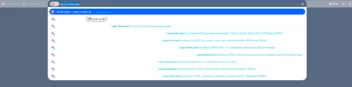
    Kann der Text, der die ausgewählte Suchmaschine anzeigt, auch weiß gefärbt werden?

    Hier im Bild "DuckDuckGo":

  • Farbe von Adressleiste und Text ändern

    • captain chaos
    • 1. Oktober 2026 um 12:26

    Nur noch ein Detail: Dieser Pfeil bei der Suchmaschinen-Auswahl ist noch schwarz.

  • Farbe von Adressleiste und Text ändern

    • captain chaos
    • 1. Oktober 2026 um 11:45

    Danke, das funktioniert.

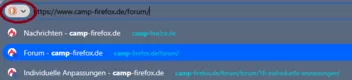
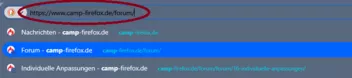
    Kann man diesen Pfeil, der am Ende der Adressleiste erscheint, wenn man dort Text eintippt, auch weiß färben?

  • Farbe von Adressleiste und Text ändern

    • captain chaos
    • 1. Oktober 2026 um 11:29

    Der Shadows.css Code funktioniert, danke!

    Die Schrift in der Adressleiste sieht jetzt auch gut aus, aber die Symbole sind noch schwarz statt weiß:

  • Farbe von Adressleiste und Text ändern

    • captain chaos
    • 1. Oktober 2026 um 09:34

    DIe Farbe des Suchmaschinen-Buttons in der Adressleiste würde ich auch gerne ändern:

  • Farbe von Adressleiste und Text ändern

    • captain chaos
    • 1. Oktober 2026 um 08:07

    Danke, das sieht schon besser aus.

    Mit dem Code ist der Text in der Adressleiste aber noch schwarz statt weiß. Wie kann ich das ändern?

  • Farbe der Kacheln auf Neuer-Tab-Seite ändern

    • captain chaos
    • 30. September 2026 um 17:50

    merci!

  • Farbe von Adressleiste und Text ändern

    • captain chaos
    • 30. September 2026 um 17:38

    Das neue Firefox-Design hat mir die Adressleiste leider ein bisschen zerschossen. Kann jemand helfen?

    Hier der Code aus meiner userchrome.css:

    CSS
    .urlbar-input-container {
    	color: white !important;				/* Schriftfarbe */
    	background-color: #58687F !important;	/* Hintergrundfarbe */
    }
    
    .urlbarView-row-inner:hover{
      color: white !important;					/* Schriftfarbe */
      background-color: #9BA4B2 !important;		/* Hintergrundfarbe */
    }
    
    .urlbar-background {
      background-color: #58687F !important;		/* Hintergrundfarbe */  	
    }
    
    .urlbarView-url {
        color: #00CADB !important;				/* Schriftfarbe URLs in Liste */
    }
    
    .urlbarView-title {
      color: white !important;					/* Schriftfarbe in Liste */
    }
    
     .urlbarView-title-separator {				/* Strich zwischen Seitentitel und URL in Liste ausblenden */
        &::before {
          visibility: hidden !important;
       }
    }
    Alles anzeigen
  • Farbe der Kacheln auf Neuer-Tab-Seite ändern

    • captain chaos
    • 30. September 2026 um 14:39
    Strange Blue / Steel blue – Get this Theme for 🦊 Firefox (en-US)
    Download Strange Blue / Steel blue for Firefox. Simple steel blue-ish color. Fits the interface nicely.
    addons.mozilla.org

    aber ich glaube das ist nicht vom Theme abhängig.

    In den Einstellungen kann man das Erscheinungsbild von Websites hell oder dunkel einstellen.

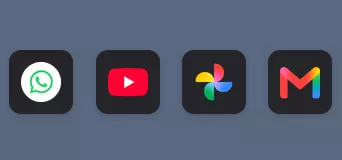
    Im hellen Modus sind die Kacheln weiß, im dunklen schwarz.

  • Farbe der Kacheln auf Neuer-Tab-Seite ändern

    • captain chaos
    • 30. September 2026 um 14:31

    Hallo zusammen,

    ist es möglich, die Farbe der Kacheln auf der Neuer-Tab-Seite anzupassen oder sie transparent zu machen?

  • Seite durchsuchen (STRG+F) beim Eintippen starten mit Buttons

    • captain chaos
    • 28. September 2026 um 20:45
    Zitat von 2002Andreas

    Die Datei config.js passt so nicht:/

    Tausend Dank, es läuft wieder!

    Ich hätte mal vorher in die Dateien reinschauen sollen, anstatt sie nur umzubenennen.

  • Seite durchsuchen (STRG+F) beim Eintippen starten mit Buttons

    • captain chaos
    • 28. September 2026 um 11:33

    Danke fürs Testen 2002Andreas

    Leider funktioniert dieses Skript bei mir immer noch nicht.

    Hier sind die Dateien, die ich für die Skriptverwendung benutze. Ist damit alles in Ordnung?

    1. Unterverzeichnis userChromeJS mit den Dateien

    • main.js
    Spoiler anzeigen
    Code
    	// main.js
    
    	/* ***** BEGIN LICENSE BLOCK *****
    	 * Version: MPL 1.1/GPL 2.0/LGPL 2.1
    	 *
    	 * The contents of this file are subject to the Mozilla Public License Version
    	 * 1.1 (the "License"); you may not use this file except in compliance with
    	 * the License. You may obtain a copy of the License at
    	 * http://www.mozilla.org/MPL/
    	 *
    	 * Software distributed under the License is distributed on an "AS IS" basis,
    	 * WITHOUT WARRANTY OF ANY KIND, either express or implied. See the License
    	 * for the specific language governing rights and limitations under the
    	 * License.
    	 *
    	 * The Original Code is the userChrome.js component.
    	 *
    	 * The Initial Developer of the Original Code is
    	 * Simon Bünzli <zeniko@gmail.com>
    	 *
    	 * Portions created by the Initial Developer are Copyright (C) 2007
    	 * the Initial Developer. All Rights Reserved.
    	 *
    	 * Contributor(s):
    	 * alta88 <alta88@gmail.com>
    	 * aborix <www.camp-firefox.de/forum>
    	 *
    	 * Alternatively, the contents of this file may be used under the terms of
    	 * either the GNU General Public License Version 2 or later (the "GPL"), or
    	 * the GNU Lesser General Public License Version 2.1 or later (the "LGPL"),
    	 * in which case the provisions of the GPL or the LGPL are applicable instead
    	 * of those above. If you wish to allow use of your version of this file only
    	 * under the terms of either the GPL or the LGPL, and not to allow others to
    	 * use your version of this file under the terms of the MPL, indicate your
    	 * decision by deleting the provisions above and replace them with the notice
    	 * and other provisions required by the GPL or the LGPL. If you do not delete
    	 * the provisions above, a recipient may use your version of this file under
    	 * the terms of any one of the MPL, the GPL or the LGPL.
    	 *
    	 * ***** END LICENSE BLOCK ***** */
    
    	const { FileUtils } = ChromeUtils.importESModule(
    		'resource://gre/modules/FileUtils.sys.mjs'
    	);
    
    	let UserChrome_js = {
    
    		init: function() {
    			Services.obs.addObserver(this, "final-ui-startup", false);
    			Services.obs.addObserver(this, "domwindowopened", false);
    		},
    
    			// observer
    		observe: function(aSubject, aTopic, aData) {
    			switch (aTopic) {
    				case "final-ui-startup":
    					let path = PathUtils.profileDir;
    					let ucFilePath = PathUtils.join(path, "chrome", "userChrome.js");
    					let ucFile = new FileUtils.File(ucFilePath);
    					if (!ucFile.exists()) {
    						let path = PathUtils.join(ucjsDirPath, "Readme.txt");
    						let readmeFile = new FileUtils.File(path);
    						readmeFile.copyTo(ucFile.parent, "userChrome.js");
    					};
    					if (ucFile.exists() && ucFile.isFile()) {
    						let path = PathUtils.join(ucjsDirPath, "utilities.js");
    						this.utilFileURI = PathUtils.toFileURI(path);
    						this.ucFileURI = PathUtils.toFileURI(ucFilePath);
    					};
    					Services.obs.removeObserver(this, "final-ui-startup");
    					break;
    
    					case "domwindowopened":
    					aSubject.addEventListener("load", this, {capture: true, once: true});
    					break;
    			}
    		},
    
    			// event listener for load
    		handleEvent: function(aEvent) {
    			let document = aEvent.originalTarget;
    			let window = document.defaultView;
    			if (document.location && document.location.protocol == "chrome:") {
    				try {
    					//    Services.scriptloader.loadSubScript(this.utilFileURI, window, "UTF-8");
    					//    Services.scriptloader.loadSubScript(this.ucFileURI, window, "UTF-8");
    					Services.scriptloader.loadSubScriptWithOptions(this.utilFileURI, {
    						target: window,
    						charset: 'UTF-8',
    						allowUnsafeURL: true
    					});
    					Services.scriptloader.loadSubScriptWithOptions(this.ucFileURI, {
    						target: window,
    						charset: 'UTF-8',
    						allowUnsafeURL: true
    					});
    				}
    				catch (ex) {
    					// script execution can be stopped with |throw "stop";|
    					if (ex != "stop") {
    						Cu.reportError(ex);
    					}
    				}
    			};
    		}
    	};
    
    	UserChrome_js.init();
    Alles anzeigen
    • utilities.js
    Spoiler anzeigen
    Code
    // utilities.js
    
    /* ***** BEGIN LICENSE BLOCK *****
     * Version: MPL 1.1/GPL 2.0/LGPL 2.1
     *
     * The contents of this file are subject to the Mozilla Public License Version
     * 1.1 (the "License"); you may not use this file except in compliance with
     * the License. You may obtain a copy of the License at
     * http://www.mozilla.org/MPL/
     *
     * Software distributed under the License is distributed on an "AS IS" basis,
     * WITHOUT WARRANTY OF ANY KIND, either express or implied. See the License
     * for the specific language governing rights and limitations under the
     * License.
     *
     * The Original Code is the userChromeJS utilities.
     *
     * The Initial Developer of the Original Code is
     * alta88 <alta88@gmail.com>
     *
     * Portions created by the Initial Developer are Copyright (C) 2014
     * the Initial Developer. All Rights Reserved.
     *
     * Contributor(s):
     * aborix <www.camp-firefox.de/forum>
     *
     * Alternatively, the contents of this file may be used under the terms of
     * either the GNU General Public License Version 2 or later (the "GPL"), or
     * the GNU Lesser General Public License Version 2.1 or later (the "LGPL"),
     * in which case the provisions of the GPL or the LGPL are applicable instead
     * of those above. If you wish to allow use of your version of this file only
     * under the terms of either the GPL or the LGPL, and not to allow others to
     * use your version of this file under the terms of the MPL, indicate your
     * decision by deleting the provisions above and replace them with the notice
     * and other provisions required by the GPL or the LGPL. If you do not delete
     * the provisions above, a recipient may use your version of this file under
     * the terms of any one of the MPL, the GPL or the LGPL.
     *
     * ***** END LICENSE BLOCK ***** */
    
    /* ........ Utility functions ............................................... */
    
    var userChrome = {
    
      path: null,
      dirToken: null,
      ignoreCache: false,
    
      get loadOverlayDelay () {
        if (!this._loadOverlayDelay)
          this._loadOverlayDelay = 500;
        return this._loadOverlayDelay;
      },
    
      set loadOverlayDelay(delay) {
        this._loadOverlayDelay = delay;
      },
    
      get loadOverlayDelayIncr() {
        if (!this._loadOverlayDelayIncr)
          this._loadOverlayDelayIncr = 1600;
        return this._loadOverlayDelayIncr;
      },
    
      set loadOverlayDelayIncr(delay) {
        this._loadOverlayDelayIncr = delay;
      },
    
      import: function(aPath, aRelDirToken) {
        let file;
        this.path = aPath;
        this.dirToken = aRelDirToken;
    
        if (aRelDirToken) {
          // Relative file
          let absDir = this.getAbsoluteFile(aRelDirToken);
          if (!absDir)
            return;
          let pathSep = absDir.path.match(/[\/\\]/)[0];
          file = absDir.path + (aPath == "*" ?
              "" : pathSep + aPath.replace(/[\/\\]/g, pathSep));
        }
        else
          // Absolute file
          file = aPath;
    
        file = this.getFile(file);
        if (!file)
          return;
        if (file.isFile()) {
          if (/\.js$/i.test(file.leafName))
            this.loadScript(file, aRelDirToken, null);
          else if (/\.xul$/i.test(file.leafName)) {
            let xul_files = [];
            xul_files.push(file);
            this.loadOverlay(xul_files, this.dirToken, null, this.loadOverlayDelay);
    //      this.loadOverlayDelay = this.loadOverlayDelay + this.loadOverlayDelayIncr;
          }
          else
            this.log("File '" + this.path +
                     "' does not have a valid .js or .xul extension.", "userChrome.import");
        }
        else if (file.isDirectory())
          this.importFolder(file);
        else
          this.log("File '" + this.path +
                   "' is neither a file nor a directory.", "userChrome.import");
      },
    
      loadScript: function(aFile, aFolder, aRelDirToken) {
        setTimeout(function() {
          Components.classes["@mozilla.org/moz/jssubscript-loader;1"]
              .getService(Components.interfaces.mozIJSSubScriptLoader)
    		  .loadSubScriptWithOptions(userChrome.getURLSpecFromActualFile(aFile), {
    			target: window,
    			charset: userChrome.charSet,
    			ignoreCache: userChrome.ignoreCache,
    			allowUnsafeURL: true});
          // log it
          userChrome.log(aRelDirToken ? ("[" + aRelDirToken + "]/" +
              (aFolder && aFolder != "*" ? aFolder + "/" : "") + aFile.leafName) :
              aFile.path, "userChrome.loadScript");
        }, 0);
      },
    
      // XXX: Due to bug 330458, an overlay must finish before another can be
      // called, otherwise neither are successful.  Implementing an observer to
      // serialize is better left as a fix in the core bug.  Here, settimout values
      // are set to minimize but there is no quarantee; overlay cdata (if any)
      // needs to consider overlay completions and logging does not strictly mean
      // an overlay has completed, rather that the overlay file has been invoked.
    
      loadOverlay: function(aFiles, aRelDirToken, aFolder, aDelay) {
    //userChrome.log(aDelay+" multiple import delay", userChrome.loadOverlay);
        // Increment multiple import delay
        this.loadOverlayDelay = this.loadOverlayDelay + this.loadOverlayDelayIncr;
        setTimeout(function() {
          if (aFiles.length > 0) {
    //userChrome.log(userChrome.loadOverlayDelay+" inter folder delay", userChrome.loadOverlay);
            // log it
            userChrome.log(aRelDirToken ? ("[" + aRelDirToken + "]/" +
                (aFolder && aFolder != "*" ? aFolder + "/" : "") + aFiles[0].leafName) :
                aFiles[0].path, "userChrome.loadOverlay");
            document.loadOverlay(userChrome.getURLSpecFromActualFile(aFiles.shift()), null);
            setTimeout(arguments.callee, userChrome.loadOverlayDelay);
          }
        }, aDelay);
      },
    
      // Include all files ending in .js and .xul from passed folder
      importFolder: function(aFolder) {
        let files = aFolder.directoryEntries
                           .QueryInterface(Components.interfaces.nsISimpleEnumerator);
        let xul_files = [];
    
        while (files.hasMoreElements()) {
          let file = files.getNext().QueryInterface(Components.interfaces.nsIFile);
          if (/\.js$/i.test(file.leafName) && file.leafName != "userChrome.js")
            this.loadScript(file, this.path, this.dirToken);
          else if (/\.xul$/i.test(file.leafName)) {
            xul_files.push(file);
          }
        }
    
        if (xul_files.length > 0)
          this.loadOverlay(xul_files, this.dirToken, this.path);
      },
    
      getFile: function(aPath, aRelDirToken) {
        try {
          let file = Components.classes["@mozilla.org/file/local;1"]
                               .createInstance(Components.interfaces.nsIFile);
          file.initWithPath(aPath);
          // Bad file doesn't throw on initWithPath, need to test
          if (file.exists())
            return file;
          this.log("Invalid file '" + this.path + (this.dirToken ?
              ("' or file not found in directory with token '" + this.dirToken) :
              "") + "' or other access error.", "userChrome.getFile");
        }
        catch (e) {
          // Bad folder throws on initWithPath
          this.log("Invalid folder '" + this.path + (this.dirToken ?
              ("' or folder not found in directory with token '" + this.dirToken) :
              "") + "' or other access error.", "userChrome.getFile");
        }
        return null;
      },
    
      getAbsoluteFile: function(aRelDirToken) {
        try {
          let absDir = Components.classes["@mozilla.org/file/directory_service;1"]
                                 .getService(Components.interfaces.nsIProperties)
                                 .get(aRelDirToken, Components.interfaces.nsIFile);
          return absDir;
        }
        catch (e) {
          this.log("Invalid directory name token '" + this.dirToken +
                   "' or directory cannot be accessed.", "userChrome.getAbsoluteFile");
          return null;
        }
      },
    
      getURLSpecFromActualFile: Components.classes["@mozilla.org/network/io-service;1"]
                                    .getService(Components.interfaces.nsIIOService)
                                    .getProtocolHandler("file")
                                    .QueryInterface(Components.interfaces.nsIFileProtocolHandler)
                                    .getURLSpecFromActualFile,
    
      /* Console logger */
      log: function(aMsg, aCaller) {
        Components.classes["@mozilla.org/consoleservice;1"]
                  .getService(Components.interfaces.nsIConsoleService)
                  .logStringMessage(this.date + " userChromeJS " +
                                    (aCaller ? aCaller +": " : "") + aMsg);
      },
    
      get dateFormat() {
        if (!this._dateFormat)
          this._dateFormat = "%Y-%m-%d %H:%M:%S";
        return this._dateFormat;
      },
    
      set dateFormat(format) {
        this._dateFormat = format;
      },
    
      get date() {
        let date = new Date();
    //  return date.toLocaleFormat(this.dateFormat);
        try {
          date = date.toLocaleFormat(this.dateFormat);
        } catch(e) {
          date = date.toString();
        };    
        return date;
      },
    
      set charSet(val) {
        this._charSet = val;
      },
    
      get charSet() {
        if (!this._charSet)
          this._charSet = "UTF-8"; // use "UTF-8". Defaults to ascii if null.
        return this._charSet;
      }
    
    };
    Alles anzeigen
    • Readme.txt
    Spoiler anzeigen
    Code
    /*
     * userChromeJS
     *
     * The file userChrome.js can be used to customize the functioning of Mozilla's
     * user interface. Usage and syntax follow below; for useful code snippets see
     * http://mozilla.zeniko.ch/userchrome.js.html.
     *
     * Examples:
     * setTimeout(function() { document.title = "A new title for every window" }, 2000);
     *
     * if (location == "chrome://browser/content/browser.xul") {
     *   alert("Script loaded in main browser only");
     * }
     *
     * // DOMi window
     * if (location == "chrome://inspector/content/inspector.xul") {
     *    // Move Urlbar box to main toolbar
     *    var tb = document.getElementById('bxURLBar');
     *    var el = document.getElementById('mbrInspectorMain');
     *    if (tb && el) el.appendChild(tb, el.firstChild);
     * }
     *
     * NOTE:
     * userChromeJS includes an 'import' function to facilitate file management.
     * An absolute path or relative path with Directory name property token can be
     * used, as follows:
     *
     * // Single file (javascript .js or overlay .xul file)
     * userChrome.import("Full file path");
     * userChrome.import("Relative file path", "Token");
     * // All .js and .xul files in a folder will be loaded.
     * userChrome.import("Full file folder path");
     * userChrome.import("Relative file folder path/name", "Token");
     * userChrome.import("*", "Token");
     *
     * NOTE:
     * Absolute windows files and folders must be have backslash escaped:
     * "C:\\Program Files\\Mozilla\\scripts\\myscript.js"
     *
     * Examples:
     * // Import script in [ProfileDir]/chrome/scripts/myscript.js
     * userChrome.import("scripts/myscript.js", "UChrm");
     * // Import script in [Profiles]/scripts/myscript.js (share same script in
     * // multiple profiles
     * userChrome.import("scripts/myscript.js", "DefProfRt");
     * // All .js or .xul in profile chrome directory
     * userChrome.import("*", "UChrm");
     * // Import overlay
     * userChrome.import("C:\\Program Files\\Mozilla\\scripts\\myOverlay.xul");
     * // Import everything in Desktop folder /scripts
     * userChrome.import("scripts", "Desk");
     * // Perhaps the only thing you need in this file..
     * if (location == "chrome://browser/content/browser.xul") {
     *  userChrome.import("scripts", "DefProfRt");
     * }
     *
     * NOTE:
     * For a full listing of directory tokens see the two links found here:
     * https://developer.mozilla.org/en-US/Add-ons/Code_snippets/File_I_O#Getting_files_in_special_directories
     * // What's the path for a token? This will print it in the console.
     * userChrome.log(userChrome.getAbsoluteFile("Desk").path, "getAbsoluteFile:'Desk'");
     *
     * NOTE:
     * userChromeJS includes a log function, invoked as follows:
     * userChrome.log("string1"[, "string2"])
     * Example:
     * userChrome.log("hello world!", "myscript.js");
     * Results in a console message:
     * 2009-05-22 18:07:40 userChromeJS myscript.js: hello world!
     *
     * NOTE:
     * The date format for the userChrome.log console logger may be user defined:
     * Example:
     * userChrome.dateFormat = "%Y-%m-%d %H:%M:%S";
     *
     * NOTE:
     * The default charSet is "UTF-8"; for code using the 'import' or
     * 'importFolder' functions to manage files, the charSet for subscript loader
     * may be user defined, prior to calling the import or importFolder functions:
     * Example:
     * userChrome.charSet = "UTF-8";
     *
     * NOTE:
     * Scripts are stored in a startup cache and loaded from it.
     * After a change in userChrome.js you heve to restart Firefox with clearing
     * this cache to make sure the changed file is read.
     * By default this applies to imported .js files too. You can bypass the cache
     * for these scripts with this statement BEFORE any import statement:
     * userChrome.ignoreCache = true;
     *
     */
    Alles anzeigen

    2. Unterverzeichnis chrome mit der Datei

    • userChrome.js
    Spoiler anzeigen
    Code
    // userChrome.js
    userChrome.ignoreCache = true;
    userChrome.import("*", "UChrm");

    3. Datei config.js

    Spoiler anzeigen
    Code
    // skip 1st line
    /*
     2026/07/28 loadSubScript chrome:// instead of file:// (Bug 1974213 Don't allow file: and jar: schemes in Services.scriptloader.loadSubScript)
     2023/07/11 Removed Services.jsm, per Bug 1780695
     2022/06/07 remove osfile.jsm
     2021/08/05 fix for 92+ port Bug 1723723 - Switch JS consumers from getURLSpecFromFile to either getURLSpecFromActualFile or getURLSpecFromDir
     2019/12/11 01:30 fix 72 use "load" in config.js, working with Sub-Script/Overlay Loader v3.0.60mod
     2019-10-22 23:00
    */
    
    try {
    
        let {
          classes: Cc,
          interfaces: Ci,
          utils: Cu
        } = Components;
    
        //let { Services } = Cu.import('resource://gre/modules/Services.jsm');
        //Cu.import('resource://gre/modules/osfile.jsm');
    
        function UserChrome_js() {
          Services.obs.addObserver(this, 'domwindowopened', false);
        };
    
        UserChrome_js.prototype = {
          observe: function (aSubject, aTopic, aData) {
              aSubject.addEventListener('load', this, true);
          },
    
          handleEvent: function (aEvent) {
            let document = aEvent.originalTarget;
            if (document.location && document.location.protocol == 'chrome:') {
            const ios = Cc["@mozilla.org/network/io-service;1"].getService(Ci.nsIIOService);
            const fph = ios.getProtocolHandler("file").QueryInterface(Ci.nsIFileProtocolHandler);
            const ds = Cc["@mozilla.org/file/directory_service;1"].getService(Ci.nsIProperties);
    
              let file = ds.get("UChrm", Ci.nsIFile);
              file.append('userChrome.js');
              let fileURL = fph
                            .getURLSpecFromActualFile(file) + "?" + file.lastModifiedTime;
              Services.scriptloader.loadSubScriptWithOptions(fileURL, {
                           target: document.defaultView,
                           allowUnsafeURL: true,
                    });
            }
          },
        };
    
        if (!Cc['@mozilla.org/xre/app-info;1'].getService(Ci.nsIXULRuntime).inSafeMode)
          new UserChrome_js();
    
    } catch(ex) {};
    
    try {
        pref("toolkit.legacyUserProfileCustomizations.stylesheets", true);
    } catch(e) {}
    Alles anzeigen

    4. Datei config-prefs.js

    Spoiler anzeigen
    Code
    /*
     2026-07-28 00:00
    */
    
    pref("general.config.obscure_value", 0);
    pref("general.config.filename", "config.js");
    pref("general.config.sandbox_enabled", false);
  • Seite durchsuchen (STRG+F) beim Eintippen starten mit Buttons

    • captain chaos
    • 13. September 2026 um 15:42

    Das Skript aus dem vorherigen Beitrag funktioniert bei mir nicht mehr.

    Kann das bitte mal jemand testen?

    Ich hatte auch mit einem anderen Skript Probleme, dieses läuft jetzt aber wieder (siehe hier).

Unterstütze uns!

Jährlich (2026)

71,6 %

71,6% (554,79 von 775 EUR)

Jetzt spenden
  1. Kontakt
  2. Datenschutz
  3. Impressum
Community-Software: WoltLab Suite™
Mastodon