

Mist, verdammter - MacPro 4.1, mit 5.1 und GPU Hack hier, OSX 10.13.6 .... 
Danke für den Hinweis; ist wohl eh an der Zeit das OS auf das brandneue Catalina umzustellen. 
Apple und Hardwaresupport, ein ewiges Drama...
Mist, verdammter - MacPro 4.1, mit 5.1 und GPU Hack hier, OSX 10.13.6 ....
Danke für den Hinweis; ist wohl eh an der Zeit das OS auf das brandneue Catalina umzustellen.
Apple und Hardwaresupport, ein ewiges Drama...

Suche sollte wieder funktionieren.
Prima, dankeschön! 
Wahrscheinlich muss irgendein Dienst oder so neu gestartet werden.
Danke für die Rückmeldung; ist kein Drama, wie von Andreas erwähnt funktioniert der wichtige Teil des Forums ja.
DIe Errormeldung hatte ich übrigens auch kurz bei der Erstellung des Beitrags bekommen, nach Eingabe des Titels; das kann ich aber im Gegensatz zur Problematik mit der Suchfunktion nicht reproduzieren.
Danke für die Antworten - dachte schon ich hätte mir was eingefangen.
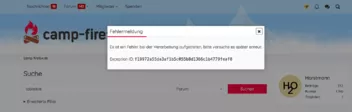
Seit ein paar (2-3) Tagen funktioniert hier die Suche im Forum nicht mehr; ich komme den unten im Bild gezeigten Error.
MacOS 10.13.6, Firefox 113.0.2 .

Ändert ja nichts an meiner Aussage
Das Spiel funktioniert bei mir nicht.
Deine ursprünglichen Aussagen sind meine Aussage, nur deutlicher.
Und zusammenhangsfreie Drittargumente, willkürlich Zusammenhänge erstellen - das hab ich schon ein paar Mal zu oft gesehen - in meinem Alter.
der sich mit der Thematik nicht beschäftigen kann oder will
Davon gibt es hier reichlich weitere User, und nicht nur ihn
Sonst gäbe es sehr viele Fragen in diesem Unterforum nicht.
Selbst dein Hinweis auf die Änderungen in Fx 113 hilft dabei nicht.
Lies deine eigenen Kommentare nochmal nach, den, den oder den.
Ich habe hier selber wahrhaftig schon oft von grosszügigen Antworten auf dumme Fragen meinerseits profitiert; aber irgendwo muss ein Wille zum Dazulernen schon vorhanden sein.
 Alles anzeigen
Spätestens dann müssen zwei Dateien zur Nutzung von Skripten geändert werden.
Könnte er aber auch jetzt schon machen.
...
Ich weiß, habe ich schon gemacht und klappt super.
Die Frage, die sich mir stellt, er tut sich ja mit so etwas recht schwer,
bekommt er es hin?
Offengestanden - ich denke dass jemand wie der OP - der sich mit der Thematik nicht beschäftigen kann oder will - mit einem unveränderten Basisbrowser besser bedient ist.
Es hat mit Firefox 113 ein paar Änderungen gegeben, siehe hier.
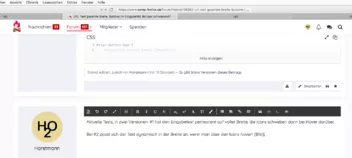
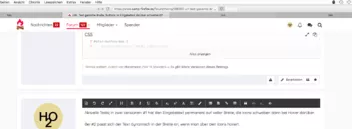
Aktuelle Tests; in zwei Versionen: #1 hat den Eingabetext permanent auf voller Breite, die Icons schweben dann bei Hover darüber.
Bei #2 passt sich der Text dynamisch in der Breite an, wenn man über den Icons hovert, und ist sonst auf voller Breite (s. Bilder).
Ideal wäre, wenn sich der Textabstand nach rechts dynamisch ändern liesse, sobald von Firefox ein zusätzliches Icon auf der rechten Seite aktiviert bzw. deaktiviert wird.
So ist jetzt der Textabstand rechts auf drei gleich breite Buttons eingestellt; kommt einer dazu oder wird breiter (zB. Permissions), entsteht wieder eine Lücke.
Was Fx im Prinzip ja auch macht, nur wie?
#1
/* Test Margin #7a , Text width static */


/*  Buttons right  */

:is(#identity-box:not(.chromeUI), #tracking-protection-icon-container, #page-action-buttons) {
    order: 1 !important;
    margin-inline: 0px !important;
    z-index: 2 !important;
}


/* opacity not hover, open 0, testing 0.5 */

:is(#identity-box:not(.chromeUI) .identity-box-button, #tracking-protection-icon-container, #star-button-box):not(:hover, :hover:active, [open="true"]) {
    opacity: 0 !important;
}


/* text full width, overflow ellipsis optional, 84px */

:root {
    --custom-url-icon-size: calc(var(--urlbar-min-height) - 2px - 2 * var(--urlbar-container-padding));
}

#urlbar-input {
    padding-inline: 9px !important;
    margin-right: calc(0px - 3 * var(--custom-url-icon-size)) !important;
    /* overflow ellipsis instead of gradient, optional */
    /*mask-image: none !important;
    overflow: hidden !important;
    text-overflow: ellipsis !important;
    white-space: nowrap !important;*/
}


/*  hover, open background not transparent  */

:is(#identity-box:not(.chromeUI) .identity-box-button, #tracking-protection-icon-container, #star-button-box):hover {
    background-color: color-mix(in srgb, white 70%, rgba(87, 80, 68, 1)) !important;
}

:is(#identity-box:not(.chromeUI) .identity-box-button, #tracking-protection-icon-container, #star-button-box)[open="true"] {
    background-color: color-mix(in srgb, white 50%, rgba(87, 80, 68, 1)) !important;
}


/*  Icons color */

:is(#identity-box, #tracking-protection-icon-container, #page-action-buttons, #star-button) {
    fill: rgba(80, 80, 80, 1.0) !important;
}


/* extra buttons */

#urlbar-zoom-button {
    margin: 0px !important;
    order: 1 !important;
}

#reader-mode-button {
    display: none !important;
}

#identity-box[pageproxystate="invalid"] {
    display: none !important;
}

#identity-permission-box {
    display: none !important;
}


/* buttons never seen ? */

/*
#contextual-feature-recommendation,
#userContext-icons,
#reader-mode-button,
#pageActionButton,
#translations-button,
#picture-in-picture-button,
#pageActionButton {
    display: none !important;
}*/


/*  colors testing only  */
/*
#star-button-box {
    background-color: khaki !important;
}

#identity-box:not(.chromeUI) .identity-box-button {
    background-color: lightblue !important;
}

#tracking-protection-icon-container {
    background-color: orange !important;
}*/#2
* Test Margin #7b Multi Buttons Margins, Text width dynamic */


/*  Buttons right  */

:is(#identity-box:not(.chromeUI), #tracking-protection-icon-container, #page-action-buttons) {
    order: 1 !important;
    margin-inline: 0px !important;
    z-index: 2 !important;
}


/* opacity not hover, open 0, testing 0.5 */

:is(#identity-box:not(.chromeUI) .identity-box-button, #tracking-protection-icon-container, #star-button-box):not(:hover, :hover:active, [open="true"]) {
    opacity: 0 !important;
}


/* text full width, overflow ellipsis optional, 84px */

:root {
    --custom-url-icon-size: calc(var(--urlbar-min-height) - 2px - 2 * var(--urlbar-container-padding));
}


#urlbar-input {
    padding-inline: 9px !important;
    margin-right: calc(0px - 3 * var(--custom-url-icon-size)) !important;
    /* overflow ellipsis instead of gradient, optional */
    /*mask-image: none !important;
    overflow: hidden !important;
    text-overflow: ellipsis !important;
    white-space: nowrap !important;*/
}


/* Test Multi Button Margins hover, open */

#page-action-buttons #star-button-box:is(:hover, [open="true"]) {
    margin-left: calc(1 * var(--custom-url-icon-size)) !important;
}

#identity-box:not(.chromeUI) #identity-icon-box:is(:hover, [open="true"]) {
    margin-left: calc(2 * var(--custom-url-icon-size)) !important;
}

#tracking-protection-icon-container:is(:hover, [open="true"]) {
    margin-left: calc(3 * var(--custom-url-icon-size)) !important;
}


/*  Icons color */

:is(#identity-box, #tracking-protection-icon-container, #page-action-buttons, #star-button) {
    fill: rgba(80, 80, 80, 1.0) !important;
}

/* extra buttons */

#urlbar-zoom-button {
    margin: 0px !important;
    order: 1 !important;
}

#reader-mode-button {
    display: none !important;
}

#identity-box[pageproxystate="invalid"] {
    display: none !important;
}

#identity-permission-box {
    display: none !important;
}


/* buttons never seen ? */

/*
#contextual-feature-recommendation,
#userContext-icons,
#reader-mode-button,
#pageActionButton,
#translations-button,
#picture-in-picture-button,
#pageActionButton {
    display: none !important;
}*/


/*  colors testing only  */

/*
#star-button-box {
    background-color: khaki !important;
}

#identity-box:not(.chromeUI) .identity-box-button {
    background-color: lightblue !important;
}

#tracking-protection-icon-container {
    background-color: orange !important;
}*/

nach 2 Jahren ist Deine Lösung für meine Probleme leider mit 113.0.1 wirkungslos geworden. Die in diesem Thema von Dir generierte css ist immer noch am alten Ort, aber alles ist nun wieder anders: Tabs unten, Abstände endlos auseinander, etc...
Es sollte eigentlich funktionieren die hier beschriebenen Änderungen vorzunehmen; wobei allein der Basiscode schon etwas in die Jahre gekommen ist.
Um sicher zu gehen, könntest du den von dir benutzten Code (userChrome.css) hier einstellen, um nicht an einem evtl. geänderten oder dem falschen Code rumzubasteln.
Nur mal eben herzlichen Dank an alle Beteiligten!
Das Problem hattet ihr gelöst, bevor ich Zeit hatte meinen Nightly Update zu machen, fantastisch! 
Oder doch besser sowas in der Art? 
Fragen über Fragen...
                                                      /* Test Margin #4 alter */


                                                      /*  colors testing only */
/*
#star-button-box {
    background-color: khaki !important;
}

#identity-box:not(.chromeUI) .identity-box-button {
    background-color: lightblue !important;
}

#tracking-protection-icon-container {
    background-color: orange !important;
}*/


/*  Buttons right  */

:is(#identity-box:not(.chromeUI), #tracking-protection-icon-container, #page-action-buttons) {
    order: 1 !important;
    margin-inline: 0px !important;
    z-index: 2 !important;
}

/*  Icons color */

:is(#identity-box, #tracking-protection-icon-container, #page-action-buttons, #star-button) {
    fill: rgba(80, 80, 80, 1.0) !important;
}

                                                      /* opacity not hover, open 0, testing 0.5 */

:is(#identity-box:not(.chromeUI) .identity-box-button, #tracking-protection-icon-container, #star-button-box):not(:hover, :hover:active, [open="true"]) {
    opacity: 0 !important;
}

                                                      /*  hover, open colors */

:is(#identity-box:not(.chromeUI) .identity-box-button, #tracking-protection-icon-container, #star-button-box):hover {
    background-color: color-mix(in srgb, white 70%, rgba(87, 80, 68, 1)) !important;
}

:is(#identity-box:not(.chromeUI) .identity-box-button, #tracking-protection-icon-container, #star-button-box)[open="true"] {
    background-color: color-mix(in srgb, white 50%, rgba(87, 80, 68, 1)) !important;
}


                                                      /* text full width, overflow ellipsis */

:root {
    --custom-url-icon-size: calc(var(--urlbar-min-height) - 2px - 2 * var(--urlbar-container-padding));
}

#urlbar-input {
    padding-inline: 9px !important;
    /*margin-right: -84px !important;*/
    margin-right: calc(0px - 3 * var(--custom-url-icon-size)) !important;
    mask-image: none !important;
    overflow: hidden !important;
    text-overflow: ellipsis !important;
    white-space: nowrap !important;
}


                                                      /* extra buttons */

#urlbar-zoom-button {
    margin: 0px !important;
    /*padding: 7px !important;*/
    order: 1 !important;
}

#reader-mode-button {
    display: none !important;
}

#identity-box[pageproxystate="invalid"] {
    display: none !important;
}

#identity-permission-box {
    display: none !important;
}


/* buttons never seen ? */

/*
#contextual-feature-recommendation,
#userContext-icons,
#reader-mode-button,
#pageActionButton,
#translations-button,
#picture-in-picture-button,
#pageActionButton {
    display: none !important;
}*/Und noch einer.
#reader-mode-button {
    display: none !important;
}

#identity-box[pageproxystate="invalid"] {
    display: none !important;
}

#identity-permission-box {
    display: none !important;
}

#contextual-feature-recommendation,
#userContext-icons,
#reader-mode-button,
#pageActionButton,
#urlbar-zoom-button,
#translations-button,
#picture-in-picture-button,
#pageActionButton {
    display: none !important;
}

#urlbar-input {
    padding-inline: 9px !important;
}

                                                      /* opacity not hover, 0, testing 0.5 */

:is(#identity-box:not(.chromeUI) .identity-box-button, #tracking-protection-icon-container, #star-button-box):not(:hover, :hover:active, [open="true"]) {
    opacity: 0 !important;
}

                                                      /*  test colors  */
/*
#star-button-box {
    background-color: khaki !important;
}

#identity-box:not(.chromeUI) .identity-box-button {
    background-color: lightblue !important;
}

#tracking-protection-icon-container {
    background-color: orange !important;
}*/

                                                      /*  hover, open colors */

:is(#identity-box:not(.chromeUI) .identity-box-button, #tracking-protection-icon-container, #star-button-box):hover {
    background-color: color-mix(in srgb, currentColor 17%, white) !important;
}

:is(#identity-box:not(.chromeUI) .identity-box-button, #tracking-protection-icon-container, #star-button-box)[open="true"] {
    background-color: color-mix(in srgb, currentColor 30%, white) !important;
}

                                                      /* positions */

:root {
    --custom-url-icon-size: calc(var(--urlbar-min-height) - 2px - 2 * var(--urlbar-container-padding));
}

#page-action-buttons:not(.chromeUI ~ #page-action-buttons) {
    position: absolute !important;
    right: 2px !important;
}

#identity-box:not(.chromeUI), #tracking-protection-icon-container {
    position: absolute !important;
    margin-inline: 0px !important;
    height: var(--custom-url-icon-size) !important;
    width: var(--custom-url-icon-size) !important;
    z-index: 2 !important;
}

#identity-box:not(.chromeUI) {
    right: calc(var(--custom-url-icon-size) + 4px) !important;
}

#tracking-protection-icon-container {
    right: calc(2*var(--custom-url-icon-size) + 6px) !important;
}Hmm, das Gehacke geht munter weiter; in einem frischen Profil funktioniert sowas scheinbar halbwegs.
Vermutlich fehlt die Hälfte oder macht irgendwo Zicken, und ist nur ein grober Test ...
                                                      /* Test 2 Leerprofil ok */


#reader-mode-button {
    display: none !important;
}

#identity-box[pageproxystate="invalid"] #identity-icon {
    display: none !important;
}

#identity-box[pageproxystate="invalid"] .identity-box-button {
    display: none !important;
}


/*  Notifications box Off ? */
/*
#identity-permission-box {
    display: none !important;
}*/


#urlbar-input {
    padding-inline: 9px !important;
}

:is(#identity-box:not(.chromeUI) .identity-box-button, #tracking-protection-icon-container):not(:hover, :hover:active, [open="true"]) {
    opacity: 0.5 !important;
}

#star-button-box:not(:hover, :active, [open]) {
    opacity: 0.5 !important;
}


                                                      /* colors */

#star-button-box {
    background-color: khaki !important;
}

#identity-box:not(.chromeUI) .identity-box-button {
    background-color: lightblue !important;
}

#tracking-protection-icon-container {
    background-color: orange !important;
}


                                                      /* positions */

#page-action-buttons {
    position: absolute !important;
    right: 0px !important;
}

#identity-box:not(.chromeUI) {
    position: absolute !important;
    margin-inline: 0px !important;
    height: 100% !important;
    right: 28px !important;
    z-index: 10 !important;
}

#tracking-protection-icon-container {
    position: absolute !important;
    margin-inline: 0px !important;
    height: 100% !important;
    right: 56px !important;
    z-index: 10 !important;
}
Damit bist du von jetzt an - der neue CSS Guru!
Das wäre leider keinesfalls gerechtfertigt.
Wie ich seinerzeit zu dem Code gekommen bin, weiß ich nicht mehr. Sicher ist nur, dass selbst der kleine Schnipsel nicht auf meinem Mist gewachsen ist.
Alles gut, war nur ein Scherzchen.
Wenn der Text der Webpage bis zum Ende der Zeile gehen würde,
und die Symbole dann bei Hover über dem Text "schweben würden", ja das, das wäre schon fein.
Im Prinzip scheint sowas halbwegs zu funktionieren:
#urlbar-input-container:not(:hover) :is(#identity-box, #tracking-protection-icon-container, #page-action-buttons, #star-button-box) :not(:hover:active, [open="true"]) {
    display: none !important;
}

#urlbar-input-container:not(:hover) #tracking-protection-icon-container {
   padding-inline: 0 !important;
}
Das ist nur ein Anfang, und deckt weder alle Buttons ab, noch bleibt der Text bei Hover auf voller Breite wie gewünscht; zudem bleibt die Breite bei einigen Buttons nicht konstant wenn man die Maus weg von der URL Leiste über das Popup bewegt - wenigstens bleiben die Popups endlich offen.
Aber falls noch jemand daran werkelt, hilft's vielleicht beim Testen.
opacity: 0 !important;
reicht in diesem Fall.
Klassiker.
Das blendet aber leider die Elemente komplett aus und somit funktioniert dann auch das Einblenden nicht mehr.
Da muss es einen anderen Trick geben, damit sich die Elemente "überlagern".
Nochmals sorry, das war nur als Test gedacht um alle(?) Elemente anzusprechen; hätte ich klarer ausdrücken sollen.
Man sollte auch zumindest den Star Button sowieso nicht in der Art ausblenden, weil sonst die Funktion verloren geht.
Das ist ja nicht wirklich eine Lücke!
Das ist die Stelle der Box (#identity-box) und dahinter wäre die Stelle des Lesezeichensterns.
Habe das mal nachzustellen versucht, da sehr interessant!
Die Lücke war mein Fehler, es ist tatsächlich die #star-button-box die ich bei meinem (nicht beschriebenen) Test vergessen hatte.
Das hier elimiert die Lücken beidseitig, zumindest bei mir im Testprofil:
#identity-box, #tracking-protection-icon-container, #star-button-box {
    display: none !important;
}
Sorry, am besten den Teil einfach ignorieren...
Wenn der Text der Webpage bis zum Ende der Zeile gehen würde,
und die Symbole dann bei Hover über dem Text "schweben würden", ja das, das wäre schon fein.
Denk ich auch!

Ich glaube, da hast du Horstmann falsch verstanden. Oder ich??
Muss ich dazusagen dass es ein kleiner Scherz war?