1. Nachrichten
  2. Forum
    1. Unerledigte Themen
    2. Forenregeln
  3. Spenden
  • Anmelden
  • Registrieren
  • Suche
Alles
  • Alles
  • Artikel
  • Seiten
  • Forum
  • Erweiterte Suche
  1. camp-firefox.de
  2. Mira_Belle

Beiträge von Mira_Belle

  • about:logins anpassen

    • Mira_Belle
    • 23. Januar 2022 um 12:19
    Zitat von Boersenfeger

    BTW: Du solltest vielleicht aus dem Bild deine Mailadresse entfernen, wenn diese real ist... :)

    Danke, aber was kann passieren, wenn nicht?

    Spam? Es gibt da zwei vorgeschaltete unterschiedliche Filter.

    Und wenn es einfach zu blöd wird, wird dieses Postfach einfach nicht mehr genutzt.

    Ist eh nur ein fast toter Briefkasten.

    Gruß

    Mira

    PS: habe aber vorsichtshalber dennoch die Grafik mal rausgenommen.

  • about:logins anpassen

    • Mira_Belle
    • 22. Januar 2022 um 23:01
    Zitat von Sören Hentzschel

    Du kannst dir bestehendes CSS auch über die Entwicklerwerkzeuge von Firefox ansehen, auch das CSS für :focus. Klicke dazu auf die Schaltfläche :hov.

    Danke Sören,

    dass muss ich mir merken,

    und damit mal etwas herumspielen, damit ich damit auch lerne umzugehen.

    Gruß

    Mira

  • about:logins anpassen

    • Mira_Belle
    • 22. Januar 2022 um 14:28
    Zitat von 2002Andreas

    Meinst du das so bei focus?


    Wenn ja, dann teste bitte mal:

    CSS
    .filter:focus {
        --in-content-focus-outline-color: #0BDCFF !important;
    }

    Ja.

    Der Code war's!

    Danke.

    CSS
        .filter:focus {
            --in-content-focus-outline-color: transparent !important;
            background-color: #e1e1e1 !important;
            color: #000000 !important;
            border-color: #0BDCFF !important;
            border-width:3px !important;
            border-style: outset !important;
            border-radius: 8px !important;
        }

    So ist es so, wie ich es gerne hätte.

    Gruß

    Mira

  • about:logins anpassen

    • Mira_Belle
    • 22. Januar 2022 um 13:46

    Ich habe da noch ein Problem!

    Der aktive Rahmen den ich mit diesem Code generieren,

    CSS
        .filter:focus {
    /*      background-color: #e1e1e1 !important;   */
            background-color: #a1a1a1 !important;
            color: #5b5b66 !important;
            border-color: #0BDCFF !important;
            border-width:3px !important;
            border-style: outset !important;
            border-radius: 8px !important;
        }

    Wird durch einen Blauen überdeckt!

    Das ist der vom FF.

    Wie bekomme ich DEN den weg?

    Gruß

    Mira

  • about:logins anpassen

    • Mira_Belle
    • 21. Januar 2022 um 18:52
    Zitat von 2002Andreas

    Du hast dir dabei auch viel Mühe gegeben :thumbup:

    Danke.

    Ich hoffe, dass auch andere User mit dem Code was anfangen können,

    und ich hab' "Blut" geleckt.

    Gruß

    Mira

    Apropos Mühe, ich habe auch das Design z.T, in den anderen Codes angepasst.

    Es ist ja noch nicht ganz stimmig.

    Die "Einstellungen" werden alles von mir abverlangen.

  • about:logins anpassen

    • Mira_Belle
    • 21. Januar 2022 um 18:39

    Der neue Code für das Suchfeld schaut jetzt so aus:

    CSS
    .filter {
            background-color: #5b5b66 !important;        
            color: #e1e1e1 !important;
            border-color: #e1e1e1 !important;
            border-width:1px !important;
    /*        border-style: outset !important;    */
            border-radius: 8px !important;
    }        
    
    
    .filter:focus {
            background-color: #e1e1e1 !important;
            color: #5b5b66 !important;
            border-color: #0BDCFF !important;
            border-width:3px !important;
            border-style: outset !important;
            border-radius: 8px !important;
    }
    Alles anzeigen

    Ich find's klasse.

    Danke Sören. :thumbup:

    Und der Code für den Button so:

    CSS
        .menu-button {
            background-color: #5b5b66 !important;                /* Hintergrundfarbe des "..."-Button    */  
            color: #e1e1e1 !important;                    /* Textfarbe des "..."-Button    */
            margin-left: 1px !important;
            margin-right: 10px !important;
            margin-top: 3px !important;
            margin-bottom: 5px !important;
            padding-top: 3px!important;
            padding-left: 15px !important;
            padding-right: 15px !important;
            padding-bottom: 3px !important;     
            border-color: #0BDCFF !important;
            border-style: outset !important;
            border-width:3px !important;
        border-radius: 8px !important;
        }    
        
        
        .menu-button:hover {    
            background-color: #e1e1e1 !important;                /* Textfarbe des gehoverten "..."-Button    */
            color: #292c2f !important;                    /* Hintergrundfarbe des gehoverten "..."-Button    */    
        }
    Alles anzeigen

    Danke Andreas. :thumbup:

    Gruß

    Mira

    Mal schauen, was ich als Nächstes anstelle. :/

  • about:logins anpassen

    • Mira_Belle
    • 21. Januar 2022 um 17:23

    Und hier mein zweites Projekt!

    Und der Code dazu.

    CSS
    @-moz-document url("about:logins") {
        
        /*------------------------------*/
        /********** Loginliste **********/
        /*------------------------------*/    
    
        .meta {
            background-color: #292c2f !important;            /* Hintergrundfarbe links in der Kopfzeile der Loginliste    */
            color: #e1e1e1 !important;                        /* Text links in der Kopfzeile der Loginliste    */
        }
        #login-sort {
            color: #e1e1e1 !important;                        /* Text links (Name (A-Z))in der Loginliste    */
        }    
        .login-list-item.selected {
            background-color: #292c2f !important;            /* Hintergrundfarbe des ausgewählten Feldes in der Loginliste    */
            border-inline-start-color: #0BDCFF !important;    /* Linker Rahmen des ausgewählten Feldes in der Loginliste    */
            color: #e1e1e1 !important;                        /* Textfarbe des ausgewählten Feldes in der Loginliste    */
        }
        .login-list-item {
            background-color: #292c2f !important;            /* Hintergrundfarbe der Loginliste    */
        }    
        .login-list-item:hover {
            background: #484B4D !important;                    /* Hintergrundfarbe der Loginliste    */
        }    
        .login-list-item:not(.selected):hover {
            color: #e1e1e1 !important;                        /* Textfarbe in der Loginliste    */
        }
    
        .title{
            color: #e1e1e1 !important;                        /* Textfarbe Überschriften (IPs & Urls)    */
        }
        .favicon-wrapper {
            color: #e1e1e1 !important;                        /* Farbe der kleinen "Weltkugeln"    */
        }


    .empty-search-message{
        color: #e1e1e1 !important;
        background: #292c2f !important;
    }
    
    .empty-search-message span{
        color: #e1e1e1 !important;
    }
    
    ol {
        background: #292c2f !important;
    }
    
        /*-----------------------------*/
        /******** Benutzernamen ********/
        /*-----------------------------*/
    
        .username {
            color: #e1e1e1 !important;                        /* Benutzernamen links in der Loginliste    */
        }
    
        /*----------------------------*/
        /********** Suchfeld **********/
        /*----------------------------*/
    
        header {
            background-color: #292c2f !important;            /* Hintergrundfarbe um das Suchfeld    */
        }    
    
    .filter {
            background-color: #e1e1e1 !important;
    color: green !important;        
            border: 1px solid red !important;
    }        
    
    /*
    .filter[type="text"] {
            border: 1px solid red !important;
            color: red !important;
    }
    */


    .empty-search-message  {    
        background-color: #292c2f !important;            /* Hintergrundfarbe der Mesagebox links    */
    }
    
    
        /*-------------------------------*/
        /**** Button "..." ****/
        /*-------------------------------*/
    
        .menu-button {
            background: #5b5b66 !important;                /* Hintergrundfarbe des "..."-Button    */  
            color: #e1e1e1 !important;                    /* Textfarbe des "..."-Button    */
            content: "©" !important;
            font-size: 11px !important;
            margin-left: 1px !important;
            margin-right: 10px !important;
            margin-top: 3px !important;
            margin-bottom: 5px !important;
            padding-top: 3px!important;
            padding-left: 15px !important;
            padding-right: 15px !important;
            padding-bottom: 3px !important;     
            border-color: #0BDCFF !important;
            border-style: outset !important;
            border-width:3px !important;
        border-radius: 8px !important;
        }    
        
        
        .menu-button:hover {    
            background: #e1e1e1 !important;                /* Textfarbe des gehoverten "..."-Button    */
            color: #292c2f !important;                    /* Hintergrundfarbe des gehoverten "..."-Button    */    
        }


        /*-----------------------------*/
        /************ Mitte ************/
        /*-----------------------------*/
    
        .container {
            background-color: #292c2f !important;         /* Hintergrundfarbe des Mittelfeldes    */
        }    
        .field-label {
            color: #e1e1e1 !important;                    /* Text im Mittelfeld */
        }
        .header {
            border-bottom: 2px solid #e1e1e1 !important;    /* Trennlinie (Seperator) */
            color: #e1e1e1 !important;                        /* Farbe der Wltkugel    */
        }
        input[type="text"]:read-only {
        color: #e1e1e1 !important;                        /* Farbe des "Benutzer"    */    
        }
    
        .password-display {
            color: #e1e1e1 !important;                    /* Farbe der "Dots"    */    
        }            
        .reveal-password-checkbox {
            color: #e1e1e1 !important;                    /* Farbe des "Auges"    */    
        }    
        /*-------------------------------*/
        /**** Button "Syncronisieren" ****/
        /*-------------------------------*/
        
    .fxaccounts-extra-text {
        color: #e1e1e1 !important;                        /* Farbe des Textes vor dem Syncronisieren-Button    */
            padding-right: 20px !important;    
        }
        .fxaccounts-enable-button {
            background: #5b5b66 !important;                /* Hintergrundfarbe des Syncronisieren-Button    */  
            color: #e1e1e1 !important;                    /* Textfarbe des Syncronisieren-Button    */
            margin-left: 1px !important;
            margin-right: 10px !important;
            margin-top: 3px !important;
            margin-bottom: 5px !important;
            padding-top: 3px!important;
            padding-left: 20px !important;
            padding-right: 20px !important;
            padding-bottom: 3px !important;     
            border-color: #0BDCFF !important;
            border-style: outset !important;
            border-width:3px !important;
        border-radius: 8px !important;
        }
        .fxaccounts-enable-button:hover {
            background: #e1e1e1 !important;                /* Textfarbe des gehoverten Syncronisieren-Button    */
            color: #292c2f !important;                    /* Hintergrundfarbe des gehoverten Syncronisieren-Button    */    
        }
    
        /*---------------------------*/
        /**** Button "Bearbeiten" ****/
        /*---------------------------*/
        
        .edit-button {
            background: #5b5b66 !important;                /* Hintergrundfarbe des Bearbeiten-Button    */
            color: #e1e1e1 !important;                    /* Textfarbe des Bearbeiten-Button    */    
            margin-left: 1px !important;
            margin-right: 10px !important;
            margin-top: 3px !important;
            margin-bottom: 5px !important;
            padding-top: 3px!important;
            padding-left: 20px !important;
            padding-right: 20px !important;
            padding-bottom: 3px !important;     
            border-color: #0BDCFF !important;
            border-style: outset !important;
            border-width:3px !important;
        border-radius: 8px !important;    
        
    /*    fill: blue !important;    */                        /* Farbe des Bearbeiten-Icon    */    
    
    }
        .edit-button:hover {
            background: #e1e1e1 !important;                /* Textfarbe des gehoverten Syncronisieren-Button    */
            color: #292c2f !important;                    /* Hintergrundfarbe des gehoverten Bearbeiten-Button    */
        }
    
        /*--------------------------*/
        /**** Button "Entfernen" ****/
        /*--------------------------*/
        
        .delete-button {
            background: #5b5b66 !important;                /* Hintergrundfarbe des Entfernen-Button    */         
            color: #e1e1e1 !important;                    /* Textfarbe des Entfernen-Button    */            
            margin-left: 1px !important;
            margin-right: 10px !important;
            margin-top: 3px !important;
            margin-bottom: 5px !important;
            padding-top: 3px!important;
            padding-left: 20px !important;
            padding-right: 20px !important;
            padding-bottom: 3px !important;     
            border-color: #0BDCFF !important;
            border-style: outset !important;
            border-width:3px !important;
        border-radius: 8px !important;
    
    /*    fill: blue !important;    */                        /* Farbe des Entfernen-Button    */
    
    }
        .delete-button:hover {
            background: #e1e1e1 !important;                /* Textfarbe des gehoverten Entfernen-Button    */
            color: #292c2f !important;                    /* Hintergrundfarbe des gehoverten Entfernen-Button    */
        }
    
        /*---------------------------------------*/
        /**** Button "Kopieren Benutzernamen" ****/
        /*---------------------------------------*/
        
        .copy-username-button {
            background: #5b5b66 !important;                /* Hintergrundfarbe des Kopieren-Button    */         
            color: #e1e1e1 !important;                    /* Textfarbe des Kopieren-Button    */            
            margin-left: 1px !important;
            margin-right: 10px !important;
            margin-top: 3px !important;
            margin-bottom: 5px !important;
            padding-top: 3px!important;
            padding-left: 20px !important;
            padding-right: 20px !important;
            padding-bottom: 3px !important;     
            border-color: #0BDCFF !important;
            border-style: outset !important;
            border-width:3px !important;
            border-radius: 8px !important;        
        }
        .copy-username-button:hover {
            background: #e1e1e1 !important;                /* Textfarbe des gehoverten Kopieren-Button    */
            color: #292c2f !important;                    /* Hintergrundfarbe des gehoverten Kopieren-Button    */
        }        
    
        /*----------------------------------*/
        /**** Button "Kopieren Passwort" ****/
        /*----------------------------------*/
        
        .copy-password-button {
            background: #5b5b66 !important;                /* Hintergrundfarbe des Kopieren-Button    */         
            color: #e1e1e1 !important;                    /* Textfarbe des Kopieren-Button    */            
            margin-left: 1px !important;
            margin-right: 10px !important;
            margin-top: 3px !important;
            margin-bottom: 5px !important;
            padding-top: 3px!important;
            padding-left: 20px !important;
            padding-right: 20px !important;
            padding-bottom: 3px !important;     
            border-color: #0BDCFF !important;
            border-style: outset !important;
            border-width:3px !important;
            border-radius: 8px !important;        
        }        
    
        .copy-password-button:hover {
            background: #e1e1e1 !important;                /* Textfarbe des gehoverten Kopieren-Button    */
            color: #292c2f !important;                    /* Hintergrundfarbe des gehoverten Kopieren-Button    */
        }
    
        /*----------------------------------*/
        /******** Meta-Informationen ********/
        /*----------------------------------*/
        
        .meta-info {
            color: #e1e1e1 !important;                    /* Textfarbe der Metainfos    */
        }
    
        /*-----------------------------------*/
        /** Button "Zugansdaten hinzufügen" **/
        /*-----------------------------------*/
    
        .create-login-button {
            background: #5b5b66 !important;                /* Hintergrundfarbe des Zugansdaten hinzufügen-Button*/         
            color: #e1e1e1 !important;                    /* Textfarbe des Zugansdaten hinzufügen-Button*/            
            margin-left: 50px !important;
            margin-right: 50px !important;
            margin-top: 3px !important;
            margin-bottom: 5px !important;
            padding-top: 3px!important;
            padding-left: 5px !important;
            padding-right: 5px !important;
            padding-bottom: 3px !important;     
            border-color: #0BDCFF !important;
            border-style: outset !important;
            border-width:3px !important;
            border-radius: 8px !important;        
        }        
        .create-login-button:hover {
            background: #e1e1e1 !important;                /* Textfarbe des gehoverten Zugansdaten hinzufügen-Button    */
            color: #292c2f !important;                    /* Hintergrundfarbe des gehoverten Zugansdaten hinzufügen-Button*/
        }                
        .create-login-button-container {
            background-color: #292c2f !important;        /* Hintergrundfarbe um den Button    */
        }
        .create-login-button-container:hover {
            background: #292c2f !important;                /* Hintergrundfarbe um den gehoverten Button    */
        }
    
        /*------------------------------*/
        /*** Button zur Url, bzw Page ***/
        /*------------------------------*/
    
        .origin-input{
            background: #5b5b66 !important;
            color: #e1e1e1 !important;
            margin-left: 1px !important;
            margin-right: 10px !important;
            margin-top: 3px !important;
            margin-bottom: 5px !important;
            padding-top: 3px!important;
            padding-left: 20px !important;
            padding-right: 20px !important;
            padding-bottom: 3px !important;     
            border-color: #0BDCFF !important;
            border-style: outset !important;
            border-width:3px !important;
            border-radius:8px!important;
        }
        .origin-input:hover{
            background: #e1e1e1 !important;
            color: #292c2f !important;   
        }
        a:hover {
            text-decoration: none !important;        /* Links nicht unterstichen    */
        }
     
    }
    Alles anzeigen

    Wie unschwer zu erkennen bin ich nicht fertig.

    Das liegt daran, dass ich mal wieder nicht weiter komme und die richtigen "Zeiger" finde.

    Deshalb erbitte ich mir Hilfe.

    Da wäre das Suchfeld!

    Im "aktiven" Zustand ist der Ramen blau! Dazu habe ich den Eintrag nicht gefunden.

    Im "passiven" Zustand ist der Ramen rot und auch nur 1px "dick".

    Da zu hat dieser Code beigetragen.

    CSS
    .filter {
            border: 1px solid red !important;
    }

    Ich habe es mit .filter:active versucht, mit .filter:hover:active,

    hat nichts genutzt.

    Auch möchte ich die Hintergrundfarbe und die Textfarbe ändern,

    und zwar in beiden Zuständen unterschiedlich!

    Die andere Baustelle ist der Button ganz oben rechts!

    Da wird der Text, das sind nur drei Punkte, einfach nicht dargestellt!

    Warum?

    Dann kam mir eine ganz verwegene Idee!

    Kann man diesen nicht vorhandenen Text nicht durch das "Hamburgermenüsymbol" ersetzen?

    UND jeweils einmal hell und gehovert dunkel einfügen?

    Gruß

    Mira

  • about:preferences anpassen

    • Mira_Belle
    • 18. Januar 2022 um 14:29
    Zitat von 2002Andreas

    Kannst du auch sein ;)

    Das solltest du aber bitte mal genauer überprüfen:

    Jeweils gleiche Einträge, aber mit unterschiedlichen Farben.


    Und damit sehe ich keine Funktion:

    :root {

    color: #e1e1e1 !important;

    Alles anzeigen

    Danke für die Korrektur.

    Ist berichtigt.

    Zitat von Dharkness

    Da ↓ sind für die Farbwerte 8 statt 6 stellen.

    Stimmt. Habe die Farben mit Visual Studio Code ermittelt

    und sie sollten transparent sein.

    Daher die etwas komischen Werte.

    Gruß

    Mira

  • about:preferences anpassen

    • Mira_Belle
    • 17. Januar 2022 um 22:44

    TADA, bumbumbumbumbum

    CSS
    @-moz-document url("about:preferences") {
    
        /* Hintergrund  */
        html {
            background-color: #292c2f !important;
        }
        /* Bereich um Suchfeld  */
        .sticky-container {
            background-color: transparent !important;
        }
        /*  Suchfeld  */
        #searchInput {
            background-color: #292c2f !important;                        /*  Hintergrund */
            color: #e1e1e1 !important;                                    /*  Text  */
        }
        /* Textfarbe */
        #mainPrefPane {
            color: #e1e1e1!important;
        }
        /*----------------------------------*/
        /********** Auswahlfeld  **********/
        /*----------------------------------*/
    
        /* Augewähles Element in Auswahlfeld (Icon) */
        .category[selected] > .category-icon, .category.selected > .category-icon {
            color: #0bdcff !important;
        }
        /* Augewähles Element in Auswahlfeld (Text) */
        .category[selected] > .category-name, .category.selected > .category-name{
            color: #0bdcff !important;
        }
        /* Augewähles Element in Auswahlfeld (gedrückt) */
        #categories > .category:hover:active {
            background-color: #414446 !important;
        }
        /* Text im Auswahlfeld  */
        .category-name {
            color: #e1e1e1 !important;
        }
        /* Icons im Auswahlfeld  */
        .category-icon {
            color: #e1e1e1 !important;
        }
        /*-------------------------------*/
        /********** Checkboxen  **********/
        /*-------------------------------*/
        
        #chooseFolder,
        #downloadFolder,
        #otherInstanceHandlingUpdates > button{
            opacity: 1 !important;
        }
        .checkbox-check {
            color: #e1e1e1 !important;                                    /*  Rahmen  */
        }    
        .checkbox-check[checked] {
            background-color: #0bdcff !important;                        /*  Hintergrund aktiv */
            border-color: transparent !important;                        /*  Rahmen aktiv  */
            fill: black !important;                                        /*  Häkchen  */
        }
    
        :root {
            color: #e1e1e1 !important;
            --in-content-button-background: #414446 !important;            /* Hintergrund Felder  */
            --in-content-button-text-color: #e1e1e1 !important;            /* Textfarbe Felder  */
            --in-content-button-background-hover: #484B4D !important;    /* Hintergrund Felder hover  */
            --in-content-button-text-color-hover: #e1e1e1 !important;    /* Textfarbe Felder hover  */
            --in-content-text-color: #e1e1e1 !important;                 /* Textfarbe Überschriften */
    	--in-content-button-background-active: #414446  !important;
    
            --in-content-primary-button-background: #e1e1e1 !important;
            --in-content-box-background: #414446 !important;
    
            --in-content-item-selected:#5a5d5e !important;
            --in-content-item-selected-text:#e1e1e1 !important;
    
            --in-content-primary-button-background: #0bdcff !important;                /* Button */
            --in-content-primary-button-text-color: #e1e1e1 !important;                /* Button (mitte) */
            --in-content-primary-button-background-active: red !important;            /* Button aktiv  */
    
            --in-content-focus-outline-color: #e1e1e1 !important;                    /* Rahmen um Suchfeld */
    
            --in-content-item-hover: #5a5d5e !important;                /* Reiter hover */
            --in-content-item-hover-text: #e1e1e1 !important;
            --in-content-item-selected:#292c2f !important;                /* Reiter aktiv */
            --in-content-item-selected-text:#e1e1e1 !important;
        }
        /*-----------------------------*/
        /************ Links ************/
        /*-----------------------------*/
        
        .text-link {
            color: #0bdcff !important; 
            text-decoration: none !important; 
        }
        .text-link:hover {
            color: #0990a8 !important;
            text-decoration: underline !important; 
        }
        .text-link:hover:active {
            color: #054652 !important;
            text-decoration: underline !important; 
        }
        /*Rahmen um die Buttons */
        radio[focused="true"] > .radio-check {
            outline: none !important;
        }
        /*Text in Schaltflächen */
        button {
            color: #e1e1e1 !important;
        } 
        /* Infobox Dateitypen */
        .info-box-container {
            background-color: #414446 !important;
        }
        /*------------------------------------------------*/
        /**** Auswahlfeld in Datenschutz & Sicherheit **** /
        /*------------------------------------------------*/
    
        .content-blocking-category.selected {
            background-color: #e1e1e13f !important;
        }
        .content-blocking-category.selected {
            border-color: #e1e1e1 !important;
        }
        .content-blocking-category.selected .content-blocking-warning {
            background-color: #e1e1e15b !important;
        }
    
    }
    Alles anzeigen

    Ich bin schon ein klein wenig stolz.

    Gruß

    Mira

  • about:preferences anpassen

    • Mira_Belle
    • 17. Januar 2022 um 20:02

    Habe es hinbekommen.

    Habe so lange "Strg+Umschalt+Alt+I" gedrückt gehalten,

    bist das Fenster öffnete, gleich die Fehlermeldungen ALLE gelöscht.

    Nun geht es wieder.

    Aber Danke für den oben genannten Tipp, den muss ich mir merken.

    Habe auch etwas weiter rumgebastelt und kann sagen,

    so gut wie fertig :)

    Noch ein wenig putzen, Farben anpassen und dokumentieren.

    Gruß

    Mira

    PS: Und nochmals Danke an ALLE, die mir weitergeholfen haben.

  • about:preferences anpassen

    • Mira_Belle
    • 17. Januar 2022 um 19:11

    Danke Sören

    Zweiter Codeschnipsel ist perfekt!

    Habe aber gerade ein anderes Problem :!:

    Die Browserwerkzeuge öffnen sich nicht,

    bzw. das Fenster ploppt nur kurz auf.

    Werkzeuge für Web-Entwickler funktionieren ganz normal.

    Gruß

    Mira

  • about:preferences anpassen

    • Mira_Belle
    • 17. Januar 2022 um 16:15

    Keine Ahnung was ich hier mache,

    aber das Resultat kann sich schon sehen lassen. :D

    Mein bisheriger Code:

    CSS
    @-moz-document url("about:preferences") {
    
    
    html {
        background-color: #292c2f !important;
    }
    /* Bereich um Suchfeld  */
    .sticky-container {
        background-color: transparent !important;
    }
    
    /* Augewähles Element in Auswahlfeld  */
    #categories > .category[selected], #categories > .category.selected {
        color: #0bdcff !important;
    }
    .category[selected] > .category-icon, .category.selected > .category-icon {
        color: #0bdcff !important;
    }
    .category[selected] > .category-name, .category.selected > .category-name{
    color: #0bdcff !important;
    }
    /* Text im Auswahlfeld  */
    .category-name {
      color: #10c497 !important;
    }
    /* Icons im Auswahlfeld  */
    .category-icon {
        color: greenyellow !important;
    }
    
    /* Checkboxen  */
    .checkbox-check[checked] {
        background-color: #0bdcff !important;
    
    }
    
    #mainPrefPane {
        color: #e1e1e1!important;
    }
    /*
    html|h1 {
        color: red !important;
    }
    */
    :root {
        color: #e1e1e1 !important;
      --in-content-button-background: #414446 !important;
      --in-content-button-text-color: #e1e1e1 !important;
      --in-content-button-background-hover: #484B4D !important;
      --in-content-button-text-color-hover: #e1e1e1 !important;    
      --in-content-text-color: #e1e1e1 !important;
      --in-content-primary-button-background: #e1e1e1 !important;
      --in-content-box-background: #414446 !important;
    
      --in-content-item-selected:#5a5d5e !important;
      --in-content-item-selected-text:#e1e1e1 !important;
    
      --in-content-link-color: greenyellow !important; 
      --in-content-link-color-hover: rgb(89, 133, 25) !important; 
    
      --in-content-primary-button-background: #0bdcff !important;
      --in-content-primary-button-text-color: #e1e1e1 !important;    
    
      --in-content-primary-button-background-active: red !important; 
      --in-content-primary-button-background-hover: greenyellow !important; 
    
    
    }
    /*  Suchfeld  */
    #searchInput {
      background-color: #292c2f !important;
      color: #e1e1e1 !important;
    
    }
    
    
    #chooseFolder,
    #downloadFolder,
    #otherInstanceHandlingUpdates > button{
      opacity: 1 !important;
    }
    
      .checkbox-check {
        color: #e1e1e1 !important;
      }
    
      .checkbox-check[checked] {
        border-color: transparent !important;
        fill: black !important;
      }
    /*Text in Schaltflächen */
    button {
      color: #e1e1e1 !important;
    /*  background-color: yellow !important;*/
    } 
    
    }
    Alles anzeigen

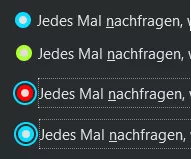
    Wo ich gerade hänge:

    1) ist ok, so will ich es!

    2) Mh, auch ok, ist "gehovert", Farbe wird noch angepasst.

    3) Tja, der Button ist gedrückt, des halb rot, ist so weit i.O. ,aber das Drumherum. Das will ich weg.

    4) Feld ist markiert und auch hier das Drumherum. Wie krich ich das weg?

    Gruß

    Mira

  • about:preferences anpassen

    • Mira_Belle
    • 17. Januar 2022 um 12:05

    Danke Andreas für die Tipps und die Codeschnipsel.

    Mir wurde gerade bewusst, dass ich meine Idee des Designs noch einmal überdenken muss.

    Gerade hier aus dieser Seite mit all ihren verschiedenen Elementen,

    Links, Buttons, Knöpfe und Häkchen usw., laufe ich mit meiner Idee auf Grund!

    Wie so manch einer mit bekommen hat, habe ich ja die Hilfeseite,

    aber auch schon die "Über About"-Seite meinen Vorstellungen entsprechen

    umgestaltet und auch da (hier) gibt es schon einen Stilbruch.

    Der ist zwar nicht so "groß", aber halt vorhanden.

    Aber mit dieser Einstellungsseite mit ihren vielen Elementen, ...

    Ne, das bekomme ich jetzt nicht so einfach unter einen Hut.

    Ich hätte da zwar eine Idee, aber dazu bin ich nicht im Entferntesten in der Lage diese

    umzusetzen, da die Seite dann mehr oder weniger komplett umgestaltet werden müsste.

    Gruß

    Mira

  • about:preferences anpassen

    • Mira_Belle
    • 16. Januar 2022 um 22:33

    Ich will wohl einfach zu viel, zu schnell.

    Der Code sieht jetzt so aus:

    CSS
    @-moz-document url("about:preferences") {
    
    
    html {
        background-color: #292c2f !important;
    }
    .sticky-container {
        background-color: transparent !important;
    }
    #categories > .category[selected], #categories > .category.selected {
        color: #0bdcff !important;
    }
    .category-name {
        color: #e1e1e1 !important;
    }
    .category[selected] > .category-icon, .category.selected > .category-icon {
        color: #0bdcff !important;
    }
    .category[selected] > .category-name, .category.selected > .category-name{
    color: #0bdcff !important;
    }
    
    .category-icon {
        color: greenyellow !important;
    }
    .checkbox-check[checked] {
        background-color: #0bdcff !important;
    }
    #mainPrefPane {
        color: violet!important;
    }
    html|h1 {
        color: greenyellow !important;
    }
    :root {
        color: red!important;
    }
    
    * {
        color: orange!important;
      }
      .checkbox-check {
        color: yellow !important;
      }
    }
    Alles anzeigen

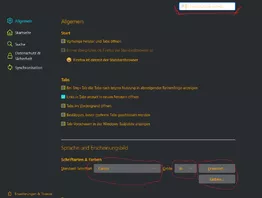
    Das Resultat:

    Rot markiert sind jene Bereiche, wo ich gerade hänge.

    Also ALLE Buttons und Auswahlfelder

    und

    das Suchfeld nebst Hintergrund & "hover" und Rahmen usw.

    Denke gehe erst einmal zu Bett.

    Gruß

    Mira

  • about:preferences anpassen

    • Mira_Belle
    • 16. Januar 2022 um 21:27
    Zitat von milupo

    Lösche mal als Erstes die Zeile 1. Es ist nicht mehr üblich, den Namensraum einzubinden.

    Den @import-Befehl hast du am Anfang der userContent.css? @import-Befehle müssen immer am Anfang der userContent.css (oder im anderen Fall der userChrome.css) stehen. Falls du in der userContent.css noch normalen CSS-Code hast, muss der immer hinter den @import-Befehlen stehen.

    Würde sagen, ja.

    CSS
    @import url("aboutabout.css");
    @import url("aboutpreferences.css");
    
    @-moz-document domain("

    Gruß

    Mira

  • about:preferences anpassen

    • Mira_Belle
    • 16. Januar 2022 um 21:08

    Da war ich wohl etwas übermotiviert!

    Aber jetzt erst recht, jedoch brauche ich Hilfe.

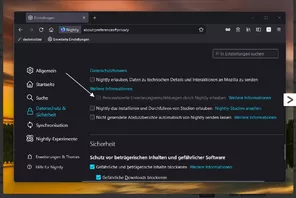
    So in etwa soll es einmal aussehen!

    Weit bin ich nicht gekommen.

    Ich versuche als mit den "Werkzeugen für Web-Entwickler" die passenden Elemente zu finden.

    Wenn ich dann was gefunden habe und es in der "Stilbearbeitung" eintrage funktioniert es auch.

    Dann erstelle ich eine CSS binde diese per @import url in die userContent.css ein

    und ....

    ein Teil des Codes tuts nicht.

    CSS
    @namespace url(http://www.w3.org/1999/xhtml);
    @-moz-document url("about:preferences") {
    
    
    html {
        background-color: #292c2f !important;
    }
    .sticky-container {
        background-color: transparent !important;
    }
    #categories > .category[selected], #categories > .category.selected {
        color: #0bdcff !important;
    }
    .category-name {
        color: #e1e1e1 !important;
    }
    .category[selected] > .category-icon, .category.selected > .category-icon {
        color: #0bdcff !important;
    }
    .category[selected] > .category-name, .category.selected > .category-name{
    color: #0bdcff !important;
    }
    
    .category-icon {
        color: greenyellow !important;
    }
    .checkbox-check[checked] {
        background-color: #0bdcff !important;
    }
    #mainPrefPane {
        color: red !important;
    }
    html|h1 {
        color: greenyellow !important;
    }
    :root {
        color: red;
    }
    
    * {
        color: red;
      }
      .checkbox-check {
        color:yellow;
      }
      
      html|h1 {
        color: green;
      }
    }
    Alles anzeigen

    Wo liege ich denn sooo falsch?

    Gruß

    Mira

  • Ich steh im Dunkeln und warte auch Licht

    • Mira_Belle
    • 15. Januar 2022 um 22:35
    Zitat von Persephone

    ... Ich nutze jetzt Chrome, der ist zwar etwas beschränkt, kostet mich aber weniger Lebenszeit. ...

    Und gibst dafür Deine Privatsphäre auf!

    Echt jetzt?

    Gruß

    Mira

  • Nach Firefox-Update plötzlich weiße Schrift auf dunklem Hintergrund

    • Mira_Belle
    • 15. Januar 2022 um 15:59
    Zitat von Femme70
    ...

    Aber um das ganze zum Abschluss zu bringen: JA! Es war das Theme. ABER: Ich habe bereits vor meiner Frage insgesamt vier NEUE und auch verschiedene Themes ausprobiert. Jedesmal blieb die Sidebar dunkel. Scheinbar habe ich aber jedesmal ein Theme erwischt, das als "dunkel" oder wie auch immer von Firefox plötzlich umgesetzt wird. Auch früher von mir verwendete Themes, die bereits bei meinen Add ons eingestellt waren und bei denen früher eine helle Sidebar angezeigt war, wiesen plötzlich eine dunkle Sidebar auf.

    Da muss man doch als LAIE davon ausgehen, dass es nicht am Theme, sondern an irgendwelchen anderen Einstellungen liegt!

    Nun habe ich aber ENDLICH ein für mich passendes Theme mit heller Sidebar gefunden.

    Somit ist mein Problem gelöst.

    Viele Grüße

    Femme70

    Alles anzeigen

    Schade, dass das hier aus dem Ruder gelaufen ist.

    Die Jungs hier sind wirklich alle lieb <3 , nur ticken sie halt anders 8o und es ist nicht immer leicht, die "gleiche Sprache" zu sprechen.

    Da aber jetzt ganz klar ist, woran es haperte, hat Andy Dir ja ein Angebot gemacht,

    damit Du Dein altes Theme weiter nutzen kannst.

    Und wenn Du möchtest, würde auch ich versuchen Dir beizustehen. ^^

    Gruß

    Mira

  • Ich steh im Dunkeln und warte auch Licht

    • Mira_Belle
    • 15. Januar 2022 um 13:23
    Zitat von 2002Andreas

    Und mit so:

    Mist, da habe ich mir wohl selber ein Bein gestellt.

    Windows Farbschema ist bei mir dunkel!!!

    Gruß

    Mira

    Nachtrag:

    Ist der Eintrag im FF auf "System", Hell oder Dunkel eingestellt?

    Daran hatte ich auch nicht gedacht!

    Ich bin echt toll, Ratschläge geben und selber nicht befolgen.

  • Nach Firefox-Update plötzlich weiße Schrift auf dunklem Hintergrund

    • Mira_Belle
    • 15. Januar 2022 um 13:09
    Zitat von Femme70

    Hallo,

    seit dem letztem firefox-Update ....

    Mit dem eingestellten Theme hat es NICHTS zu tun.

    Sorry, aber ich finde einfach keine Lösung :( .

    Ist das jetzt die Standardeinstellung? Wenn ja, dann wäre es wirklich bedauerlich.

    Gruß, Femme70

    Alles anzeigen

    Leider muss ich Dir in einem Punkt widersprechen!

    Es liegt am Theme Aqua Surf.

    Dieses bewirkt unter anderem genau, dass die Sidebar dunkel dargestellt wird.

    Soeben getestet!

    Es gibt zwei Möglichkeiten.

    Du suchst Dir ein anderes Theme oder

    Du passt Dir Firefox selbst an.

    Gruß

    Mira

Unterstütze uns!

Jährlich (2026)

69,4 %

69,4% (538,17 von 775 EUR)

Jetzt spenden
  1. Kontakt
  2. Datenschutz
  3. Impressum
Community-Software: WoltLab Suite™
Mastodon