1. Nachrichten
  2. Forum
    1. Unerledigte Themen
    2. Forenregeln
  3. Spenden
  • Anmelden
  • Registrieren
  • Suche
Alles
  • Alles
  • Artikel
  • Seiten
  • Forum
  • Erweiterte Suche
  1. camp-firefox.de
  2. Mira_Belle

Beiträge von Mira_Belle

  • scrollbars.uc.js anpassen - geschafft und erledigt!

    • Mira_Belle
    • 15. August 2022 um 12:14

    Bin der Sache auf der Spur.

    JavaScript
        scrollbar[orient="vertical"] > scrollbarbutton[type="decrement"] {\
          mask-image: url("file:///C:/Users/.../chrome/icons/Chevron-up,_Web_Fundamentals.svg") !important;\
          mask-repeat: no-repeat;\
          mask-position: center;\
          height: 16px !important;\
          width: 16px !important;\
          display: block !important;\
          background-color: red !important;\
          content: ',' !important;\
        }\
        scrollbar[orient="vertical"] > scrollbarbutton[type="decrement"]:hover {\
          background-image: url("file:///C:/Users/.../chrome/icons/favicon_16.svg") !important;\
        }\
        scrollbar[orient="vertical"] > scrollbarbutton[type="increment"] {\
          mask-image: url("file:///C:/Users/.../chrome/icons/Chevron-down,_Web_Fundamentals.svg") !important;\
          mask-repeat: no-repeat;\
          mask-position: center;\
          height: 16px !important;\
          width: 16px !important;\
          display: block !important;\
          background-color: red !important;\
          content: ',' !important;\
        }\
        scrollbar[orient="vertical"] > scrollbarbutton[type="increment"]:hover {\
          background-image: url("file:///C:/Users/.../chrome/icons/favicon_16.svg") !important;\
        }\
    Alles anzeigen

    Es funktioniert nur noch nicht so wie gewünscht.

    Oben habe ich einen roten Pfeil, und drauf geklickt verschiebt sich der Slider auch wie gewünscht nach oben.

    Aber auch unten habe ich den gleichen roten Pfeil und auch da verschiebt sich der Slider nach oben!

    So sollte es aber eigentlich nicht sein X(

    Das "Hovern" funktioniert natürlich auch noch nicht.

  • scrollbars.uc.js anpassen - geschafft und erledigt!

    • Mira_Belle
    • 14. August 2022 um 23:34
    JavaScript
    var cs_scrollbars_scrollbar_button_arrows = {
      init: function() {
      var uri = Services.io.newURI("data:text/css;charset=utf-8," + encodeURIComponent('\
        \
        @namespace html url("http://www.w3.org/1999/xhtml");\
        \
        scrollbar scrollbarbutton, \
        scrollbar[orient="vertical"] scrollbarbutton,\
        scrollbar[orient="horizontal"] scrollbarbutton, \
        scrollbar[orient="vertical"] scrollbarbutton:hover,\
        scrollbar[orient="horizontal"] scrollbarbutton:hover {\
          background-color: unset !important;\
          background-image: unset !important;\
          border-radius: 0px !important;\
        }\
        scrollbar[orient="vertical"] > scrollbarbutton {\
          min-height: '+(custom_scrollbar_size_value/cs_arrows_on_buttons_buttons_size)+'px !important;\
          height: 16px !important;\
          max-height: '+(custom_scrollbar_size_value/cs_arrows_on_buttons_buttons_size)+'px !important;\
          min-width: '+custom_scrollbar_size_value+'px !important;\
          width: 16px !important;\
          max-width: '+custom_scrollbar_size_value+'px !important;\
        }\
        scrollbar[orient="horizontal"] > scrollbarbutton {\
          min-width: '+(custom_scrollbar_size_value/cs_arrows_on_buttons_buttons_size)+'px !important;\
          width: 16px !important;\
          max-width: '+(custom_scrollbar_size_value/cs_arrows_on_buttons_buttons_size)+'px !important;\
          min-height: '+custom_scrollbar_size_value+'px !important;\
          height: 16px !important;\
          max-height: '+custom_scrollbar_size_value+'px !important;\
        }\
        scrollbar[orient="vertical"] > scrollbarbutton[type="decrement"] {\
          list-style-image: url("file:///C:/Users/.../chrome/icons/Chevron-down,_Web_Fundamentals.svg") !important;\
        }\
        scrollbar[orient="vertical"] > scrollbarbutton[type="decrement"]:hover {\
          list-style-image: url("file:///C:/Users/.../chrome/icons/favicon_16.svg") !important;\
        }\
        scrollbar[orient="vertical"] > scrollbarbutton[type="increment"] {\
          list-style-image: url("file:///C:/Users/.../chrome/icons/Chevron-up,_Web_Fundamentals.svg") !important;\
        }\
        scrollbar[orient="vertical"] > scrollbarbutton[type="increment"]:hover {\
          list-style-image: url("file:///C:/Users/.../chrome/icons/favicon_16.svg") !important;\
        }\
        scrollbar[orient="horizontal"] > scrollbarbutton[type="decrement"] {\
          list-style-image: url("file:///C:/Users/.../chrome/icons/Chevron-right,_Web_Fundamentals.svg") !important;\
        }\
        scrollbar[orient="horizontal"] > scrollbarbutton[type="decrement"]:hover {\
          list-style-image: url("file:///C:/Users/.../chrome/icons/favicon_16.svg") !important;\
        }\
        scrollbar[orient="horizontal"] > scrollbarbutton[type="increment"] {\
          list-style-image: url("file:///C:/Users/.../chrome/icons/Chevron-left,_Web_Fundamentals.svg") !important;\
        }\
        scrollbar[orient="horizontal"] > scrollbarbutton[type="increment"]:hover {\
          list-style-image: url("file:///C:/Users/.../chrome/icons/favicon_16.svg") !important;\
        }\
        \
      '), null, null);
      ss.loadAndRegisterSheet(uri, ss.AGENT_SHEET);
      }
    };
    Alles anzeigen

    Klappt noch nicht ||

    Auch

    JavaScript
    var cs_scrollbars_scrollbar_button_arrows = {
      init: function() {
      var uri = Services.io.newURI("data:text/css;charset=utf-8," + encodeURIComponent('\
        \
        @namespace html url("http://www.w3.org/1999/xhtml");\
        \
        scrollbar scrollbarbutton, \
        scrollbar[orient="vertical"] scrollbarbutton,\
        scrollbar[orient="horizontal"] scrollbarbutton, \
        scrollbar[orient="vertical"] scrollbarbutton:hover,\
        scrollbar[orient="horizontal"] scrollbarbutton:hover {\
          border-radius: 0px !important;\
        }\
        \
        scrollbar[orient="vertical"] > scrollbarbutton {\
          min-height: 16px !important;\
          height: 16px !important;\
          max-height: 16px !important;\
          min-width: 16px !important;\
          width: 16px !important;\
          max-width: 16px !important;\
        }\
        scrollbar[orient="horizontal"] > scrollbarbutton {\
          min-width: 16px !important;\
          width: 16px !important;\
          max-width: 16px !important;\
          min-height: 16px !important;\
          height: 16px !important;\
          max-height: 16px !important;\
        }\
    Alles anzeigen


    Wäre ja auch zu einfach gewesen. X(

  • scrollbars.uc.js anpassen - geschafft und erledigt!

    • Mira_Belle
    • 14. August 2022 um 22:36

    Normalerweise müsste der Code für die Pfeile

    bei einem Quadrat also so aussehen.

    CSS
          border-left: 'WERT'px solid transparent !important;\
          border-right: 'WERT+'px solid transparent !important;\
          border-bottom: 'WERT'px solid transparent !important;\
          border-top: 'WERT'px solid Farbe !important;\

    Links, rechts, unten würde nicht angezeigt werden

    und oben schon, somit ein Dreieck mit Spitze nach unten.

    Also das Triangel-Gedöhns habe ich nun verstanden :!:

    Es bringt mich nur nicht wirklich weiter!

    Wie ersetze ich die errechnete Fläche, z.B.

    JavaScript
        scrollbar[orient="vertical"] > scrollbarbutton {\
          min-height: '+(custom_scrollbar_size_value/cs_arrows_on_buttons_buttons_size)+'px !important;\
          height: '+(custom_scrollbar_size_value/cs_arrows_on_buttons_buttons_size)+'px !important;\
          max-height: '+(custom_scrollbar_size_value/cs_arrows_on_buttons_buttons_size)+'px !important;\
          min-width: '+custom_scrollbar_size_value+'px !important;\
          width: '+custom_scrollbar_size_value+'px !important;\
          max-width: '+custom_scrollbar_size_value+'px !important;\
        }\

    durch ein Symbol?

    Selbst wenn bei der Rechnung hight: 16px width: 16px herraus kommt,

    fehlt mir jede Idee, wie

    JavaScript
        scrollbar[orient="vertical"] > scrollbarbutton[type="decrement"] {\
          border-left: '+(custom_scrollbar_size_value/2)+'px solid transparent !important;\
          border-right: '+(custom_scrollbar_size_value/2)+'px solid transparent !important;\
          border-bottom: '+(custom_scrollbar_size_value/2)+'px solid '+cs_buttons_color+' !important;\
        }\

    so geändert werden müsste, dass da in etwa so etwas wie

    CSS
            mask-image:  url("file:///C:/Users/.../chrome/icons/chevron-down.svg") !important;
            mask-repeat: no-repeat;
            mask-position: center;
            background-color: #e1e1e1 !important;

    stehen könnte?

    Denn so geht es nicht :!:

  • scrollbars.uc.js anpassen - geschafft und erledigt!

    • Mira_Belle
    • 14. August 2022 um 22:06
    Zitat von harff182

    Mira_Belle:

    cs_scrollbars_scrollbar_button_arrows (Zeile207) ist in Zeile 73 auf "false" gesetzt und wird nicht benutzt/angesprungen.

    Wenn ich es auf "true" setzte, sind die Dreiecke weg, aber der Bereich noch da - der Slider geht z.B. nicht bis ganz nach oben.

    Vielleicht könnte man da eine eigene Grafik reinbugsieren, aber dafür bin ich heute zu müde, ma gucken, ob/wann ich nächste Woche Zeit zum rumtesten habe...

    Ah, Danke, habe ich verstanden.

    Zitat von Speravir

    Jetzt habe ich es ausprobiert und war bisher leider nicht erfolgreich. Mir fiel dabei auch wieder ein, dass ich schon einmal den von mir geänderten Code über die userChrome.css laden wollte (den Code vom Skript also übersteuern wollte), das aber damals schon nicht funktionierte, womöglich wegen der Ladereihenfolge von CSS und Userskript (nur Vermutung meinerseits) und im Skript auch schon !important genutzt wird.

    Ich verstehe nur Bahnhof und es hat nicht geklappt.

    Zitat von Speravir
    Zitat von harff182

    Gibt es in dem Script nicht eindeutige Bezeichner für die up-/down-/left-/-right-Dreiecke, die man in einem zusätzlichen .css durch Grafiken ersetzen kann, die einem mehr zusagen?

    Jein. Es gibt Bezeichner für den Bereich, wo die Dreiecke oder Ähnliches normalerweise dargestellt werden, das ist der Scrollbarbutton. Vier Varianten gibt es:

    CSS
    scrollbar[orient="vertical"] > scrollbarbutton[type="decrement"] {
    /* unten */
    }
    scrollbar[orient="vertical"] > scrollbarbutton[type="increment"] {
    /* oben */
    }
    scrollbar[orient="horizontal"] > scrollbarbutton[type="decrement"] {
    /* rechts */
    }
    scrollbar[orient="horizontal"] > scrollbarbutton[type="increment"] {
    /* links */
    }
    Alles anzeigen

    Man muss im Skript eine entsprechende Variable auf true setzen, damit diese aktiv werden, wobei eine Variante davon standardmäßig aktiv ist. (Darauf bezieht sich im Prinzip auch Sören vor mir.)

    Mira_Belle: Du hast im abgeänderten Skript in Zeile 98 eine Variable hinzugefügt, nutzt diese aber später gar nicht. So ist das sinnlos. Du solltest in die Regel ab Zeile 172 (in Z. 173 oder 174) als weitere Zeile dieses einfügen:

    border-color: '+cs_thumb_hover_border_color+' !important;\

    Das verstehe ich schon eher und darauf bin ich auch gekommen.

    Nun wird mir meine Erkenntnis bestätigt.

    Zeile 98 ist nicht vonnöten, wollte nur etwas ausprobieren. Wird gelöscht.

    Zitat von Speravir
    Zitat von Mira_Belle

    Die Fläche, bzw. ihre Unterteilung und somit auch die "Pfeile" wird/werden irgendwie berechnet.

    So ganz bin ich da noch nicht dahinter gestiegen.

    Wie schon mal erwähnt, beruht das letztendlich auf CSS Triangle (CSS-Tricks.com), nur darf die Breite der Scrollbarbuttons nicht null sein. Länger noch mal hier: Triangle buttons · Issue #3 · Aris-t2/Scrollbars.

    Verstehen tu ich es nicht, aber ich erahne da was.

    Ich glaube zu erahnen, da ja die "Pfeile" quasi "errechnet" werden, wird es nicht so einfach möglich sein

    in die Flächen ein Symbol zu "schmuggeln".

    Auch wenn man alle Werte bei dem Verfahren auf "transparent" setzt?

    Also, die Fläche wird aus den Werten custom_scrollbar_size_value und cs_arrows_on_buttons_buttons_size

    gebildet, richtig?

    Mit dem Triangel-Verfahren wird dann das entsprechende Dreieck generiert, richtig?

  • scrollbars.uc.js anpassen - geschafft und erledigt!

    • Mira_Belle
    • 14. August 2022 um 21:16

    Hi Sören, kannst Du mir das näher erklären?

    Denn ich lese da in Zeile 482 den Aufruf vom ersten Block

    und in Zeile 483 den Aufruf des zweiten Blocks.

    Oder interpretiere ich den Code am Ende etwas ganz falsch?

    Kannst Du mir so etwas wie einen Ablaufplan machen?

    Also nur so ganz grob?

  • scrollbars.uc.js anpassen - geschafft und erledigt!

    • Mira_Belle
    • 14. August 2022 um 18:19
    Zitat von harff182

    Frage eines weiteren Script-Dummies:

    Gibt es in dem Script nicht eindeutige Bezeichner für die up-/down-/left-/-right-Dreiecke, die man in einem zusätzlichen .css durch Grafiken ersetzen kann, die einem mehr zusagen? :/

    Nein leider nicht!

    Die Fläche, bzw. ihre Unterteilung und somit auch die "Pfeile" wird/werden irgendwie berechnet.

    So ganz bin ich da noch nicht dahinter gestiegen.

    Siehe Zeile 207 bis 278, bzw. Zeile 280 bis 350.

    Wobei beide Blöcke sich nur wenig ganz am Anfang unterscheiden

    und

    das Script scheinbar auch ohne den Block Zeile 207 bis 278 funktioniert,

    aber nicht ohne Zeile 280 bis 350.

    Verstehe ich nicht.

  • scrollbars.uc.js anpassen - geschafft und erledigt!

    • Mira_Belle
    • 13. August 2022 um 15:13

    Wie schon hier angesprochen, möchte ich, dass

    Chevron-up für Hoch

    Chevron-down für Runter

    &

    Chevron-left für Links

    Chevron-right für Rechts

    anstatt der "Dreiecke" erscheint.

    Egal was ich bisher versucht habe, es geht in die Hose.

    Ich schaffe es einfach nicht den eingebetteten CSS-Code so abzuändern, dass gewünschtes Resultat erfolgt.

    Das Script schaut so aus.

    JavaScript
    "use strict";
    
    /* Firefox 57+ userChrome.js tweaks - SCROLLBARS ********************************************** */
    /* by Aris (aris-addons@gmx.net)*************************************************************** */
    /* Github: https://github.com/aris-t2/customscrollbarsforfx *********************************** */
    /* ******************************************************************************************** */
    
    /* ******************************************************************************************** */
    /* Custom Scrollbars for Firefox ************************************************************** */
    /* version 1.0.6 ****************************************************************************** */
    /* ******************************************************************************************** */
    
    /* ***********************************************************************************************
    
     README
     
     !!! Important !!!
     
     Preferences have to be set to false, for this to work on recent Firefox builds (102+)
     
     about:config >
     widget.windows.overlay-scrollbars.enabled > false (Windows)
     widget.gtk.overlay-scrollbars.enabled > false (Linux/MacOSX)
     
     
     [!] 'Method 2' is required to prepare Firefox for custom JavaScript files
     [!] 'custom_scrollbars.uc.js' file belongs into Firefox profiles 'chrome' folder!
     -> finding profile folder: address bar > about:profiles > Root Directory > Open Folder
     -> add file to \chrome\ folder (create one, if needed)
    
     [!] STARTUP CACHE HAS TO BE DELETED AFTER EVERY CHANGE!
     -> finding 'startupCache' folder: address bar > about:profiles > Local Directory > Open Folder > startupCache
     -> close Firefox
     -> delete 'startupCache' folders content
    
     ENABLING options > set var to true
     DISABLING options > set var to false
     Modifying appearance > change values
     - color - name: red, blue, transparent / hex code: #33CCFF, #FFF
     - color - rgb(a): rgba(0,0,255,0.8) / hsl(a): hsla(240,100%,50%,0.8)
     - numbers: 1, 2, 3 ... 10, 11, 12 ...
     - opacity: 0.0 to 1.0 e.g. 1.4, 1,75
     - gradients: linear-gradient(direction, color, color, color)
     - gradients example: linear-gradient(to right, blue, #33CCFF, rgba(0,0,255,0.8))
     - predefined gradients: transparent,rgba(255,255,255,0.5),transparent -> transparent,rgba(255,255,255,0.0),transparent
     - button size with arrow (descriptions for vertical scrollbars - analogous for horizontal scrollbars)
     -- 1: space above arrow = arrow height
     -- 1.5: space above arrow = 0.5 * arrow height
     -- 2: no space above arrow
     
     NOTE
     - This is a tiny collection of scrollbar tweaks, not a port of 'NewScrollbars' add-on!
     - Small scrollbar width values will corrupt some parts of the ui!
     
    *********************************************************************************************** */
    
    // GENERAL SCROLLBAR SETTINGS
    var hide_scrollbars = false; // default: hide_scrollbars = false
    var hide_scrollbar_buttons = false; // default: hide_scrollbar_buttons = false
    var custom_scrollbar_size = true; // default: custom_scrollbar_size = false
    var custom_scrollbar_size_value = 17; // in px // default: custom_scrollbar_size_value = 17
    var custom_scrollbar_opacity = false; // default: custom_scrollbar_opacity = false
    var custom_opacity_value = "1.0"; // default: custom_opacity_value = "1.0"
    // floating scrollbars
    var enable_scrollbars_on_top_of_webcontent = false; // default: enable_scrollbars_on_top_of_webcontent = false // uses 'custom_scrollbar_size_value' inside its code
    // custom scrollbars
    var enable_custom_scrollbars = true; // default: enable_custom_scrollbars = true
    
    // CUSTOM SCROLLBAR SETTINGS ("custom_scrollbar_" --> "cs_")
    var cs_thumb_border = 1; // in px // default: cs_thumb_border = 0
    var cs_thumb_roundness = 0; // in px // default: cs_thumb_roundness = 0
    var cs_buttons_roundness = 0; // in px // default: cs_buttons_roundness = 0
    var cs_buttons_as_arrows = false; // default: cs_buttons_as_arrows = false // uses 'custom_scrollbar_size_value' inside its code
    var cs_arrows_on_buttons = true; // default: cs_arrows_on_buttons = true // uses 'custom_scrollbar_size_value' inside its code
    // button size with arrow - 1: space above arrow = arrow height // 1.5: space above arrow = 0.5 * arrow height // 2: no space above arrow
    var cs_arrows_on_buttons_buttons_size = 1.5; // default: cs_arrows_on_buttons_buttons_size = 1.5
    // 'flat' scrollbars
    var cs_ignore_color_gradients = false; // default: cs_ignore_color_gradients = false
    
    var cs_thumb_minimal_size = 12; // in px
    
    // CUSTOM SCROLLBAR COLORS/GRADIENTS
    // - background
    var cs_background_color = "#5b5b66"; // default: cs_background_color = "#DDDDDD"
    var cs_background_image_vertical = "unset"; // default: cs_background_image_vertical = "unset"
    var cs_background_image_horizontal = "unset"; // default: cs_background_image_horizontal = "unset"
    // - corner
    var cs_corner_background_color = "#DDDDDD"; // default: cs_corner_background_color = "#DDDDDD"
    var cs_corner_background_image = "unset"; // default: cs_corner_background_image = "unset"
    // - thumb/slider
    var cs_thumb_color = "#bfbfbf"; // default: cs_thumb_color = "#33CCFF"
    var cs_thumb_image_vertical = "unset"; // default: cs_thumb_image_vertical = "unset"
    var cs_thumb_image_horizontal = "unset"; // default: cs_thumb_image_horizontal = "unset"
    var cs_thumb_hover_color = "orange"; // default: cs_thumb_hover_color = "#66FFFF"
    var cs_thumb_hover_image_vertical = "unset"; // default: cs_thumb_hover_image_vertical = "unset"
    var cs_thumb_hover_image_horizontal = "unset"; // default: cs_thumb_hover_image_horizontal = "unset"
    var cs_thumb_border_color = "#5b5b66"; // default: cs_thumb_border_color = "#33CCFF"
    var cs_thumb_hover_border_color = "orange";
    // - buttons
    var cs_buttons_color = "#bfbfbf"; // default: cs_buttons_color = "#66FFFF"
    var cs_buttons_image_vertical = "unset"; // default: cs_buttons_image_vertical = "unset"
    var cs_buttons_image_horizontal = "unset"; // default: cs_buttons_image_horizontal = "unset"
    var cs_buttons_hover_color = "#bfbfbf"; // default: cs_buttons_hover_color = "#33CCFF"
    var cs_buttons_hover_image_vertical = "unset"; // default: cs_buttons_hover_image_vertical = "unset"
    var cs_buttons_hover_image_horizontal = "unset"; // default: cs_buttons_hover_image_horizontal = "unset"
    // - button arrows
    var cs_arrows_on_buttons_color = "#5b5b66"; // default: cs_arrows_on_buttons_color = "#33CCFF"
    var cs_arrows_on_buttons_hover_color = "orange"; // default: cs_arrows_on_buttons_hover_color = "#66FFFF"
    
    // unset background image color gradients -> flat scrollbars
    if(cs_ignore_color_gradients==true)
        cs_background_image_vertical
        =cs_background_image_horizontal
        =cs_corner_background_image=cs_thumb_image_vertical
        =cs_thumb_image_horizontal
        =cs_thumb_hover_image_vertical
        =cs_thumb_hover_image_horizontal
        =cs_buttons_image_vertical
        =cs_buttons_image_horizontal
        =cs_buttons_hover_image_vertical
        =cs_buttons_hover_image_horizontal
        ="unset";
    
    /* ******************************************************************************************** */
    /* ******************************************************************************************** */
    /* ******************************************************************************************** */
    
    
    // Scrollbar code
    
    Components.utils.import("resource://gre/modules/Services.jsm");
    var ss =  Components.classes["@mozilla.org/content/style-sheet-service;1"].getService(Components.interfaces.nsIStyleSheetService);
    
    var custom_scrollbars = {
    
        init: function() {
    
        var uri = Services.io.newURI("data:text/css;charset=utf-8," + encodeURIComponent('\
        \
        @namespace html url("http://www.w3.org/1999/xhtml");\
        \
        scrollbar, scrollcorner, scrollbar thumb, scrollbar scrollbarbutton {\
          -moz-appearance: none !important;\
          appearance: none !important;\
        }\
        scrollbar {\
          background-color: '+cs_background_color+' !important;\
        }\
        scrollbar[orient="vertical"] {\
          background-image: '+cs_background_image_vertical+' !important;\
        }\
        scrollbar[orient="horizontal"] {\
          background-image: '+cs_background_image_horizontal+' !important;\
        }\
        scrollcorner {\
          background-color: '+cs_corner_background_color+' !important;\
          background-image: '+cs_corner_background_image+' !important;\
        }\
        scrollbar thumb {\
          background-color: '+cs_thumb_color+' !important;\
          border-radius: '+cs_thumb_roundness+'px !important;\
          border: '+cs_thumb_border+'px solid '+cs_thumb_border_color+' !important;\
        }\
        scrollbar thumb[orient="vertical"] {\
          background-image: '+cs_thumb_image_vertical+' !important;\
          min-height: '+(cs_thumb_minimal_size+cs_thumb_roundness+cs_thumb_border)+'px !important;\
        }\
        scrollbar thumb[orient="horizontal"] {\
          background-image: '+cs_thumb_image_horizontal+' !important;\
          min-width: '+(cs_thumb_minimal_size+cs_thumb_roundness+cs_thumb_border)+'px !important;\
        }\
        scrollbar thumb:hover, scrollbar thumb:active {\
          background-color: '+cs_thumb_hover_color+' !important;\
        }\
        scrollbar thumb[orient="vertical"]:hover, scrollbar thumb[orient="vertical"]:active {\
          background-image: '+cs_thumb_hover_image_vertical+' !important;\
        }\
        scrollbar thumb[orient="horizontal"]:hover, scrollbar thumb[orient="horizontal"]:active {\
          background-image: '+cs_thumb_hover_image_horizontal+' !important;\
        }\
        scrollbar scrollbarbutton {\
          background-color: '+cs_buttons_color+' !important;\
          border-radius: '+cs_buttons_roundness+'px !important;\
        }\
        scrollbar[orient="vertical"] scrollbarbutton {\
          background-image: '+cs_buttons_image_vertical+' !important;\
        }\
        scrollbar[orient="horizontal"] scrollbarbutton {\
          background-image: '+cs_buttons_image_horizontal+' !important;\
        }\
        scrollbar scrollbarbutton:hover {\
          background-color: '+cs_buttons_hover_color+' !important;\
        }\
        scrollbar[orient="vertical"] scrollbarbutton:hover {\
          background-image: '+cs_buttons_hover_image_vertical+' !important;\
        }\
        scrollbar[orient="horizontal"] scrollbarbutton:hover {\
          background-image: '+cs_buttons_hover_image_horizontal+' !important;\
        }\
        '), null, null);
    
        ss.loadAndRegisterSheet(uri, ss.AGENT_SHEET);
    
        }
    };
    
    var cs_scrollbars_scrollbar_button_arrows = {
    
      init: function() {
    
      var uri = Services.io.newURI("data:text/css;charset=utf-8," + encodeURIComponent('\
        \
        @namespace html url("http://www.w3.org/1999/xhtml");\
        \
        scrollbar scrollbarbutton, \
        scrollbar[orient="vertical"] scrollbarbutton,\
        scrollbar[orient="horizontal"] scrollbarbutton, \
        scrollbar[orient="vertical"] scrollbarbutton:hover,\
        scrollbar[orient="horizontal"] scrollbarbutton:hover {\
          background-color: unset !important;\
          background-image: unset !important;\
          border-radius: 0px !important;\
        }\
        scrollbar[orient="vertical"] > scrollbarbutton {\
          min-height: '+(custom_scrollbar_size_value/cs_arrows_on_buttons_buttons_size)+'px !important;\
          height: '+(custom_scrollbar_size_value/cs_arrows_on_buttons_buttons_size)+'px !important;\
          max-height: '+(custom_scrollbar_size_value/cs_arrows_on_buttons_buttons_size)+'px !important;\
          min-width: '+custom_scrollbar_size_value+'px !important;\
          width: '+custom_scrollbar_size_value+'px !important;\
          max-width: '+custom_scrollbar_size_value+'px !important;\
        }\
        scrollbar[orient="horizontal"] > scrollbarbutton {\
          min-width: '+(custom_scrollbar_size_value/cs_arrows_on_buttons_buttons_size)+'px !important;\
          width: '+(custom_scrollbar_size_value/cs_arrows_on_buttons_buttons_size)+'px !important;\
          max-width: '+(custom_scrollbar_size_value/cs_arrows_on_buttons_buttons_size)+'px !important;\
          min-height: '+custom_scrollbar_size_value+'px !important;\
          height: '+custom_scrollbar_size_value+'px !important;\
          max-height: '+custom_scrollbar_size_value+'px !important;\
        }\
        scrollbar[orient="vertical"] > scrollbarbutton[type="decrement"] {\
          border-left: '+(custom_scrollbar_size_value/2)+'px solid transparent !important;\
          border-right: '+(custom_scrollbar_size_value/2)+'px solid transparent !important;\
          border-bottom: '+(custom_scrollbar_size_value/2)+'px solid '+cs_buttons_color+' !important;\
        }\
        scrollbar[orient="vertical"] > scrollbarbutton[type="decrement"]:hover {\
          border-bottom: '+(custom_scrollbar_size_value/2)+'px solid '+cs_buttons_hover_color+' !important;\
        }\
        scrollbar[orient="vertical"] > scrollbarbutton[type="increment"] {\
          border-left: '+(custom_scrollbar_size_value/2)+'px solid transparent !important;\
          border-right: '+(custom_scrollbar_size_value/2)+'px solid transparent !important;\
          border-top: '+(custom_scrollbar_size_value/2)+'px solid '+cs_buttons_color+' !important;\
        }\
        scrollbar[orient="vertical"] > scrollbarbutton[type="increment"]:hover {\
          border-top: '+(custom_scrollbar_size_value/2)+'px solid '+cs_buttons_hover_color+' !important;\
        }\
        scrollbar[orient="horizontal"] > scrollbarbutton[type="decrement"] {\
          border-top: '+(custom_scrollbar_size_value/2)+'px solid transparent !important;\
          border-bottom: '+(custom_scrollbar_size_value/2)+'px solid transparent !important;\
          border-right: '+(custom_scrollbar_size_value/2)+'px solid '+cs_buttons_color+' !important;\
        }\
        scrollbar[orient="horizontal"] > scrollbarbutton[type="decrement"]:hover {\
          border-right: '+(custom_scrollbar_size_value/2)+'px solid '+cs_buttons_hover_color+' !important;\
        }\
        scrollbar[orient="horizontal"] > scrollbarbutton[type="increment"] {\
          border-top: '+(custom_scrollbar_size_value/2)+'px solid transparent !important;\
          border-bottom: '+(custom_scrollbar_size_value/2)+'px solid transparent !important;\
          border-left: '+(custom_scrollbar_size_value/2)+'px solid '+cs_buttons_color+' !important;\
        }\
        scrollbar[orient="horizontal"] > scrollbarbutton[type="increment"]:hover {\
          border-left: '+(custom_scrollbar_size_value/2)+'px solid '+cs_buttons_hover_color+' !important;\
        }\
        \
      '), null, null);
    
      ss.loadAndRegisterSheet(uri, ss.AGENT_SHEET);
    
      }
    };
    
    var cs_scrollbars_arrows_on_buttons = {
    
      init: function() {
    
      var uri = Services.io.newURI("data:text/css;charset=utf-8," + encodeURIComponent('\
        \
        @namespace html url("http://www.w3.org/1999/xhtml");\
        \
        scrollbar scrollbarbutton, \
        scrollbar[orient="vertical"] scrollbarbutton,\
        scrollbar[orient="horizontal"] scrollbarbutton, \
        scrollbar[orient="vertical"] scrollbarbutton:hover,\
        scrollbar[orient="horizontal"] scrollbarbutton:hover {\
          border-radius: 0px !important;\
        }\
        \
        scrollbar[orient="vertical"] > scrollbarbutton {\
          min-height: '+(custom_scrollbar_size_value/cs_arrows_on_buttons_buttons_size)+'px !important;\
          height: '+(custom_scrollbar_size_value/cs_arrows_on_buttons_buttons_size)+'px !important;\
          max-height: '+(custom_scrollbar_size_value/cs_arrows_on_buttons_buttons_size)+'px !important;\
          min-width: '+custom_scrollbar_size_value+'px !important;\
          width: '+custom_scrollbar_size_value+'px !important;\
          max-width: '+custom_scrollbar_size_value+'px !important;\
        }\
        scrollbar[orient="horizontal"] > scrollbarbutton {\
          min-width: '+(custom_scrollbar_size_value/cs_arrows_on_buttons_buttons_size)+'px !important;\
          width: '+(custom_scrollbar_size_value/cs_arrows_on_buttons_buttons_size)+'px !important;\
          max-width: '+(custom_scrollbar_size_value/cs_arrows_on_buttons_buttons_size)+'px !important;\
          min-height: '+custom_scrollbar_size_value+'px !important;\
          height: '+custom_scrollbar_size_value+'px !important;\
          max-height: '+custom_scrollbar_size_value+'px !important;\
        }\
        scrollbar[orient="vertical"] > scrollbarbutton[type="decrement"] {\
          border-left: '+(custom_scrollbar_size_value/2)+'px solid transparent !important;\
          border-right: '+(custom_scrollbar_size_value/2)+'px solid transparent !important;\
          border-bottom: '+(custom_scrollbar_size_value/2)+'px solid '+cs_arrows_on_buttons_color+' !important;\
        }\
        scrollbar[orient="vertical"] > scrollbarbutton[type="decrement"]:hover {\
          border-bottom: '+(custom_scrollbar_size_value/2)+'px solid '+cs_arrows_on_buttons_hover_color+' !important;\
        }\
        scrollbar[orient="vertical"] > scrollbarbutton[type="increment"] {\
          border-left: '+(custom_scrollbar_size_value/2)+'px solid transparent !important;\
          border-right: '+(custom_scrollbar_size_value/2)+'px solid transparent !important;\
          border-top: '+(custom_scrollbar_size_value/2)+'px solid '+cs_arrows_on_buttons_color+' !important;\
        }\
        scrollbar[orient="vertical"] > scrollbarbutton[type="increment"]:hover {\
          border-top: '+(custom_scrollbar_size_value/2)+'px solid '+cs_arrows_on_buttons_hover_color+' !important;\
        }\
        scrollbar[orient="horizontal"] > scrollbarbutton[type="decrement"] {\
          border-top: '+(custom_scrollbar_size_value/2)+'px solid transparent !important;\
          border-bottom: '+(custom_scrollbar_size_value/2)+'px solid transparent !important;\
          border-right: '+(custom_scrollbar_size_value/2)+'px solid '+cs_arrows_on_buttons_color+' !important;\
        }\
        scrollbar[orient="horizontal"] > scrollbarbutton[type="decrement"]:hover {\
          border-right: '+(custom_scrollbar_size_value/2)+'px solid '+cs_arrows_on_buttons_hover_color+' !important;\
        }\
        scrollbar[orient="horizontal"] > scrollbarbutton[type="increment"] {\
          border-top: '+(custom_scrollbar_size_value/2)+'px solid transparent !important;\
          border-bottom: '+(custom_scrollbar_size_value/2)+'px solid transparent !important;\
          border-left: '+(custom_scrollbar_size_value/2)+'px solid '+cs_arrows_on_buttons_color+' !important;\
        }\
        scrollbar[orient="horizontal"] > scrollbarbutton[type="increment"]:hover {\
          border-left: '+(custom_scrollbar_size_value/2)+'px solid '+cs_arrows_on_buttons_hover_color+' !important;\
        }\
        \
      '), null, null);
    
      ss.loadAndRegisterSheet(uri, ss.AGENT_SHEET);
    
      }
    };
    
    var scrollbar_buttons = {
    
      init: function() {
    
      var uri = Services.io.newURI("data:text/css;charset=utf-8," + encodeURIComponent('\
        \
        @namespace html url("http://www.w3.org/1999/xhtml");\
        \
        scrollbar scrollbarbutton {\
          opacity: 0 !important;\
        }\
        scrollbar[orient="vertical"] scrollbarbutton {\
          min-height: 1px !important;\
          height: 1px !important;\
          max-height: 1px !important;\
        }\
        scrollbar[orient="horizontal"] scrollbarbutton {\
          min-width: 1px !important;\
          width: 1px !important;\
          max-width: 1px !important;\
        }\
        \
      '), null, null);
    
      ss.loadAndRegisterSheet(uri, ss.AGENT_SHEET);
    
      }
    };
    
    var scrollbar_size = {
    
      init: function() {
    
      var uri = Services.io.newURI("data:text/css;charset=utf-8," + encodeURIComponent('\
        \
        @namespace html url("http://www.w3.org/1999/xhtml");\
        \
        scrollbar[orient="vertical"] scrollbarbutton {\
          min-width: 0 !important;\
          width: '+custom_scrollbar_size_value+'px !important;\
          max-width: '+custom_scrollbar_size_value+'px !important;\
        }\
        scrollbar[orient="horizontal"] scrollbarbutton {\
          min-height: 0 !important;\
          height: '+custom_scrollbar_size_value+'px !important;\
          max-height: '+custom_scrollbar_size_value+'px !important;\
        }\
        \
      '), null, null);
    
      ss.loadAndRegisterSheet(uri, ss.AGENT_SHEET);
    
      }
    };
    
    var floating_scrollbars = {
    
      init: function() {
    
      var uri = Services.io.newURI("data:text/css;charset=utf-8," + encodeURIComponent('\
        \
        @namespace html url("http://www.w3.org/1999/xhtml");\
        \
        scrollbar {\
          position: relative !important;\
          z-index: 1000000000 !important;\
        }\
        scrollbar[orient="vertical"],\
        scrollbar[orient="horizontal"],\
        scrollbar, scrollcorner {\
          background-color: transparent !important; \
          background-image: unset !important; \
        }\
        scrollbar[orient="vertical"] {\
          margin-inline-start: -'+custom_scrollbar_size_value+'px !important;\
          width: '+custom_scrollbar_size_value+'px !important;\
        }\
        scrollbar[orient="horizontal"] {\
          margin-top: -'+custom_scrollbar_size_value+'px !important;\
          height: '+custom_scrollbar_size_value+'px !important;\
        }\
        \
      '), null, null);
    
      ss.loadAndRegisterSheet(uri, ss.AGENT_SHEET);
    
      }
    };
    
    var scrollbar_opacity = {
    
      init: function() {
    
      var uri = Services.io.newURI("data:text/css;charset=utf-8," + encodeURIComponent('\
        \
        @namespace html url("http://www.w3.org/1999/xhtml");\
        \
        scrollbar {\
          opacity: '+custom_opacity_value+' !important;\
        }\
        \
      '), null, null);
    
      ss.loadAndRegisterSheet(uri, ss.AGENT_SHEET);
    
      }
    };
    
    var remove_scrollbars = {
    
      init: function() {
    
      var uri = Services.io.newURI("data:text/css;charset=utf-8," + encodeURIComponent('\
        \
        @namespace html url("http://www.w3.org/1999/xhtml");\
        \
        scrollbar, scrollcorner {\
          display: none !important;\
          visibility: collapse !important;\
        }\
        \
      '), null, null);
    
      ss.loadAndRegisterSheet(uri, ss.AGENT_SHEET);
    
      }
    };
    
    // enable settings as configured above
    if(enable_custom_scrollbars==true) custom_scrollbars.init();
    if(cs_buttons_as_arrows==true && hide_scrollbars==false) cs_scrollbars_scrollbar_button_arrows.init();
    if(cs_arrows_on_buttons==true && cs_buttons_as_arrows==false && hide_scrollbars==false) cs_scrollbars_arrows_on_buttons.init();
    if(hide_scrollbar_buttons==true) scrollbar_buttons.init();
    if(custom_scrollbar_size==true) scrollbar_size.init();
    if(enable_scrollbars_on_top_of_webcontent==true) floating_scrollbars.init();
    if(custom_scrollbar_opacity==true) scrollbar_opacity.init();
    if(hide_scrollbars==true) remove_scrollbars.init();
    Alles anzeigen

    Ich erbitte inständig Hilfe. ||

  • Adressleiste bei klick - hintergrundfarbe ändern ?

    • Mira_Belle
    • 13. August 2022 um 12:14
    Zitat von Speravir

    ...

    Lass es mich mal so sagen: Ich schenk dir ein r zur freien Verwendung.

    Oh Herr. :| Manchmal stehe ich neben mir.

    Kräftig. Danke für das r.

  • JavaScript mag nicht funktionieren

    • Mira_Belle
    • 12. August 2022 um 22:32
    Zitat von Zitronella

    Wie sieht es denn bei dir aus? Ich bin verunsichert, weil ich sehe eine Veränderung der Scrolleiste mit dem Skript

    Der Slider ist hellgrau, beim hovern ist er orange.

    Die Leiste ist dunkelgrau.

    Die Buttons sind hellgrau, auch beim hovern.

    Die Pfeile sind dunkelgrau, beim hovern orange.

    Das Design habe ich "flach" gestellt und die Rundungen beim Slider auch, der ist jetzt eckig.

  • JavaScript mag nicht funktionieren

    • Mira_Belle
    • 12. August 2022 um 13:43

    Hilfe

    Also ich bekomme es einfach nicht gebacken, das JavaScript, bzw. dessen CSS

    so abzuändern, dass da

    Chevron-up für Hoch

    Chevron-down für Runter

    &

    Chevron-left für Links

    Chevron-right für Rechts

    erscheint.

    Hier das benutzte JavaScript.

    JavaScript
    "use strict";
    
    /* Firefox 57+ userChrome.js tweaks - SCROLLBARS ********************************************** */
    /* by Aris (aris-addons@gmx.net)*************************************************************** */
    /* Github: https://github.com/aris-t2/customscrollbarsforfx *********************************** */
    /* ******************************************************************************************** */
    
    /* ******************************************************************************************** */
    /* Custom Scrollbars for Firefox ************************************************************** */
    /* version 1.0.6 ****************************************************************************** */
    /* ******************************************************************************************** */
    
    /* ***********************************************************************************************
    
     README
     
     !!! Important !!!
     
     Preferences have to be set to false, for this to work on recent Firefox builds (102+)
     
     about:config >
     widget.windows.overlay-scrollbars.enabled > false (Windows)
     widget.gtk.overlay-scrollbars.enabled > false (Linux/MacOSX)
     
     
     [!] 'Method 2' is required to prepare Firefox for custom JavaScript files
     [!] 'custom_scrollbars.uc.js' file belongs into Firefox profiles 'chrome' folder!
     -> finding profile folder: address bar > about:profiles > Root Directory > Open Folder
     -> add file to \chrome\ folder (create one, if needed)
    
     [!] STARTUP CACHE HAS TO BE DELETED AFTER EVERY CHANGE!
     -> finding 'startupCache' folder: address bar > about:profiles > Local Directory > Open Folder > startupCache
     -> close Firefox
     -> delete 'startupCache' folders content
    
     ENABLING options > set var to true
     DISABLING options > set var to false
     Modifying appearance > change values
     - color - name: red, blue, transparent / hex code: #33CCFF, #FFF
     - color - rgb(a): rgba(0,0,255,0.8) / hsl(a): hsla(240,100%,50%,0.8)
     - numbers: 1, 2, 3 ... 10, 11, 12 ...
     - opacity: 0.0 to 1.0 e.g. 1.4, 1,75
     - gradients: linear-gradient(direction, color, color, color)
     - gradients example: linear-gradient(to right, blue, #33CCFF, rgba(0,0,255,0.8))
     - predefined gradients: transparent,rgba(255,255,255,0.5),transparent -> transparent,rgba(255,255,255,0.0),transparent
     - button size with arrow (descriptions for vertical scrollbars - analogous for horizontal scrollbars)
     -- 1: space above arrow = arrow height
     -- 1.5: space above arrow = 0.5 * arrow height
     -- 2: no space above arrow
     
     NOTE
     - This is a tiny collection of scrollbar tweaks, not a port of 'NewScrollbars' add-on!
     - Small scrollbar width values will corrupt some parts of the ui!
     
    *********************************************************************************************** */
    
    // GENERAL SCROLLBAR SETTINGS
    var hide_scrollbars = false; // default: hide_scrollbars = false
    var hide_scrollbar_buttons = false; // default: hide_scrollbar_buttons = false
    var custom_scrollbar_size = true; // default: custom_scrollbar_size = false
    var custom_scrollbar_size_value = 17; // in px // default: custom_scrollbar_size_value = 17
    var custom_scrollbar_opacity = false; // default: custom_scrollbar_opacity = false
    var custom_opacity_value = "1.0"; // default: custom_opacity_value = "1.0"
    // floating scrollbars
    var enable_scrollbars_on_top_of_webcontent = false; // default: enable_scrollbars_on_top_of_webcontent = false // uses 'custom_scrollbar_size_value' inside its code
    // custom scrollbars
    var enable_custom_scrollbars = true; // default: enable_custom_scrollbars = true
    
    // CUSTOM SCROLLBAR SETTINGS ("custom_scrollbar_" --> "cs_")
    var cs_thumb_border = 1; // in px // default: cs_thumb_border = 0
    var cs_thumb_roundness = 0; // in px // default: cs_thumb_roundness = 0
    var cs_buttons_roundness = 0; // in px // default: cs_buttons_roundness = 0
    var cs_thumb_minimal_size = 80; // in px
    var cs_thumb_maximal_size = 80; // in px
    var cs_buttons_as_arrows = false; // default: cs_buttons_as_arrows = false // uses 'custom_scrollbar_size_value' inside its code
    var cs_arrows_on_buttons = true; // default: cs_arrows_on_buttons = true // uses 'custom_scrollbar_size_value' inside its code
    // button size with arrow - 1: space above arrow = arrow height // 1.5: space above arrow = 0.5 * arrow height // 2: no space above arrow
    var cs_arrows_on_buttons_buttons_size = 1.5; // default: cs_arrows_on_buttons_buttons_size = 1.5
    // 'flat' scrollbars
    var cs_ignore_color_gradients = false; // default: cs_ignore_color_gradients = false
    
    // CUSTOM SCROLLBAR COLORS/GRADIENTS
    // - background
    var cs_background_color = "#5b5b66"; // default: cs_background_color = "#DDDDDD"
    var cs_background_image_vertical = "unset"; // default: cs_background_image_vertical = "unset"
    var cs_background_image_horizontal = "unset"; // default: cs_background_image_horizontal = "unset"
    // - corner
    var cs_corner_background_color = "#DDDDDD"; // default: cs_corner_background_color = "#DDDDDD"
    var cs_corner_background_image = "unset"; // default: cs_corner_background_image = "unset"
    // - thumb/slider
    var cs_thumb_color = "#bfbfbf"; // default: cs_thumb_color = "#33CCFF"
    var cs_thumb_image_vertical = "unset"; // default: cs_thumb_image_vertical = "unset"
    var cs_thumb_image_horizontal = "unset"; // default: cs_thumb_image_horizontal = "unset"
    var cs_thumb_hover_color = "orange"; // default: cs_thumb_hover_color = "#66FFFF"
    var cs_thumb_hover_image_vertical = "unset"; // default: cs_thumb_hover_image_vertical = "unset"
    var cs_thumb_hover_image_horizontal = "unset"; // default: cs_thumb_hover_image_horizontal = "unset"
    var cs_thumb_border_color = "#5b5b66"; // default: cs_thumb_border_color = "#33CCFF"
    var cs_thumb_hover_border_color = "orange";
    // - buttons
    var cs_buttons_color = "#bfbfbf"; // default: cs_buttons_color = "#66FFFF"
    var cs_buttons_image_vertical = "unset"; // default: cs_buttons_image_vertical = "unset"
    var cs_buttons_image_horizontal = "unset"; // default: cs_buttons_image_horizontal = "unset"
    var cs_buttons_hover_color = "#bfbfbf"; // default: cs_buttons_hover_color = "#33CCFF"
    var cs_buttons_hover_image_vertical = "unset"; // default: cs_buttons_hover_image_vertical = "unset"
    var cs_buttons_hover_image_horizontal = "unset"; // default: cs_buttons_hover_image_horizontal = "unset"
    // - button arrows
    var cs_arrows_on_buttons_color = "#5b5b66"; // default: cs_arrows_on_buttons_color = "#33CCFF"
    var cs_arrows_on_buttons_hover_color = "orange"; // default: cs_arrows_on_buttons_hover_color = "#66FFFF"
    
    // unset background image color gradients -> flat scrollbars
    if(cs_ignore_color_gradients==true)
        cs_background_image_vertical
        =cs_background_image_horizontal
        =cs_corner_background_image=cs_thumb_image_vertical
        =cs_thumb_image_horizontal
        =cs_thumb_hover_image_vertical
        =cs_thumb_hover_image_horizontal
        =cs_buttons_image_vertical
        =cs_buttons_image_horizontal
        =cs_buttons_hover_image_vertical
        =cs_buttons_hover_image_horizontal
        ="unset";
    
    /* ******************************************************************************************** */
    /* ******************************************************************************************** */
    /* ******************************************************************************************** */
    
    
    // Scrollbar code
    
    Components.utils.import("resource://gre/modules/Services.jsm");
    var ss =  Components.classes["@mozilla.org/content/style-sheet-service;1"].getService(Components.interfaces.nsIStyleSheetService);
    
    var custom_scrollbars = {
    
        init: function() {
    
        var uri = Services.io.newURI("data:text/css;charset=utf-8," + encodeURIComponent('\
        \
        @namespace html url("http://www.w3.org/1999/xhtml");\
        \
        scrollbar, scrollcorner, scrollbar thumb, scrollbar scrollbarbutton {\
          -moz-appearance: none !important;\
          appearance: none !important;\
        }\
        scrollbar {\
          background-color: '+cs_background_color+' !important;\
        }\
        scrollbar[orient="vertical"] {\
          background-image: '+cs_background_image_vertical+' !important;\
        }\
        scrollbar[orient="horizontal"] {\
          background-image: '+cs_background_image_horizontal+' !important;\
        }\
        scrollcorner {\
          background-color: '+cs_corner_background_color+' !important;\
          background-image: '+cs_corner_background_image+' !important;\
        }\
        scrollbar thumb {\
          background-color: '+cs_thumb_color+' !important;\
          border-radius: '+cs_thumb_roundness+'px !important;\
          border: '+cs_thumb_border+'px solid '+cs_thumb_border_color+' !important;\
        }\
        scrollbar thumb[orient="vertical"] {\
          background-image: '+cs_thumb_image_vertical+' !important;\
          min-height: '+(cs_thumb_minimal_size+cs_thumb_roundness+cs_thumb_border)+'px !important;\
        }\
        scrollbar thumb[orient="horizontal"] {\
          background-image: '+cs_thumb_image_horizontal+' !important;\
          min-width: '+(cs_thumb_minimal_size+cs_thumb_roundness+cs_thumb_border)+'px !important;\
        }\
        scrollbar thumb:hover, scrollbar thumb:active {\
          background-color: '+cs_thumb_hover_color+' !important;\
        }\
        scrollbar thumb[orient="vertical"]:hover, scrollbar thumb[orient="vertical"]:active {\
          background-image: '+cs_thumb_hover_image_vertical+' !important;\
        }\
        scrollbar thumb[orient="horizontal"]:hover, scrollbar thumb[orient="horizontal"]:active {\
          background-image: '+cs_thumb_hover_image_horizontal+' !important;\
        }\
        scrollbar scrollbarbutton {\
          background-color: '+cs_buttons_color+' !important;\
          border-radius: '+cs_buttons_roundness+'px !important;\
        }\
        scrollbar[orient="vertical"] scrollbarbutton {\
          background-image: '+cs_buttons_image_vertical+' !important;\
        }\
        scrollbar[orient="horizontal"] scrollbarbutton {\
          background-image: '+cs_buttons_image_horizontal+' !important;\
        }\
        scrollbar scrollbarbutton:hover {\
          background-color: '+cs_buttons_hover_color+' !important;\
        }\
        scrollbar[orient="vertical"] scrollbarbutton:hover {\
          background-image: '+cs_buttons_hover_image_vertical+' !important;\
        }\
        scrollbar[orient="horizontal"] scrollbarbutton:hover {\
          background-image: '+cs_buttons_hover_image_horizontal+' !important;\
        }\
        '), null, null);
    
        ss.loadAndRegisterSheet(uri, ss.AGENT_SHEET);
    
        }
    };
    
    var cs_scrollbars_scrollbar_button_arrows = {
    
      init: function() {
    
      var uri = Services.io.newURI("data:text/css;charset=utf-8," + encodeURIComponent('\
        \
        @namespace html url("http://www.w3.org/1999/xhtml");\
        \
        scrollbar scrollbarbutton, \
        scrollbar[orient="vertical"] scrollbarbutton,\
        scrollbar[orient="horizontal"] scrollbarbutton, \
        scrollbar[orient="vertical"] scrollbarbutton:hover,\
        scrollbar[orient="horizontal"] scrollbarbutton:hover {\
          background-color: unset !important;\
          background-image: unset !important;\
          border-radius: 0px !important;\
        }\
        scrollbar[orient="vertical"] > scrollbarbutton {\
          min-height: '+(custom_scrollbar_size_value/cs_arrows_on_buttons_buttons_size)+'px !important;\
          height: '+(custom_scrollbar_size_value/cs_arrows_on_buttons_buttons_size)+'px !important;\
          max-height: '+(custom_scrollbar_size_value/cs_arrows_on_buttons_buttons_size)+'px !important;\
          min-width: '+custom_scrollbar_size_value+'px !important;\
          width: '+custom_scrollbar_size_value+'px !important;\
          max-width: '+custom_scrollbar_size_value+'px !important;\
        }\
        scrollbar[orient="horizontal"] > scrollbarbutton {\
          min-width: '+(custom_scrollbar_size_value/cs_arrows_on_buttons_buttons_size)+'px !important;\
          width: '+(custom_scrollbar_size_value/cs_arrows_on_buttons_buttons_size)+'px !important;\
          max-width: '+(custom_scrollbar_size_value/cs_arrows_on_buttons_buttons_size)+'px !important;\
          min-height: '+custom_scrollbar_size_value+'px !important;\
          height: '+custom_scrollbar_size_value+'px !important;\
          max-height: '+custom_scrollbar_size_value+'px !important;\
        }\
        scrollbar[orient="vertical"] > scrollbarbutton[type="decrement"] {\
          border-left: '+(custom_scrollbar_size_value/2)+'px solid transparent !important;\
          border-right: '+(custom_scrollbar_size_value/2)+'px solid transparent !important;\
          border-bottom: '+(custom_scrollbar_size_value/2)+'px solid '+cs_buttons_color+' !important;\
        }\
        scrollbar[orient="vertical"] > scrollbarbutton[type="decrement"]:hover {\
          border-bottom: '+(custom_scrollbar_size_value/2)+'px solid '+cs_buttons_hover_color+' !important;\
        }\
        scrollbar[orient="vertical"] > scrollbarbutton[type="increment"] {\
          border-left: '+(custom_scrollbar_size_value/2)+'px solid transparent !important;\
          border-right: '+(custom_scrollbar_size_value/2)+'px solid transparent !important;\
          border-top: '+(custom_scrollbar_size_value/2)+'px solid '+cs_buttons_color+' !important;\
        }\
        scrollbar[orient="vertical"] > scrollbarbutton[type="increment"]:hover {\
          border-top: '+(custom_scrollbar_size_value/2)+'px solid '+cs_buttons_hover_color+' !important;\
        }\
        scrollbar[orient="horizontal"] > scrollbarbutton[type="decrement"] {\
          border-top: '+(custom_scrollbar_size_value/2)+'px solid transparent !important;\
          border-bottom: '+(custom_scrollbar_size_value/2)+'px solid transparent !important;\
          border-right: '+(custom_scrollbar_size_value/2)+'px solid '+cs_buttons_color+' !important;\
        }\
        scrollbar[orient="horizontal"] > scrollbarbutton[type="decrement"]:hover {\
          border-right: '+(custom_scrollbar_size_value/2)+'px solid '+cs_buttons_hover_color+' !important;\
        }\
        scrollbar[orient="horizontal"] > scrollbarbutton[type="increment"] {\
          border-top: '+(custom_scrollbar_size_value/2)+'px solid transparent !important;\
          border-bottom: '+(custom_scrollbar_size_value/2)+'px solid transparent !important;\
          border-left: '+(custom_scrollbar_size_value/2)+'px solid '+cs_buttons_color+' !important;\
        }\
        scrollbar[orient="horizontal"] > scrollbarbutton[type="increment"]:hover {\
          border-left: '+(custom_scrollbar_size_value/2)+'px solid '+cs_buttons_hover_color+' !important;\
        }\
        \
      '), null, null);
    
      ss.loadAndRegisterSheet(uri, ss.AGENT_SHEET);
    
      }
    };
    
    var cs_scrollbars_arrows_on_buttons = {
    
      init: function() {
    
      var uri = Services.io.newURI("data:text/css;charset=utf-8," + encodeURIComponent('\
        \
        @namespace html url("http://www.w3.org/1999/xhtml");\
        \
        scrollbar scrollbarbutton, \
        scrollbar[orient="vertical"] scrollbarbutton,\
        scrollbar[orient="horizontal"] scrollbarbutton, \
        scrollbar[orient="vertical"] scrollbarbutton:hover,\
        scrollbar[orient="horizontal"] scrollbarbutton:hover {\
          border-radius: 0px !important;\
        }\
        \
        scrollbar[orient="vertical"] > scrollbarbutton {\
          min-height: '+(custom_scrollbar_size_value/cs_arrows_on_buttons_buttons_size)+'px !important;\
          height: '+(custom_scrollbar_size_value/cs_arrows_on_buttons_buttons_size)+'px !important;\
          max-height: '+(custom_scrollbar_size_value/cs_arrows_on_buttons_buttons_size)+'px !important;\
          min-width: '+custom_scrollbar_size_value+'px !important;\
          width: '+custom_scrollbar_size_value+'px !important;\
          max-width: '+custom_scrollbar_size_value+'px !important;\
        }\
        scrollbar[orient="horizontal"] > scrollbarbutton {\
          min-width: '+(custom_scrollbar_size_value/cs_arrows_on_buttons_buttons_size)+'px !important;\
          width: '+(custom_scrollbar_size_value/cs_arrows_on_buttons_buttons_size)+'px !important;\
          max-width: '+(custom_scrollbar_size_value/cs_arrows_on_buttons_buttons_size)+'px !important;\
          min-height: '+custom_scrollbar_size_value+'px !important;\
          height: '+custom_scrollbar_size_value+'px !important;\
          max-height: '+custom_scrollbar_size_value+'px !important;\
        }\
        scrollbar[orient="vertical"] > scrollbarbutton[type="decrement"] {\
          border-left: '+(custom_scrollbar_size_value/2)+'px solid transparent !important;\
          border-right: '+(custom_scrollbar_size_value/2)+'px solid transparent !important;\
          border-bottom: '+(custom_scrollbar_size_value/2)+'px solid '+cs_arrows_on_buttons_color+' !important;\
        }\
        scrollbar[orient="vertical"] > scrollbarbutton[type="decrement"]:hover {\
          border-bottom: '+(custom_scrollbar_size_value/2)+'px solid '+cs_arrows_on_buttons_hover_color+' !important;\
        }\
        scrollbar[orient="vertical"] > scrollbarbutton[type="increment"] {\
          border-left: '+(custom_scrollbar_size_value/2)+'px solid transparent !important;\
          border-right: '+(custom_scrollbar_size_value/2)+'px solid transparent !important;\
          border-top: '+(custom_scrollbar_size_value/2)+'px solid '+cs_arrows_on_buttons_color+' !important;\
        }\
        scrollbar[orient="vertical"] > scrollbarbutton[type="increment"]:hover {\
          border-top: '+(custom_scrollbar_size_value/2)+'px solid '+cs_arrows_on_buttons_hover_color+' !important;\
        }\
        scrollbar[orient="horizontal"] > scrollbarbutton[type="decrement"] {\
          border-top: '+(custom_scrollbar_size_value/2)+'px solid transparent !important;\
          border-bottom: '+(custom_scrollbar_size_value/2)+'px solid transparent !important;\
          border-right: '+(custom_scrollbar_size_value/2)+'px solid '+cs_arrows_on_buttons_color+' !important;\
        }\
        scrollbar[orient="horizontal"] > scrollbarbutton[type="decrement"]:hover {\
          border-right: '+(custom_scrollbar_size_value/2)+'px solid '+cs_arrows_on_buttons_hover_color+' !important;\
        }\
        scrollbar[orient="horizontal"] > scrollbarbutton[type="increment"] {\
          border-top: '+(custom_scrollbar_size_value/2)+'px solid transparent !important;\
          border-bottom: '+(custom_scrollbar_size_value/2)+'px solid transparent !important;\
          border-left: '+(custom_scrollbar_size_value/2)+'px solid '+cs_arrows_on_buttons_color+' !important;\
        }\
        scrollbar[orient="horizontal"] > scrollbarbutton[type="increment"]:hover {\
          border-left: '+(custom_scrollbar_size_value/2)+'px solid '+cs_arrows_on_buttons_hover_color+' !important;\
        }\
        \
      '), null, null);
    
      ss.loadAndRegisterSheet(uri, ss.AGENT_SHEET);
    
      }
    };
    
    var scrollbar_buttons = {
    
      init: function() {
    
      var uri = Services.io.newURI("data:text/css;charset=utf-8," + encodeURIComponent('\
        \
        @namespace html url("http://www.w3.org/1999/xhtml");\
        \
        scrollbar scrollbarbutton {\
          opacity: 0 !important;\
        }\
        scrollbar[orient="vertical"] scrollbarbutton {\
          min-height: 1px !important;\
          height: 1px !important;\
          max-height: 1px !important;\
        }\
        scrollbar[orient="horizontal"] scrollbarbutton {\
          min-width: 1px !important;\
          width: 1px !important;\
          max-width: 1px !important;\
        }\
        \
      '), null, null);
    
      ss.loadAndRegisterSheet(uri, ss.AGENT_SHEET);
    
      }
    };
    
    var scrollbar_size = {
    
      init: function() {
    
      var uri = Services.io.newURI("data:text/css;charset=utf-8," + encodeURIComponent('\
        \
        @namespace html url("http://www.w3.org/1999/xhtml");\
        \
        scrollbar[orient="vertical"] scrollbarbutton {\
          min-width: 0 !important;\
          width: '+custom_scrollbar_size_value+'px !important;\
          max-width: '+custom_scrollbar_size_value+'px !important;\
        }\
        scrollbar[orient="horizontal"] scrollbarbutton {\
          min-height: 0 !important;\
          height: '+custom_scrollbar_size_value+'px !important;\
          max-height: '+custom_scrollbar_size_value+'px !important;\
        }\
        \
      '), null, null);
    
      ss.loadAndRegisterSheet(uri, ss.AGENT_SHEET);
    
      }
    };
    
    var floating_scrollbars = {
    
      init: function() {
    
      var uri = Services.io.newURI("data:text/css;charset=utf-8," + encodeURIComponent('\
        \
        @namespace html url("http://www.w3.org/1999/xhtml");\
        \
        scrollbar {\
          position: relative !important;\
          z-index: 1000000000 !important;\
        }\
        scrollbar[orient="vertical"],\
        scrollbar[orient="horizontal"],\
        scrollbar, scrollcorner {\
          background-color: transparent !important; \
          background-image: unset !important; \
        }\
        scrollbar[orient="vertical"] {\
          margin-inline-start: -'+custom_scrollbar_size_value+'px !important;\
          width: '+custom_scrollbar_size_value+'px !important;\
        }\
        scrollbar[orient="horizontal"] {\
          margin-top: -'+custom_scrollbar_size_value+'px !important;\
          height: '+custom_scrollbar_size_value+'px !important;\
        }\
        \
      '), null, null);
    
      ss.loadAndRegisterSheet(uri, ss.AGENT_SHEET);
    
      }
    };
    
    var scrollbar_opacity = {
    
      init: function() {
    
      var uri = Services.io.newURI("data:text/css;charset=utf-8," + encodeURIComponent('\
        \
        @namespace html url("http://www.w3.org/1999/xhtml");\
        \
        scrollbar {\
          opacity: '+custom_opacity_value+' !important;\
        }\
        \
      '), null, null);
    
      ss.loadAndRegisterSheet(uri, ss.AGENT_SHEET);
    
      }
    };
    
    var remove_scrollbars = {
    
      init: function() {
    
      var uri = Services.io.newURI("data:text/css;charset=utf-8," + encodeURIComponent('\
        \
        @namespace html url("http://www.w3.org/1999/xhtml");\
        \
        scrollbar, scrollcorner {\
          display: none !important;\
          visibility: collapse !important;\
        }\
        \
      '), null, null);
    
      ss.loadAndRegisterSheet(uri, ss.AGENT_SHEET);
    
      }
    };
    
    // enable settings as configured above
    if(enable_custom_scrollbars==true) custom_scrollbars.init();
    if(cs_buttons_as_arrows==true && hide_scrollbars==false) cs_scrollbars_scrollbar_button_arrows.init();
    if(cs_arrows_on_buttons==true && cs_buttons_as_arrows==false && hide_scrollbars==false) cs_scrollbars_arrows_on_buttons.init();
    if(hide_scrollbar_buttons==true) scrollbar_buttons.init();
    if(custom_scrollbar_size==true) scrollbar_size.init();
    if(enable_scrollbars_on_top_of_webcontent==true) floating_scrollbars.init();
    if(custom_scrollbar_opacity==true) scrollbar_opacity.init();
    if(hide_scrollbars==true) remove_scrollbars.init();
    Alles anzeigen

    Vielleicht könnte mir da jemand behilflich sein, mit Tipps und/oder Hinweise,

    die mich dazu befähigen die nötigen Änderungen vorzunehmen.

  • Adressleiste bei klick - hintergrundfarbe ändern ?

    • Mira_Belle
    • 12. August 2022 um 11:39
    Zitat von Speravir

    Käftig? ;)

    Ja!

    Oder wie meinst Du das?

    Ist Dir das Orange etwa nicht kräftig genug,

    oder ist es Dir zu kräftig?

    Oder machst Du Dir nur einen Jux wegen des Wortes "kräftig"?

  • Lästige Captchas

    • Mira_Belle
    • 11. August 2022 um 15:57
    Zitat von 2002Andreas

    Ich habe dort noch nie ein Captcha gesehen :/

    Du scheinst aber ein ganz Lieber zu sein. ;)

  • Lästige Captchas

    • Mira_Belle
    • 11. August 2022 um 15:54
    Zitat von Dackelhasser

    Und was mach ich jetzt?

    So wie bisher auch, Captchas selber lösen.

    Lästig, aber anders geht es wohl nicht.

  • Link in LZLeiste farblich ändern

    • Mira_Belle
    • 11. August 2022 um 11:56
    Zitat von Sören Hentzschel
    CSS
    .bookmark-item[label="FX Forum - camp-firefox.de"] {
      color: orange;
    }
    
    .bookmark-item[label="FX Forum - camp-firefox.de"]::before {
      content: 'FX Forum';
      position: absolute;
      top: 7.5px;
      left: 28px;
      color: red;
    }
    Alles anzeigen

    Sollte man in diesem Code nicht auch dem "Schatten" im unteren Teil abschalten?

    Ich komme nicht drauf!

    Denn wenn man beide Labels übereinanderlegt, multipliziert sich der Schatten.

  • Adressleiste bei klick - hintergrundfarbe ändern ?

    • Mira_Belle
    • 11. August 2022 um 11:44
    Zitat von 2002Andreas

    Dein Code in der userContent.css ergibt:

    Kann sein, denke ist auch so.

    Da ich das (markierter Text, aber in der Reg systemweit so festgelegt habe) kann ich das nicht so einfach nachstellen.

    Aber, ging es hier nicht um die userCrome.css?

    Du verwirrst mich. 8o

    Also

    CSS
    #urlbar-input::selection {
    background-color: rgba(87, 80, 68, 0.2) !important;
    }

    ist schon richtig, wenn der Hintergrund in der Adressleiste beim Anklicken sich ändern soll.

    Wenn man die Textfarbe noch ändern will, kommt noch ein color: #ffffff !important; hinzu.

    Lässt man das #urlbar-input weg, betrifft DAS dann auch das Suchfeld :!:

    Möchte man das Suchfeld anders farbig, muss ....

    Ok, das führt jetzt zu weit.

    CSS
    #urlbar-input::selection {
    background-color: red !important;
    }
    .searchbar-textbox::selection {
    background-color: limegreen !important;
    }
  • Link in LZLeiste farblich ändern

    • Mira_Belle
    • 11. August 2022 um 11:11

    Ach, nicht das ganze Label, sondern nur ein Teil davon.

    Ok.

  • Adressleiste bei klick - hintergrundfarbe ändern ?

    • Mira_Belle
    • 11. August 2022 um 11:08
    Zitat von 2002Andreas

    Dein Code betrifft dann aber z.B. auch unten die Suchleiste ...

    :/ Mh, da war doch was, stimmt.

    Also, wenn nur die Adressleiste, dann => #urlbar-input::selection :!:

  • Link in LZLeiste farblich ändern

    • Mira_Belle
    • 11. August 2022 um 11:05

    Mit =>

    CSS
    toolbarbutton.bookmark-item:nth-child(3) > label:nth-child(2) {
      color: red !important;
    }

    färbe ich nur den Text meines zweiten Link in der Lesezeichenleiste rot.

    CSS
    toolbarbutton.bookmark-item:nth-child(5) > label:nth-child(2) {
      color: yellow !important;
    }

    Damit nur den Text des Dritten gelb.

    Bitte Testen

  • Adressleiste bei klick - hintergrundfarbe ändern ?

    • Mira_Belle
    • 11. August 2022 um 10:48
    Zitat von Horstmann
    ...

    Für den markierten Text benutze ich sowas :

    CSS
    /* Highlight color URL bar */
    #urlbar-input::selection {
    background-color: rgba(87, 80, 68, 0.2) !important;
    }

    Oder ?

    CSS
        ::selection {
            color: #ffffff !important;                          /* weißer Text */
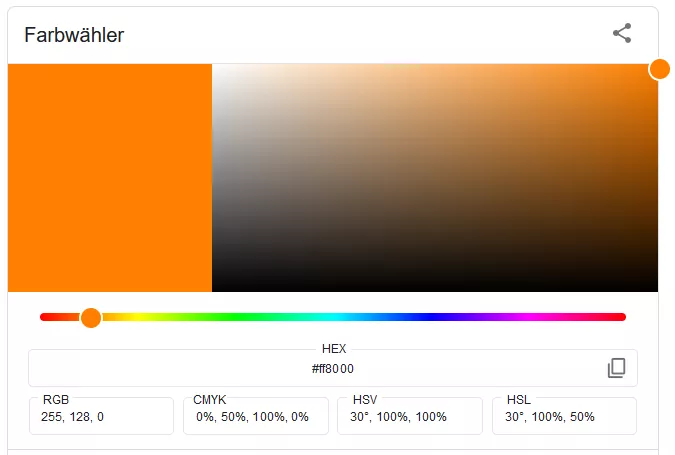
            background: #ff8000 !important;                     /* käftiges Orange */
        }

    Bitte Testen.

  • Adressleiste bei klick - hintergrundfarbe ändern ?

    • Mira_Belle
    • 11. August 2022 um 00:21
    Zitat von Son Goku
    Zitat von Mira_Belle

    Was genau hat denn nicht gestimmt?

    naja es wird nur der Hintergrund geändert, aber nicht die Adressleiste.

    besser kann ich es auch net erklären, deshalb die Screenshots.

    achte mal auf die Ecken ...

    :/ Ah!

    Habe das falsche Profil genutzt :!:

    Mit dem "Richtigen" konnte ich den "Fehler" nachstellen!

    Und siehe da, mit Ralfs Code war es so wie "gewünscht". :thumbup:

    Danke für die Auskunft und Erklärung.

Unterstütze uns!

Jährlich (2026)

69,4 %

69,4% (538,17 von 775 EUR)

Jetzt spenden
  1. Kontakt
  2. Datenschutz
  3. Impressum
Community-Software: WoltLab Suite™
Mastodon