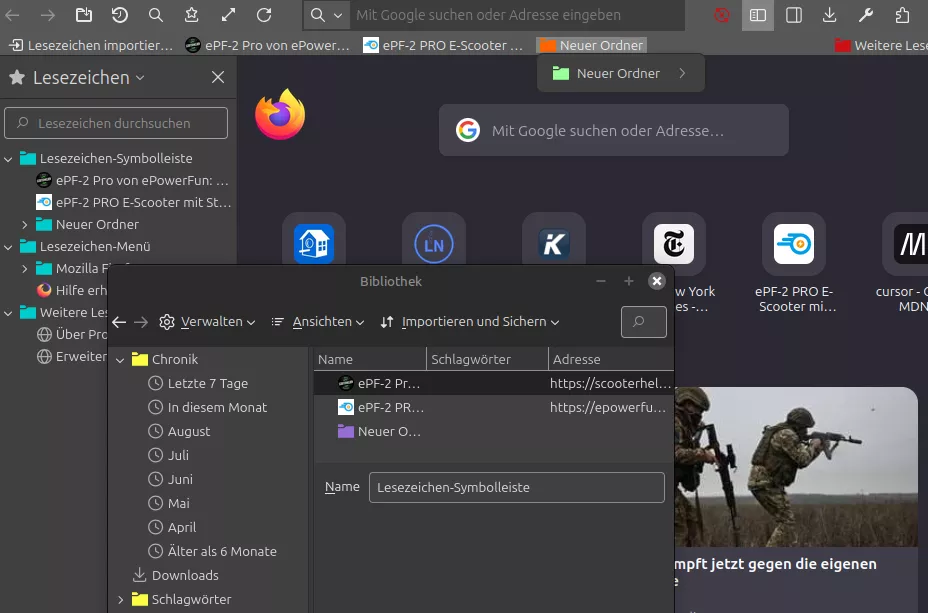
Kann mir Blondine jemand mit einfachen Sätzen erklären, was dieses Skript tun soll?
den kleinen AI JS Code
Dann kannst Du diese Frage sicherlich beantworten.....
Kann mir Blondine jemand mit einfachen Sätzen erklären, was dieses Skript tun soll?
den kleinen AI JS Code
Dann kannst Du diese Frage sicherlich beantworten.....
Kann mir Blondine jemand mit einfachen Sätzen erklären, was dieses Skript tun soll?
Warnung: dieses JS ist modifiziertes AI, konnte sonst nix finden.
Frag doch einfach mal Deine Französin, auf diese Antwort wäre ich gespannt. Sozusagen Ki fragt AI...
Ja es blockiert auch Logins
Deshalb habe ich mal angefangen den css-Teil mit den Dropdowns aufzudröseln, diese Sammlung blockiert bei mir jedenfalls kein Login; ich habe längst nicht alle Popups erfasst, einige funktionieren auch nur nach einem Neustart [hasbeenopened = "true"], vielleicht kann ja jemand damit was anfangen und weiterentwickeln (Die Rahmen sind nur zum testen):
menu > menupopup {
--trans_x: -100%;
}
menu > menupopup.flipper {
--trans_x: 100%;
}
/*--------------------------------*/
menu > #usercssloader-menupopup {
outline: 2px solid magenta;
outline-offset: -2px !important;
}
menu > #usercssloader-menupopup {
opacity: 0 !important;
transform: translateY(-100%) !important;
}
menu[open] > #usercssloader-menupopup {
opacity: 1 !important;
transform: translateY(0) !important;
transition: transform 0.5s ease-in-out, opacity 0.5s ease-in-out !important;
}
/*--------------------------------*/
/*funzt nur beim ersten mal nach Neustart*/
#tabContextMenu {
outline: 2px solid gold;
outline-offset: -2px !important;
}
#tabContextMenu:not([hasbeenopened = "true"]) {
opacity: 0 !important;
transform: translateY(-100%) !important;
}
#tabContextMenu[hasbeenopened = "true"] {
opacity: 1 !important;
transform: translateY(0) !important;
transition: transform 0.5s ease-in-out, opacity 0.5s ease-in-out !important;
}
/*--------------------------------*/
/*funzt nur beim ersten mal nach Neustart*/
#contentAreaContextMenu {
outline: 2px solid lightblue;
outline-offset: -2px !important;
}
#contentAreaContextMenu:not([hasbeenopened = "true"]) {
opacity: 0 !important;
transform: translateY(-100%) !important;
}
#contentAreaContextMenu[hasbeenopened = "true"] {
opacity: 1 !important;
transform: translateY(0) !important;
transition: transform 0.5s ease-in-out, opacity 0.5s ease-in-out !important;
}
/*--------------------------------*/
#confirmation-hint {
outline: 2px solid red;
outline-offset: -2px !important;
}
#confirmation-hint {
opacity: 0 !important;
transform: translateY(-100%) !important;
}
#confirmation-hint[panelopen] {
opacity: 1 !important;
transform: translateY(0) !important;
transition: transform 0.5s ease-in-out, opacity 0.5s ease-in-out !important;
}
/*--------------------------------*/
#appMenu-popup {
outline: 2px solid cyan;
outline-offset: -2px !important;
}
#appMenu-popup {
opacity: 0 !important;
transform: translateY(-100%) !important;
}
#appMenu-popup[panelopen] {
opacity: 1 !important;
transform: translateY(0) !important;
transition: transform 0.5s ease-in-out, opacity 0.5s ease-in-out !important;
}
/*--------------------------------*/
#unified-extensions-panel {
outline: 2px solid green;
outline-offset: -2px !important;
}
#unified-extensions-panel {
opacity: 0 !important;
transform: translateY(-100%) !important;
}
#unified-extensions-panel[panelopen] {
opacity: 1 !important;
transform: translateY(0) !important;
transition: transform 0.5s ease-in-out, opacity 0.5s ease-in-out !important;
}
/*--------------------------------*/
/*funzt nur beim ersten mal nach Neustart*/
#textbox-contextmenu {
outline: 2px solid goldenrod;
outline-offset: -2px !important;
}
#textbox-contextmenu:not([hasbeenopened = "true"]) {
opacity: 0 !important;
transform: translateY(-100%) !important;
}
#textbox-contextmenu[hasbeenopened = "true"] {
opacity: 1 !important;
transform: translateY(0) !important;
transition: transform 0.5s ease-in-out, opacity 0.5s ease-in-out !important;
}
/*--------------------------------*/
/*funzt nur beim ersten mal nach Neustart*/
.textbox-contextmenu {
outline: 2px solid firebrick;
outline-offset: -2px !important;
}
.textbox-contextmenu:not([hasbeenopened = "true"]) {
opacity: 0 !important;
transform: translateY(-100%) !important;
}
.textbox-contextmenu[hasbeenopened = "true"] {
opacity: 1 !important;
transform: translateY(0) !important;
transition: transform 0.5s ease-in-out, opacity 0.5s ease-in-out !important;
}
/*--------------------------------*/
#widget-overflow {
outline: 2px solid purple;
outline-offset: -2px !important;
}
#widget-overflow {
opacity: 0 !important;
transform: translateY(-100%) !important;
}
#widget-overflow[panelopen] {
opacity: 1 !important;
transform: translateY(0) !important;
transition: transform 0.5s ease-in-out, opacity 0.5s ease-in-out !important;
}
/*Submenus Tab, Context*/
menu:not( menubar > menu) > menupopup:not(#usercssloader-menupopup) {
outline: 2px solid teal;
outline-offset: -2px !important;
}
menu:not( menubar > menu) > menupopup:not(#usercssloader-menupopup) {
opacity: 0 !important;
transform: translateX(var(--trans_x)) !important;
}
menu:not( menubar > menu)[open] > menupopup:not(#usercssloader-menupopup) {
opacity: 1 !important;
transform: translateX(0) !important;
transition: transform 0.5s ease-in-out, opacity 0.5s ease-in-out !important;
}
/*--------------------------------*/
:is(toolbarbutton, menubar > menu) > menupopup {
outline: 2px solid black;
outline-offset: -4px !important;
}
:is(toolbarbutton, menubar > menu) > menupopup {
opacity: 0 !important;
transform: translateY(-100%) !important;
}
:is(toolbarbutton, menubar > menu)[open] > menupopup {
opacity: 1 !important;
transform: translateY(0) !important;
transition: transform 0.5s ease-in-out, opacity 0.5s ease-in-out !important;
}
/*--------------------------------*/
#bookmarks-menu-button > menupopup {
outline: 2px solid magenta;
outline-offset: -2px !important;
}
#bookmarks-menu-button > menupopup {
opacity: 0 !important;
transform: translateY(-100%) !important;
}
#bookmarks-menu-button[open] > menupopup {
opacity: 1 !important;
transform: translateY(0) !important;
transition: transform 0.5s ease-in-out, opacity 0.5s ease-in-out !important;
}
Alles anzeigen
BrokenHeart, ich habe dieses Script angepasst und sehe keine Probleme (Linux), auch nicht mit #bookmarks-menu-button oder #bookmarksMenuPopup (oder erkenne ich das Problem nicht?).
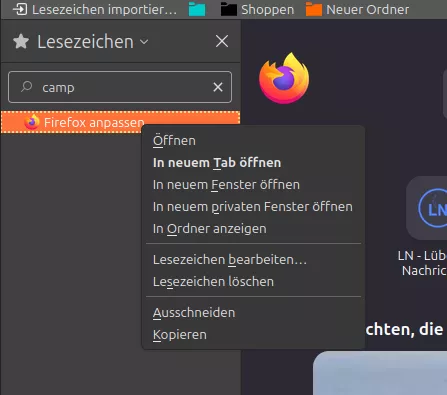
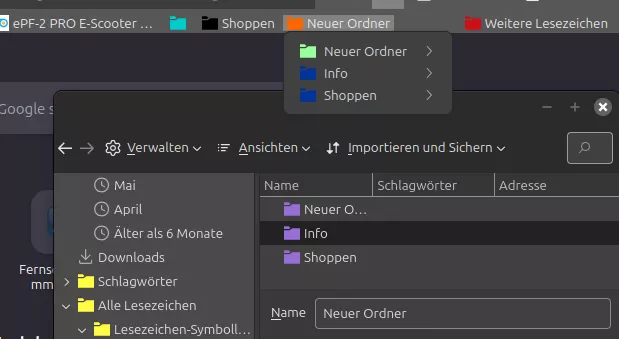
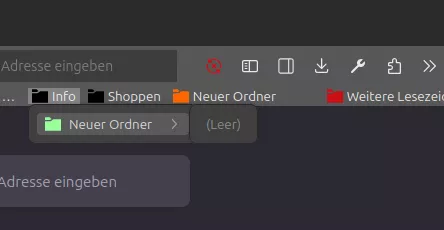
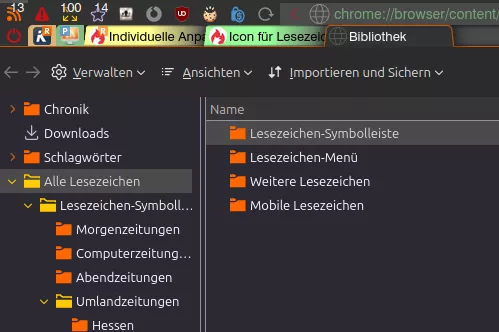
Die Icons befinden sich in diesem Beitrag.
Edit (05.07.25): doppelten EventListener gelöscht; funktioniert auch so.
// JavaScript Document
// M_NumOfBookmfold+Bookm_lite.uc.js
// FF 140
// Fork of @BrokenHeart's code from https://www.camp-firefox.de/forum/thema/136572-nur-die-anzeige-der-ordner-lesezeichenanzahl-in-einer-anderen-farbe-darstellen/?postID=1269879#post1269879
// Das Script erstellt einen Zusatz zu Menüeinträgen in Bookmark-Ordner-Dropdowns.
// Der Zusatz besteht aus der [Anzahl der beinhaltenden Ordner sowie aus der Anzahl der beinhaltenden Lesezeichen]. Als trennendes Element zwischen Ordner und Lesezeichen wird ein Ordnersymbol als Icon eingefügt.
// Sollte kein Ordner sowie kein Lesezeichen vorhanden sein (der Ordner ist leer), erscheint ein Trashsymbol (als Aufforderung zur Löschung des leeren Ordners) und das Pfeil-Symbol(Twisty) wird ausgeblendet.
(function() {
if (!window.gBrowser)
return;
setTimeout(function() {
setFunction();
},50);
function setFunction() {
const
// ■■ START UserConfiguration ■■■■■■■■■■■■■■■■■■■■■■■■■■■■■■■■
iconFold = '16SWfolder-10_moz.svg',
iconFoldOv = '16SWfolder-12_moz.svg',
iconTrash = '16_Trash-03_moz.svg',
iconFillFold = '#b0b0b0',
iconFillFoldOv = 'currentColor',
iconFillTrash = '#f02228',
iconFillTrashOv = 'currentColor',
fontCol = '#b0b0b0',
fontColOv = 'currentColor',
iconPath = '/chrome/icons/',
// ■■ END UserConfiguration ■■■■■■■■■■■■■■■■■■■■■■■■■■■■■■■■■■
curProfDir = PathUtils.toFileURI(PathUtils.join(PathUtils.profileDir));//const end
const css =`
.countClass {
justify-content: space-between !important;
}
.countClass::after {
content: attr(data-value);
color: ${fontCol};
padding-right: 3px;
background-image: url('${curProfDir}${iconPath}${iconFold}');
fill: ${iconFillFold};
background-repeat: no-repeat;
background-size: 13px 13px;
background-position: right 22px center;
margin-right: -17px !important;
}
menu:hover > .countClass::after {
color: ${fontColOv};
fill: ${iconFillFoldOv};
}
.countClass[data-value^='\xa0']::after {
background-image: none;
}
menu:hover > .countClass:not([data-value^='\xa0'])::after {
background-image: url('${curProfDir}${iconPath}${iconFoldOv}');
}
menu:has( > .countClass[data-value$='\xa0'][data-value^='\xa0'])::after {
fill-opacity: 1 !important;
background-image: url('${curProfDir}${iconPath}${iconTrash}') !important;
fill: ${iconFillTrash} !important;
height: 13px !important;
width: 13px !important;
scale: 1.07 !important;
margin-right: 11px !important;
}
menu:hover:has( > .countClass[data-value$='\xa0'][data-value^='\xa0'])::after {
fill: ${iconFillTrashOv} !important;
}
#bookmarksMenuPopup > menu > .countClass::after {
background-position: right 29px center;
padding-right: 10px;
}
`;
const sss = Cc['@mozilla.org/content/style-sheet-service;1'].getService(Ci.nsIStyleSheetService);
const uri = Services.io.newURI('data:text/css,' + encodeURIComponent(css));
sss.loadAndRegisterSheet(uri, sss.AGENT_SHEET);
//----
const bmbMenu = document.getElementById('bookmarks-menu-button');
const bookMenu = document.getElementById('bookmarksMenu');
const persToolBar = document.getElementById('PersonalToolbar');
if(bmbMenu)
bmbMenu.addEventListener('popupshown', onPopupShowing
);
if(bookMenu){
bookMenu.addEventListener('popupshown', onPopupShowing )
};
if(persToolBar){
persToolBar.addEventListener('popupshowing', onPopupShowing )
};
};
function onPopupShowing(aEvent) {
const popup = aEvent.originalTarget;
for (let item of popup.children) {
if (item.localName != 'menu' || item.id?.startsWith('history'))
continue;
setTimeout(() => {
let itemPopup = item.menupopup;
itemPopup.hidden = true;
itemPopup.collapsed = true;
itemPopup.openPopup();
itemPopup.hidePopup();
let menuitemCount = 0;
let menuCount = 0;
for (let subitem of itemPopup.children) {
if (subitem.classList.contains('bookmark-item') && !subitem.disabled && !subitem.hidden) {
if (subitem.localName == 'menuitem') {
menuitemCount++;
}
else
if (subitem.localName == 'menu') {
menuCount++;
}
}
}
itemPopup.hidden = false;
itemPopup.collapsed = false;
let label = item.childNodes[1]; //[1]links [3]rechts
label.classList.add('countClass');
let menuDiv = '\xa0\xa0\xa0';
if (menuCount == 0) {
menuDiv = '\xa0\xa0';
menuCount ='\xa0';
}
if (menuitemCount == 0) {
menuitemCount ='\xa0';
}
if (menuCount > 0 && menuitemCount == 0) {
menuitemCount ='0';
}
if (menuCount > 0 && menuitemCount == '0') {
menuitemCount = '\xa0‒';
}
let strCountOut = String(menuCount).padStart(2,'') + menuDiv + String(menuitemCount).padStart(2,'\xa0');
label.setAttribute('data-value', strCountOut);
}, 1000);
}
}
//----
})();
Alles anzeigen
Nur mal so, reicht hier so auch aus:
Werde ich so gleich mal ausprobieren!
Doppelt hält besser; siehe Zeile 12-22.
Beispiel Lesezeichenpopups:
Läuft! Das will-change habe ich auskommentiert; ohne läuft es auf meinem Recher einfach besser. Nette Spielerei, mal sehn' wie lange es hält.
(function () {
if (!window.gBrowser) return;
document.addEventListener("popupshowing", function (e) {
let popup = e.target;
if (popup.localName !== "menupopup") return;
let anchor = popup.anchorNode;
if (!anchor || typeof anchor.screenX === "undefined") return;
let flippedH = popup.screenX < anchor.screenX;
popup.classList.remove('flipper');
if (flippedH) {
popup.classList.add('flipper');
}
});
const sss = Components.classes["@mozilla.org/content/style-sheet-service;1"].getService(Components.interfaces.nsIStyleSheetService);
const uri = Services.io.newURI("data:text/css;charset=utf-8," + encodeURIComponent(`
menu > menupopup {
--trans_x: -100%;
}
menu > menupopup.flipper {
--trans_x: 100%;
}
#PlacesToolbar .bookmark-item > menupopup {
/* will-change: transform, opacity !important;*/
opacity: 0 !important;
transform: translateY(-100%) !important;
}
#PlacesToolbar .bookmark-item[open] > menupopup {
opacity: 1 !important;
transform: translateY(0) !important;
transition: transform 0.9s ease-in-out, opacity 0.9s ease-in-out !important;
}
#PlacesToolbar .bookmark-item menu > menupopup {
/* will-change: transform, opacity !important;*/
opacity: 0 !important;
/* transform: translateX(-100%) !important; */
transform: translateX(var(--trans_x)) !important;
}
#PlacesToolbar .bookmark-item menu[open] > menupopup {
opacity: 1 !important;
transform: translateX(0) !important;
transition: transform 0.9s ease-in-out, opacity 0.9s ease-in-out !important;
}
`), null, null);
sss.loadAndRegisterSheet(uri, sss.AGENT_SHEET);
})();
Alles anzeigen
Die Positionierung funktioniert ab dem zweiten Öffnen eines Popups.
Moin, das könnte an popupshown statt popupshowing liegen.
Welche empfiehlst du?
Dies macht optisch was her, ist aber überflüssig und dient nur als Beispiel.
Ansonsten gehe ich konform mit:
Verzichte, worauf du kannst.
// JavaScript Document
// LoadingBar.uc.js
// Location Bar Enhancer5.1; Loading Bar0.3.0
// Firefox 140
(function loadbar(){
if (location.href !== 'chrome://browser/content/browser.xhtml') return;
var cssStr = `
#urlbar-background {
background-image: repeating-linear-gradient(-60deg, rgba(71,71,71,0), rgba(74,74,74,0) 4px, rgba(74,74,74,1) 4px, rgba(74,74,74,1) 8px), linear-gradient(to right, rgba(204, 82, 0,0) 0%, rgba(204, 82, 1) 100%);
background-size:0 0;
background-repeat:repeat-x, no-repeat;
transition: background-size 0ms ease-in-out 0ms;
}
#urlbar-background:not([style="background-size: 0% 100%;"]) { transition: background-size 300ms ease-in-out 0ms;
animation: progress-bar-stripes 5000ms linear infinite;
}
@keyframes progress-bar-stripes {
from {
background-position: 0 0;
}
to {
background-position: 470px 0;
}
}
`.replace(/\s{2,}|\r|\n/,"");
var style = document.createProcessingInstruction("xml-stylesheet", "type=\"text/css\"" + " href=\"data:text/css;base64," + btoa(cssStr) + "\"");
var mainW = document.getElementById("main-window");
document.insertBefore(style, mainW);
function main(window) {
var {document, gBrowser} = window;
function $(id) { return document.getElementById(id) };
var urlbar = $("urlbar-background");
let pageProgress = 0;
let async = makeWindowHelpers(window).async;
var LoadingBar = {
listener: {
onChangeTab: function(e) {
urlbar.style.backgroundSize = '0% 100%';
pageProgress = 0;
},
onProgressChange: function(aBrowser,webProgress,request,curSelfProgress,maxSelfProgress,curTotalProgress,maxTotalProgress) {
if (gBrowser.contentDocument === aBrowser.contentDocument) {
var val = (curTotalProgress-1)/(maxTotalProgress-1);
pageProgress = val;
urlbar.style.backgroundSize = (100*val) + '% 100%';
if (val > 0.9)
async(function() {
if (pageProgress > 0.95)
urlbar.style.backgroundSize = '100% 100%';
}, 1000);
}
},
onStateChange: function() {
if (pageProgress > 0.95){
async(function() {
urlbar.style.backgroundSize = '0% 100%';
pageProgress = 0;
}, 1000);
}else{
urlbar.style.backgroundSize = '0% 100%';
}
}
}
};
gBrowser.tabContainer.addEventListener('TabSelect',LoadingBar.listener.onChangeTab,false);
gBrowser.addTabsProgressListener(LoadingBar.listener);
unload(function() {
gBrowser.tabContainer.removeEventListener('TabSelect',LoadingBar.listener.onChangeTab,false);
gBrowser.removeTabsProgressListener(LoadingBar.listener);
}, window);
}
watchWindows(main, "navigator:browser");
function runOnLoad(window, callback, winType) {
window.addEventListener("load", function() {
window.removeEventListener("load", arguments.callee, false);
if (window.document.documentElement.getAttribute("windowtype") == winType)
callback(window);
}, false);
}
function runOnWindows(callback, winType) {
function watcher(window) {
try {
callback(window);
}
catch(ex) {}
}
let browserWindows = Services.wm.getEnumerator(winType);
while (browserWindows.hasMoreElements()) {
let browserWindow = browserWindows.getNext();
if (browserWindow.document.readyState == "complete")
watcher(browserWindow);
else
runOnLoad(browserWindow, watcher, winType);
}
}
function watchWindows(callback, winType) {
function watcher(window) {
try {
callback(window);
}
catch(ex) {}
}
runOnWindows(callback, winType);
function windowWatcher(subject, topic) {
if (topic == "domwindowopened")
runOnLoad(subject, watcher, winType);
}
Services.ww.registerNotification(windowWatcher);
unload(function() { Services.ww.unregisterNotification(windowWatcher) });
}
function unload(callback, container) {
let unloaders = unload.unloaders;
if (unloaders == null)
unloaders = unload.unloaders = [];
if (callback == null) {
unloaders.slice().forEach(function(unloader) { unloader() });
unloaders.length = 0;
return null;
}
if (container != null) {
container.addEventListener("unload", removeUnloader, false);
let origCallback = callback;
callback = function() {
container.removeEventListener("unload", removeUnloader, false);
origCallback();
}
}
function unloader() {
try {
callback();
}
catch(ex) {}
}
unloaders.push(unloader);
function removeUnloader() {
let index = unloaders.indexOf(unloader);
if (index != -1)
unloaders.splice(index, 1);
}
return removeUnloader;
}
function makeWindowHelpers(window) {
let {clearTimeout, setTimeout} = window;
function async(callback, delay) {
delay = delay || 0;
let timer = setTimeout(function() {
stopTimer();
callback();
}, delay);
function stopTimer() {
if (timer == null)
return;
clearTimeout(timer);
timer = null;
}
}
return {
async: async,
};
}
})();
Alles anzeigen
Wenn man es richtig macht, ist es ein geringer Aufwand mehrere Dateien in zwei Ordner zu verschieben um ein Tab weg zu bekommen
und es gibt soviele schöne Scripte die du ab jetzt nutzen kannst!
Ich kann das nicht testen, aber der Anfang könnte so sein?
// ==UserScript==
// @name New Userscript
// @namespace http://tampermonkey.net/
// @version 2025-06-07
// @description try to take over the world!
// @author You
// @match https:/fritz.box
// @match http:/fritz.box
// @icon none
// @grant none
// ==/UserScript==
(function() {
'use strict';
document.getElementById('uiEntryname-input').value = 'Spam';
...
document.getElementById('uiNumbernew1-input').focus();
...
})();
Alles anzeigen
Sonst muss sich wohl mal ein Profi damit beschäftigen...
ein Skript für folgende Funktion erstellen.
Das geht nur, wenn der 'script erstellende' auch die gleiche Vers. deiner Box hat um mit den Entwicklertools darauf zugreifen zu können (Info der Vers. wäre gut); meine FB! ist einfach zu alt; leider kann ich deinen Wunsch nicht erfÜlen....
Nun mach mal Schlusss...und handle Deine Agressionen...
Meine Meinung:
Die meisten Anpassungen der Bastler innerhalb einer js-Datei betreffen 'css'. Es spricht nichts dagegen, Dateien einfach nur mit dem gleiche Dateinamen aber unterschiedlichen Erweiterung zu bennenen! Der Bezug ist aufgrund des gleichen Dateinamens gegeben (die Dateien mit der Erweiterung .css/.js bleiben in ihren dafür vorgesehene Habitaten/Ordnern). Soweit-sogut, was aber wenn js direkt Einfluss auf css nimmt, z.B. durch Variablen (Beispiel hier)? Mein Fazit: es ist immer eine 'Fall zu Fall' Entscheidung.
Sieht prima aus auf meiner Seite, danke!
Danke für die fundamentale Kritik!
@Horstmann , die Idee deiner 'Toggle newtoolbar 7D' fand ich gut und habe diese jetzt endlich (nach einem Jahr) für mich umgesetzt und angepasst. Wenn du mal schauen mochtest:
EDIT: 2025-06-06: Neue Version (mit zusätzlichem Feature: Mittelklick verschiebt die Tb an den gegenüberliegenden Fensterrand; Rechtsklick wieder zurück).
EDIT: 2025-09-20: Neue Version (beim Verkleinern des Fensters bleibt die Buttongröße erhalten, außerdem wird das Kontextmenü beim Rechtsklick ausgeblendet).
EDIT: 2025-09-25: Neue Version (Der Startzustand der TB (on/off) ist in den 'UserConfigurations' einstellbar).
EDIT: 2025-10-25: Neue Version (Der On/Off-Status sowie die horizontale Position der TB werden beim Beenden des Browsers gespeichert und beim Start wiederhergestellt).
EDIT: 2025-11-07: Neue Version (Die Links/Rechts-funktion arbeitet jetzt [ebenso wie die On/Off-funktion] in einem zweiten geöffneten Fenster unabhängig vom Ersten).
EDIT: 2025-12-05: Neue Version (Die vertikale Position der Leiste kann jetzt gescrollt werden).
EDIT: 2025-12-17: Neue Version (Usability bei gesetztem border verbessert).
Änderung in Vers. 5.1: Usability bei gesetztem border verbessert: Die Buttons werden jetzt horizontal mittig dargestellt ohne die Breite der Leiste manuell verändern zu müssen.
Update bis Vers 5.0
Die 'UserConfiguration TOOLBAR' kann mit den eigenen CSS-Anpassungen per copy/paste (1:1) überschrieben werden.
Update ab Vers 5.1
Die 'UserConfiguration TOOLBAR' kann mit den eigenen CSS-Anpassungen wieder per copy/paste überschrieben werden; ab der Vers. 5.1 muss jedoch eine ÄNDERUNG im Quellcode der 'UserConfiguration TOOLBAR' gemacht werden:
A. Bei Leiste OHNE sichtbaren border Zeile 193:
[--vt-border-width: 0; /*Leistenrandbreite*/] muss geändert werden in
[--vt-border-width: 0px;/*Leistenrandbreite*/]
oder
B. Bei Leiste MIT sichtbarem border Zeile 187:
[--vt-toolbar-min-width: 32px; /*Leistenbreite bei mouseout*/] hier sollte die reale Buttonbreite (Standardwert: 32px) eingetragen werden.
EDIT: 2025-12-05: NEUE VERSIONEN ERSCHEINEN IN ZUKUNFT IN BEITRAG #1 IN DIESEM THEMA:
Schaltbare vertikale Overlay-Zusatzleiste !
// JavaScript Document
// 00_FlyVertToolbarWithButton_lite.uc.js
// FF 139+
// Vers. 5.1
// Quelle: https://www.....
// Idee von Horstmann: https://www.camp-firefox.de/forum/thema/137714-seitennavigation-fly-out-men%C3%BC/?postID=1246875#post1246875
// Das Script erstellt eine - über dem Seiteninhalt liegende - vertikale Toolbar, die sich per Button ein/ausblenden lässt. Im eingeblendeten Zustand sind nur die Buttons sichtbar, beim Mouseover auf die B.'s werden die Labels aller B.'s 'ausgeklappt'. Die Verzögerungszeit vom Mouseover bis zum 'Ausklappzeitpunkt' der Labels kann konfiguriert werden [--vt-delay_min_max-width: 1.5s; /*Verzögerung bei mouseover*/]. Z.B so, dass die Labels der Buttons erst nach > 5.0s mouseover sichtbar sind - also eigentlich nie; oder nach < 0.5s - fast sofort.
// Die TB ist in der in der Höhe flexibel (je nach Anzahl der Buttons).
// Die vertikale Startposition (oben/unten) ist prozentual einstellbar. Zusätzlich kann die TB mit dem Mausrad (Mauszeiger auf Leiste) vertikal verschoben werden (temporär, wird beim Beenden des Browsers nicht gespeichert).
// Die horizontale Position der TB (links/rechts) ist per Rechtsklick wählbar.
// Der On/Off-Status sowie die horizontale Position der TB werden beim Beenden des Browsers gespeichert und beim Start wiederhergestellt.
// Beide Funktionen arbeiten in weiteren geöffneten Fenster unabhängig vom Ersten.
// Das .svg-Icon des Buttons zum Ein/Ausblenden der Bar kann - je nach Hover-Zustand - mit zwei unterschiedlichen Farben gefüllt werden [fill/stroke].
// WICHTIG: Die TB ist im 'Anpassenfenster' nur im eingeschalteten Zustand sichtbar (vermeidet Verdeckung/Überlagerung anderer Symbole).
// ACHTUNG: Einige Systembuttons lassen sich in zusätzliche/eigene Tb's zwar noch verschieben, haben aber KEINE Funktion. Dazu gibt es einen Patch von @BrokenHeart: https://www.camp-firefox.de/forum/thema/138875-fix-toolbar-buttons-reagieren-nicht-mehr-ab-ff-134/
(function() {
if (!window.gBrowser)
return;
const
// ■■ START UserConfiguration ■■■■■■■■■■■■■■■■■■■■■■■■■■■■■■■■
id = 'vert_toolbar_button', // Id des Buttons
label = 'Vertikale Overlay Toolbar', // Bezeichnung des Buttons
tooltiptext = 'Vertikale Overlay Toolbar\n\nLinksklick: ein/aus\nRechtsklick: links/rechts\nMausrad(Mauszeiger auf Leiste): oben/unten',
// Icon-------------------------------------------------------
icon = '16_ci-bar-right_moz.svg', // [Name.Dateiendung] des Symbols
iconPath = '/chrome/icons/', // Pfad zum Ordner der das Icon beinhaltet
iconColOu = 'currentColor', // Farbe des Icons (nur .svg-Datei mit [moz-context-properties], bei anderen Icons hat const iconColOu keine Funktion)
iconColOv = '#9aff9a', // Farbe des Icons beim Überfahren des Buttons (nur .svg-Datei mit [moz-context-properties], bei anderen Icons hat const iconColOv keine Funktion)
// Toolbar----------------------------------------------------
isPosV = '50%', // Toolbar mittig zur Fensterhöhe;
// isPosV = '0%', Toolbar am oberen Fensterrand;
// isPosV = '100%', Toolbar am unteren Fensterrand;
wheelFactor = 0.2, // Scrollfunktion (bei Mauszeiger auf Leiste), je höher der Wert desto größer die Schrittweite der Rasterung des Mausrades;
// ■■ END UserConfiguration ■■■■■■■■■■■■■■■■■■■■■■■■■■■■■■■■■■
curProfDir = PathUtils.toFileURI(PathUtils.join(PathUtils.profileDir));
//Pref '.svg.context-...' prüfen/setzen
if (Services.prefs.getBoolPref('svg.context-properties.content.enabled') == false) {
Services.prefs.setBoolPref('svg.context-properties.content.enabled', true );
}
//userPrefs
Services.prefs.getDefaultBranch('userchrome.flyvert-toolbar.').setBoolPref('visible', true);
Services.prefs.getDefaultBranch('userchrome.flyvert-toolbar.').setBoolPref('horizontal', true); //true=left/false=right
const
boolPrefVis = 'userchrome.flyvert-toolbar.visible',
getPrefVis = Services.prefs.getBoolPref(boolPrefVis),
setPref = Services.prefs.setBoolPref,
boolPrefHor = 'userchrome.flyvert-toolbar.horizontal',
getPrefHor = Services.prefs.getBoolPref(boolPrefHor);
//TOOLBAR
const toolbar = document.createXULElement('toolbar');
toolbar.id = 'vert_toolbar';
toolbar.setAttribute('orient', 'vertical');
toolbar.setAttribute('customizable', true);
toolbar.setAttribute('mode', 'icons');
toolbar.setAttribute('context', 'toolbar-context-menu');
toolbar.setAttribute('class','toolbar-primary chromeclass-toolbar browser-toolbar customization-target');
//TOOLBOX
const toolbox = document.createXULElement('toolbox');
toolbox.id = 'vert_toolbox';
toolbox.setAttribute('orient','mirror');
toolbox.appendChild(toolbar);
document.getElementById('browser').parentNode.appendChild(toolbox);
//reg
CustomizableUI.registerArea('vert_toolbar', {legacy: true});
CustomizableUI.registerToolbarNode(toolbar);
//start on/off
switch (getPrefVis) {
case true:
vert_toolbar.classList.toggle('button-on');
break;
case false:
vert_toolbar.classList.toggle('button-off');
break;
};
//start left/right(A)
switch (getPrefHor) {
case true:
vert_toolbar.classList.toggle('bar-left');
vert_toolbox.classList.toggle('bar-left');
break;
case false:
vert_toolbar.classList.toggle('bar-right');
vert_toolbox.classList.toggle('bar-right');
break;
};
//BUTTON
try {
CustomizableUI.createWidget({
id: id,
defaultArea: CustomizableUI.AREA_NAVBAR,
label: label,
tooltiptext: tooltiptext,
onCreated: (button) => {
button.style.MozContextProperties = 'fill, stroke, fill-opacity, stroke-opacity';
button.style.listStyleImage = 'url("' + curProfDir + iconPath + icon + '")';
button.style.stroke = iconColOu;
button.style.minWidth = 'fit-content';
}
});
} catch(e) {};
const button = document.getElementById(id);
//start left/right(B)
switch (getPrefHor) {
case true:
button.classList.toggle('bar-left');
break;
case false:
button.classList.toggle('bar-right');
break;
};
//over
button.addEventListener('mouseover', () => {
button.style.stroke = iconColOv;
});
//out
button.addEventListener('mouseout', () => {
button.style.stroke = iconColOu;
});
//contextmenu
button.addEventListener('contextmenu', e => {
if (event.button === 2) {
e.preventDefault();
}
});
//click
button.addEventListener('click', () => {
if (event.button === 0) {
event.target.ownerGlobal.vert_toolbar.classList.toggle('button-off');
event.target.ownerGlobal.vert_toolbar.classList.toggle('button-on');
const getPrefVis = Services.prefs.getBoolPref(boolPrefVis);
switch (getPrefVis) {
case true:
setPref(boolPrefVis, false);
break;
case false:
setPref(boolPrefVis, true);
break;
}
}
else
if ((event.button === 2) && (event.target.ownerGlobal.vert_toolbar.classList.contains('button-on') === true )) {
event.target.ownerGlobal.vert_toolbar.classList.toggle('bar-left');
event.target.ownerGlobal.vert_toolbar.classList.toggle('bar-right');
event.target.ownerGlobal.vert_toolbox.classList.toggle('bar-left');
event.target.ownerGlobal.vert_toolbox.classList.toggle('bar-right');
event.target.ownerGlobal.vert_toolbar_button.classList.toggle('bar-left');
event.target.ownerGlobal.vert_toolbar_button.classList.toggle('bar-right');
const getPrefHor = Services.prefs.getBoolPref(boolPrefHor);
switch (getPrefHor) {
case true:
setPref(boolPrefHor, false);
break;
case false:
setPref(boolPrefHor, true);
break;
}
css();
}
});
//wheel
toolbox.addEventListener('wheel', (event) => {
event.preventDefault();
let curPos = toolbox.offsetTop;
curPos = parseInt(curPos)-(event.wheelDelta*wheelFactor);
toolbox.style.top = curPos + 'px';
});
function css (){
let css =`
#vert_toolbar {
/* ■■ START UserConfiguration TOOLBAR ■■■■■■■■■■■■■■■■■■■■■■■ Dark Theme */
--vt-toolbar-min-width: 32px; /*Leistenbreite bei mouseout*/
--vt-toolbar-max-width: 260px; /*Leistenbreite bei mouseover*/
--vt-delay_min_max-width: 1.5s; /*Verzögerung bei mouseover*/
--vt-row-height: 32px; /*Zeilenhöhe*/
--vt-bg-color: #3d3d3d; /*Leistenhintergrundfarbe*/
--vt-bg-color-hover: #57575766; /*Zeilenhintergrundfarbe bei mouseover*/
--vt-border-width: 0px; /*Leistenrandbreite*/
--vt-border-radius: 4px; /*Leistenrandeckenhalbdurchmesser*/
--vt-border-color: purple; /*Leistenrandfarbe*/
--vt-customizing-bg-color: #3d3d3d; /*Leistenhintergrundfarbe im Anpassenfenster*/
--vt-customizing-border-color: #E9E9E9; /*Leistenrandfarbe im Anpassenfenster*/
--vt-toolbarbutton-inner-padding: 8px; /*Zentrierungsmöglichkeit der eingefügten Buttons (wenn Buttonbreite < 32px => --vt-toolbarbutton-inner-padding < 8px) */
/* ■■ END UserConfiguration TOOLBAR ■■■■■■■■■■■■■■■■■■■■■■■■■ */
}
#vert_toolbox {
position: fixed !important;
display: flex !important;
top: ${isPosV};
transform: translateY(-${isPosV});
height: fit-content !important;
width: fit-content !important;
z-index: 6516516511 !important;
}
#vert_toolbox.bar-left {
left: 0 !important;
right: unset !important;
}
#vert_toolbox.bar-right {
right: 0 !important;
left: unset !important;
}
#vert_toolbar {
display: flex !important;
min-width: 0px !important;
width: calc(var(--vt-toolbar-min-width) + 2*var(--vt-border-width)) !important;
padding: 0 !important;
background-color: var(--vt-bg-color) !important;
border: var(--vt-border-width) solid var(--vt-border-color) !important;
transition: width .5s ease-in-out .2s !important;
}
#vert_toolbar.bar-right {
border-top-right-radius: 0 !important;
border-top-left-radius: var(--vt-border-radius) !important;
border-bottom-right-radius: 0 !important;
border-bottom-left-radius: var(--vt-border-radius) !important;
margin-left: calc(var(--vt-toolbar-min-width) * -1) !important;
margin-right: unset !important;
}
#vert_toolbar.bar-left {
border-top-left-radius: 0 !important;
border-top-right-radius: var(--vt-border-radius) !important;
border-bottom-left-radius: 0 !important;
border-bottom-right-radius: var(--vt-border-radius) !important;
margin-right: calc(var(--vt-toolbar-min-width) * -1) !important;
margin-left: unset !important;
}
#vert_toolbar:not([customizing]):hover {
width: var(--vt-toolbar-max-width) !important;
transition-delay: var(--vt-delay_min_max-width) !important;
}
#vert_toolbar.button-on {
display: flex !important;
}
#vert_toolbar.button-off {
display: none !important;
}
#vert_toolbar:not([customizing]) .toolbarbutton-1 {
justify-content: flex-start !important;
min-width: var(--vt-toolbar-min-width) !important;
height: var(--vt-row-height) !important;
min-height: var(--vt-row-height) !important;
max-height: var(--vt-row-height) !important;
overflow: hidden !important;
border: none !important;
box-shadow: none !important;
--toolbarbutton-inner-padding: var(--vt-toolbarbutton-inner-padding) !important;
--toolbarbutton-outer-padding: 0 !important;
--toolbarbutton-border-radius: 0 !important;
}
#vert_toolbar:not([customizing]) .toolbarbutton-1:hover {
background-color: var(--vt-bg-color-hover) !important;
}
#vert_toolbar:not([customizing]).bar-left .toolbarbutton-1:first-of-type {
border-top-right-radius: var(--vt-border-radius) !important;
border-top-left-radius: 0 !important;
}
#vert_toolbar:not([customizing]).bar-right .toolbarbutton-1:first-of-type {
border-top-right-radius: 0 !important;
border-top-left-radius: var(--vt-border-radius)!important;
}
#vert_toolbar:not([customizing]).bar-left .toolbarbutton-1:last-of-type {
border-bottom-left-radius: 0 !important;
border-bottom-right-radius: var(--vt-border-radius) !important;
}
#vert_toolbar:not([customizing]).bar-right .toolbarbutton-1:last-of-type {
border-bottom-right-radius: 0 !important;
border-bottom-left-radius: var(--vt-border-radius) !important;
}
#vert_toolbar:not([customizing]) .toolbarbutton-1 .toolbarbutton-text {
display: flex !important;
opacity: 0 !important;
transition: opacity .5s ease-in-out .2s !important;
text-overflow: ellipsis !important;
align-items: center !important;
padding: 0 !important;
border-radius: 0 !important;
}
#vert_toolbar:not([customizing]):hover .toolbarbutton-1 .toolbarbutton-text {
opacity: 1 !important;
transition: opacity .5s ease-in-out var(--vt-delay_min_max-width) !important;
}
#vert_toolbar[customizing] {
min-height: 38px !important;
min-width: 38px !important;
max-width: 38px !important;
margin-right: 0 !important;
margin-left: 0 !important;
padding-bottom: 38px !important;
background: var(--vt-customizing-bg-color) !important;
border: 1px dashed var(--vt-customizing-border-color) !important;
}
#vert_toolbar_button.bar-left .toolbarbutton-icon {
transform: scaleX(-1) !important;
}
#vert_toolbar_button.bar-right .toolbarbutton-icon {
transform: scaleX(1) !important;
}
`;
const sss = Cc['@mozilla.org/content/style-sheet-service;1'].getService(Ci.nsIStyleSheetService);
const uri = makeURI('data:text/css;charset=UTF=8,' + encodeURIComponent(css));
sss.loadAndRegisterSheet(uri, sss.AUTHOR_SHEET);
};
css();
})();
Alles anzeigen
von Alice0775 zuletzt für Firefox 135 aktualisierte Version des Skriptes: UndoListInTabmenuToo.uc.js. Man muss dort die Zeile 145 ändern
Läuft, Danke...
Da an dem Script aus Link offensichtlich Interesse besteht, habe ich es für FF139 angepasst (Icons im verlinkten Beitr.):
EDIT: Neue Version hier
// JavaScript Document
// M_NumOfBookmfold+Bookm_light.uc.js
// FF 139
// Fork of @BrokenHeart's code from https://www.camp-firefox.de/forum/thema/136572-nur-die-anzeige-der-ordner-lesezeichenanzahl-in-einer-anderen-farbe-darstellen/?postID=1269879#post1269879
// Das Script erstellt einen Zusatz zu Menüeinträgen in Bookmark-Ordner-Dropdowns.
// Der Zusatz besteht aus der [Anzahl der beinhaltenden Ordner sowie aus der Anzahl der beinhaltenden Lesezeichen]. Als trennendes Element zwischen Ordner und Lesezeichen wird ein Ordnersymbol als Icon eingefügt.
// Sollte kein Ordner sowie kein Lesezeichen vorhanden sein (der Ordner ist leer), erscheint ein Trashsymbol (als Aufforderung zur Löschung des leeren Ordners) und das Pfeil-Symbol(Twisty) wird ausgeblendet.
(function() {
if (!window.gBrowser)
return;
setTimeout(function() {
setFunction();
},50);
function setFunction() {
const
// ■■ START UserConfiguration ■■■■■■■■■■■■■■■■■■■■■■■■■■■■■■■■
iconFold = '16SWfolder-10_moz.svg',
iconFoldOv = '16SWfolder-12_moz.svg',
iconTrash = '16_Trash-03_moz.svg',
iconFillFold = '#b0b0b0',
iconFillFoldOv = 'currentColor',
iconFillTrash = '#f02228',
iconFillTrashOv = 'currentColor',
fontCol = '#b0b0b0',
fontColOv = 'currentColor',
iconPath = '/chrome/icons/',
// ■■ END UserConfiguration ■■■■■■■■■■■■■■■■■■■■■■■■■■■■■■■■■■
curProfDir = PathUtils.toFileURI(PathUtils.join(PathUtils.profileDir))
//const end
const css =`
.countClass {
justify-content: space-between !important;
}
.countClass::after {
content: attr(data-value);
color: ${fontCol};
padding-right: 3px;
background-image: url('${curProfDir}${iconPath}${iconFold}');
fill: ${iconFillFold};
background-repeat: no-repeat;
background-size: 13px 13px;
background-position: right 22px center;
margin-right: -17px !important;
}
menu:hover > .countClass::after {
color: ${fontColOv};
fill: ${iconFillFoldOv};
}
.countClass[data-value^='\xa0']::after {
background-image: none;
}
menu:hover > .countClass:not([data-value^='\xa0'])::after {
background-image: url('${curProfDir}${iconPath}${iconFoldOv}');
}
menu:has( > .countClass[data-value$='\xa0'][data-value^='\xa0'])::after {
fill-opacity: 1 !important;
background-image: url('${curProfDir}${iconPath}${iconTrash}') !important;
fill: ${iconFillTrash} !important;
height: 13px !important;
width: 13px !important;
scale: 1.07 !important;
margin-right: 11px !important;
}
menu:hover:has( > .countClass[data-value$='\xa0'][data-value^='\xa0'])::after {
fill: ${iconFillTrashOv} !important;
}
`;
const sss = Cc['@mozilla.org/content/style-sheet-service;1'].getService(Ci.nsIStyleSheetService);
const uri = Services.io.newURI('data:text/css,' + encodeURIComponent(css));
sss.loadAndRegisterSheet(uri, sss.AGENT_SHEET);
//----
const bmbMenu = document.getElementById('bookmarks-menu-button');
const bookMenu = document.getElementById('bookmarksMenu');
const persToolBar = document.getElementById('PersonalToolbar');
if(bmbMenu){
bmbMenu.addEventListener('popupshowing', onPopupShowing )
};
if(bookMenu){
bookMenu.addEventListener('popupshowing', onPopupShowing )
};
if(persToolBar){
persToolBar.addEventListener('popupshowing', onPopupShowing )
};
};
function onPopupShowing(aEvent) {
const popup = aEvent.originalTarget;
for (let item of popup.children) {
if (item.localName != 'menu' || item.id?.startsWith('history'))
continue;
setTimeout(() => {
let itemPopup = item.menupopup;
itemPopup.hidden = true;
itemPopup.collapsed = true;
itemPopup.openPopup();
itemPopup.hidePopup();
let menuitemCount = 0;
let menuCount = 0;
for (let subitem of itemPopup.children) {
if (subitem.classList.contains('bookmark-item') && !subitem.disabled && !subitem.hidden) {
if (subitem.localName == 'menuitem') {
menuitemCount++;
}
else
if (subitem.localName == 'menu') {
menuCount++;
}
}
}
itemPopup.hidden = false;
itemPopup.collapsed = false;
let label = item.childNodes[1]; //[1]links [3]rechts
label.classList.add('countClass');
let menuDiv = '\xa0\xa0\xa0';
if (menuCount == 0) {
menuDiv = '\xa0\xa0';
menuCount ='\xa0';
}
if (menuitemCount == 0) {
menuitemCount ='\xa0';
}
if (menuCount > 0 && menuitemCount == 0) {
menuitemCount ='0';
}
if (menuCount > 0 && menuitemCount == '0') {
menuitemCount = '\xa0‒';
}
let strCountOut = String(menuCount).padStart(2,'') + menuDiv + String(menuitemCount).padStart(2,'\xa0');
label.setAttribute('data-value', strCountOut);
}, 100);
}
}
//----
})();
Alles anzeigen