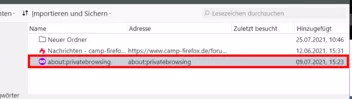
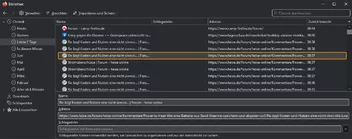
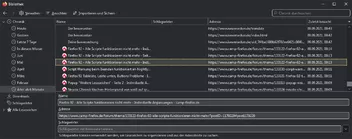
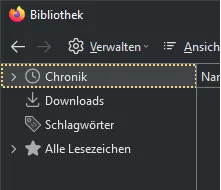
Hier nun der komplette Code.
Die von mir eingefügten Kommentare sind jetzt nicht so das Gelbe vom Ei,
aber besser als nix.
CSS
@-moz-document url-prefix(chrome://browser/content/places/places.xhtml) {

    /* ---------------------------------------- */
    /* ------- Auswahl Download (aktiv) ------- */
    /* ---------------------------------------- */

    #downloadsListBox:focus > richlistitem[selected] {
        color: inherit;
        background-color: #414446 !important;
        background-image: none !important;
        background-clip: content-box !important;
        border-radius: 8px !important;
        outline: 3px solid #ff9600 !important;

    }

    /* ----------------------------------------- */
    /* ------- Auswahl Download (passiv) ------- */
    /* ----------------------------------------- */

    richlistitem[selected="true"] {
        background-color: #414446 !important;
        color: #e1e1e1 !important;
        border-radius: 8px !important;

    }

    richlistbox {
        margin-left: 2px !important;
        margin-top: 2px !important;
        border: 1px solid transparent !important;
    }

   richlistitem[selected="true"] {
        margin-right: 3px !important;
   }

    /* ----------------------------------------- */
    /* -- Hintergrund rechte Seite (Download) -- */
    /* ----------------------------------------- */

    #downloadsListBox {
        background-color: #292c2f !important;
    }

    /* ------------------------------------------ */
    /* ---------- Schrift im Download  ---------- */
    /* ------------------------------------------ */

    .downloadTarget {
        font-weight: bold !important;
        color: #e1e1e1 !important;
/*      font-size: 16px !important; */
    }

    .downloadDetails.downloadDetails {
        font-weight: bold !important;
        color: #e1e1e1 !important;
    }

    /* ----------------------------------------- */
    /* - Hintergrund- und Schriftfarbe im Baum - */
    /* ----------------------------------------- */

    #placesView tree#placesList.plain.placesTree treechildren {
        background: #292c2f !important;
        color: #e1e1e1 !important;
    }

    /* -------------------------------------------- */
    /* - Hintergrund- und Schriftfarbe der Leiste - */
    /* -------------------------------------------- */

    .treecol-text {
        color: #e1e1e1 !important;
        background: #292c2f !important;
    }

    treecol {
        appearance: none !important;
        background-color: #292c2f !important;
        color: #e1e1e1 !important;
    }

    /* ----------------------------------------- */
    /* ---- Hintergrund rechte Seite (Rest) ---- */
    /* ----------------------------------------- */

    tree {
        background: #292c2f !important;
    }

    /* ----------------------------------------- */
    /* - Hintergrund- und Schriftfarbe Deteils - */
    /* ----------------------------------------- */

    #detailsPane {
        background-color: #292c2f !important;
        color: #e1e1e1 !important;
    }

    /* ----------------------------------------- */
    /* ------ Schriftfarbe (Schlagwörter) ------ */
    /* ----------------------------------------- */
    .caption-label {
        color: #e1e1e1 !important;
    }

    /* ----------------------------------------- */
    /* ---- Hintergrundfarbe (Schlagwörter) ---- */
    /* ----------------------------------------- */

    richlistbox {
        background-color: #414446 !important;
    }

    /* ----------------------------------------- */
    /* ------- Rahmen & -farbe (Deteils) ------- */
    /* ----------------------------------------- */

    #places input {
        border: 1px solid #e1e1e1 !important;
        background-color: #414446 !important;
        color: #e1e1e1 !important;
    }

    #places input:focus {
        outline: 2px solid #ff9600 !important;
        outline-offset: -1px;
    }

    /* ----------------------------------------- */
    /* -------- Rahmen & -farbe (Suche) -------- */
    /* ----------------------------------------- */

    #searchFilter {
        background-color: transparent !important;
        border-color: transparent !important;
        border-radius: 6px !important;
        outline: 1px solid #e1e1e1 !important;
    }

    #searchFilter[focused] {
        background-color: transparent !important;
        border-color: transparent !important;
        border-radius: 6px !important;
        outline: 3px solid #ff9600 !important;
    }


    /* ----------------------------------------- */
    /* --- Rahmen & -farbe (Pfeil, Expander) --- */
    /* ----------------------------------------- */

    #editBookmarkPanelRows .expander-up:hover,
    #editBookmarkPanelRows .expander-down:hover {
        background-color: #292c2f !important;
        color: #e1e1e1 !important;
        border: 1px solid #ff9600 !important;
    }

    #editBookmarkPanelRows .expander-up,
    #editBookmarkPanelRows .expander-down {
        border: 1px solid #e1e1e1 !important;
        color: #e1e1e1 !important;
        background-color: #414446 !important;
        margin: 1px !important;
    }

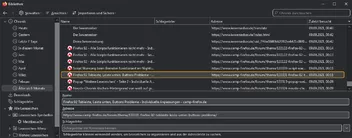
/*    Gelb gepunkteter Rahmen    */

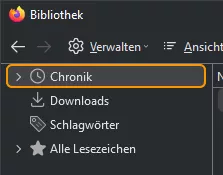
#placesList treechildren::-moz-tree-row(selected, current, focus) {
    --default-focusring: 2px solid !important;
    outline-color: #ff9600 !important;
}
#placesList treechildren {
    border-radius: 6px !important;
    margin-left: 5px !important;
    margin-right: 7px !important;
}
#placesList treechildren::-moz-tree-row(hover) {
/*    margin-left: 2px !important;
    margin-right: 2px !important;    */
    border-radius: 6px !important;
}
#placesList treechildren::-moz-tree-row(selected) {
    border-radius: 6px !important;
}

#placeContent treechildren::-moz-tree-row(selected, current, focus) {
    --default-focusring: 2px solid !important;
    outline-color: #ff9600 !important;
}
#placeContent treechildren {
    border-radius: 6px !important;
    margin-left: 5px !important;
    margin-right: 9px !important;
}
#placeContent treechildren::-moz-tree-row(hover) {
/*    margin-left: 2px !important;
    margin-right: 2px !important;    */
    border-radius: 6px !important;
}

#placeContent treechildren::-moz-tree-row(selected) {
    border-radius: 6px !important;
}

    :root {
        --organizer-toolbar-background: #292c2f !important;
        --organizer-color: #e1e1e1 !important;
        --organizer-hover-background: #414446 !important;
        --organizer-selected-background: #414446 !important;
    }
}
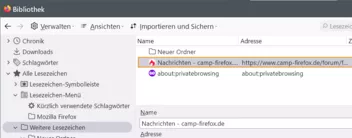
Oh, so geht das auch? Ja, so meinte ich es.
Was ist nun "besser", selected (ausgewählt) oder current (aktuell) 
 Wenn es mit beidem geht, ist aber current (aktuell) wohl treffender (bezeichender), oder?
Gruß
Mira
 Andreas.


 Es geht