


Neuer Versuch.
Eins noch, du hast da in Zeile 671 einen dicken Schnitzer drin; /-- Top (NEU) --/ sollte /*-- Top (NEU) --*/ heissen.
673 bis 676 müssten dann vermutlich raus. 
Neuer Versuch.
Eins noch, du hast da in Zeile 671 einen dicken Schnitzer drin; /-- Top (NEU) --/ sollte /*-- Top (NEU) --*/ heissen.
673 bis 676 müssten dann vermutlich raus.
Uh, autsch, oh weh.
Horstmann Du hast absolut recht!
Das CSS muss weg und /-- Top (NEU) --/ muss zu /*-- Top (NEU) --*/ geändert werden.
Ich und CSS, tz, tz, tz.
Schlag auf Schlag geht das hier.
Gar nicht gut an der letzten Version war, dass sich der Button nicht mehr in andere Toolbars oder das Overflow Menü verschieben liess. 
Das geht jetzt wieder, und falls der Button aus den oben genannten entfernt wurde, poppt er zurück an seine alte Position, sobald man aus dem Anpassenfenster herausgeht. 
(Hat nur minimale Bugs, merkt evtl. keiner...  ).
).
Und eine zusätzliche Position für die Leiste oben ist auch dabei, danke an Mira_Belle für die Vorarbeit.
Sonst sind die Einstellungen die gleichen, und können übernommen werden.
// Additional toolbars
// Buttons to turn toolbar On/Off, right-click/context menuitem to switch toolbar position

// Use filename starting with 00 for custom button functions !! =>
// 00_extra_toolbars_V15.uc.js

// Based on: https://www.camp-firefox.de/forum/thema/137714-seitennavigation-fly-out-menue
// Aris: https://github.com/Aris-t2/CustomJSforFx/blob/master/scripts/addonbar_vertical.uc.js// Latest versions and icons =>
// Forum topic: https://www.camp-firefox.de/forum/thema/139927-eigene-zusatzleisten-ab-ff-143/
// Kudos to Aris, Mitleser and Mira_Belle

// ATTENTION: Some system buttons can still be moved to additional/custom toolbars, but they will have no function.
// There is a patch by @BrokenHeart: https://www.camp-firefox.de/forum/thema/138875-fix-toolbar-buttons-reagieren-nicht-mehr-ab-ff-134/
// Different patch re. the issue by Aris included in this script, experimental

// Version V15

(function() {

    if (location.href !== 'chrome://browser/content/browser.xhtml')
        return;

// User settings
// After script changes, restart with Clear StartUp Cache => about:support

   // Custom Icons, expected in profile-name/chrome/icons folder ("icons" folder needs to be created)
        // get path to profile folder
        let ProfilePath = PathUtils.toFileURI(PathUtils.join(PathUtils.profileDir));
        // path to icon folder named "icons" inside profile folder
        let IconPath = '/chrome/icons/';

        // On/Off Button
        // Custom icon file
        let Icon_tb = 'toolbar_4.svg';
        // Firefox icon
        let Icon_tb_Fx = 'chrome://browser/skin/sidebars-right.svg';
        // false = use Firefox Icon, true = Custom Icon
        let new_tb_icon  = false;
        // Complete path to icon
        let ImagePath = ProfilePath + IconPath + Icon_tb;

        // Position switch button
        // Custom icon file
        let Icon_sw = 'toolbar_switch_4.svg';
        // Firefox icon
        let Icon_sw_Fx = 'chrome://global/skin/icons/arrow-right.svg';
        // false = use Firefox Icon, true = Custom Icon
        let new_tb_icon_sw  = false;
        // Complete path to icon
        let ImagePathSW = ProfilePath + IconPath + Icon_sw;

   // Custom background color: false = Off ; true = On (overwrites themes)
        let new_tb_color = false;
        // background color if true
        let new_tb_bg_color = 'hsla(200, 45%, 87%, 1)';

   // Border width, 0px = off
        let new_tb_border_width = '1px';
        // Border color
        //let new_tb_border_color = 'red';                                              // Fixed color
        //let new_tb_border_color = 'var(--sidebar-border-color)';                      // Firefox default
        let new_tb_border_color = 'color-mix(in srgb, currentColor 30%, transparent)';  // Custom self-adjusting color

// Size of toolbar and buttons changes, must be px values, all 3 settings are related ==>

        // Change button sizes via padding, 8px default, changes toolbar size as well
        let new_tb_btn_size = '6px';

        // Width vertical toolbar / height horizontal toolbar, increased by this value on both sides
        // Increase distance of buttons to edges, 0px => toolbar size = button size
        let new_tb_size = '1px';

        // Distance between buttons, 2px default
        let new_tb_distance = '5px';

// Expert mode ===>>>
// Saving changes, initial states ==>

   // true = save states toolbar On/Off / position on quitting Firefox, false = don't save (prefs deleted)
        // 2x restart required once after change, to make the the option stick
        let new_tb_save = true;

   // Initial state toolbar visibility: 0 = On, 1 = Off, only if new_tb_save = false (not saved)
        let new_tb_off = 0;
   // Position initial state: 0 = right, 1 = left, 2 = bottom, only if new_tb_save = false (not saved)
        let new_tb_loc = 0;

   // Extra: false = Button switches toolbar On/Off / changes Position for all open windows ; true = only active window
        let new_tb_uno = false;       // On/Off Button
        let new_tb_uno_sw = false;    // Position button

// Possible problem solutions, if required, experimental ==>

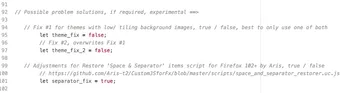
   // Fix #1 for themes with low/ tiling background images, true / false, best to only use one of both
        let theme_fix = false;
        // Fix #2, overwrites Fix #1
        let theme_fix_2 = false;

   // Adjustments for Restore 'Space & Separator' items script for Firefox 102+ by Aris, true / false
        // https://github.com/Aris-t2/CustomJSforFx/blob/master/scripts/space_and_separator_restorer.uc.js
        let separator_fix = true;

// End of user settings

        if (Services.prefs.getBoolPref('svg.context-properties.content.enabled') == false) {
        	Services.prefs.setBoolPref('svg.context-properties.content.enabled', true );
        }

        const pref_newtoolbar_state = "userchrome.newtoolbar.enabled";

        let ntb_box = document.createXULElement('toolbox');
        ntb_box.id = 'toolbox_new';
        ntb_box.setAttribute('orient','horizontal');

        let ntb = document.createXULElement('toolbar');
        ntb.id = 'newtoolbar';
        ntb.setAttribute('customizable', true);
        ntb.setAttribute("class","toolbar-primary chromeclass-toolbar browser-toolbar customization-target");
        ntb.setAttribute('mode', 'icons');
        ntb.setAttribute('context', 'toolbar-context-menu');
        ntb.setAttribute('label', 'New Toolbar');
        ntb.setAttribute('orient', 'vertical');
        ntb.setAttribute("accesskey","");

        ntb_box.appendChild(ntb);
        document.getElementById('browser').parentNode.appendChild(ntb_box);

        CustomizableUI.registerArea('newtoolbar', {legacy: true});
        CustomizableUI.registerToolbarNode(ntb);

        let observer_custom = new MutationObserver(function(mutations) {
          for (let mutation of mutations) {
            try {
              const customContainer = document.getElementById('customization-container');
              if (!customContainer) return;
              const rect = customContainer.getBoundingClientRect();
              document.getElementById('toolbox_new').style.setProperty('--height_newbar_c', rect.top + 'px');
            } catch (e) { }
          }
        });
        observer_custom.observe(document.querySelector('#main-window'), {
          attributes: true,
          attributeFilter: ['customizing'],
        });

        let navbar_size = document.getElementById("browser");
        let observer = new ResizeObserver(() => {
        let rect = navbar_size.getBoundingClientRect();
        document.getElementById('toolbox_new').style.setProperty('--height_newbar', rect.height + 'px');
        document.getElementById('toolbox_new').style.setProperty('--height_newbar_top', rect.top + 'px');
        });
        observer.observe(navbar_size);

    //On/Off button
    try {
        CustomizableUI.createWidget({
          id: 'NewToolbar_button',
          defaultArea: CustomizableUI.AREA_NAVBAR,
          tooltiptext: 'Toolbar On',
          label: 'Toggle New Toolbar',
          //removable: false,
          onCreated: (this_button) => {
             this_button.setAttribute('closemenu', 'none');
          }
        });
    } catch(e) { }

    // Button function
    NewToolbar_button.addEventListener('click', event => {
        if (event.button === 0 ) {
          if (!new_tb_uno) {
            tb_toggle();
          }
          else {
            tb_toggle_uno();
          };
          if (NewToolbar_button.classList.contains("off-mode_btn")) {
             NewToolbar_button.setAttribute("tooltiptext", "Toolbar Off");
            }
          else {
            NewToolbar_button.setAttribute("tooltiptext", "Toolbar On");
          };
        }
     });

    function tb_toggle() {
       for (let win of Services.wm.getEnumerator("navigator:browser")) {
         const toolbar = win.document.getElementById("newtoolbar");
         const browserArea = win.document.getElementById("browser");
         const button = win.document.getElementById("NewToolbar_button");
         toolbar.classList.toggle("off-mode");
         browserArea.classList.toggle("off-mode_b");
         button.classList.toggle("off-mode_btn");
         const ntb_visible = !toolbar.classList.contains("off-mode");
         Services.prefs.setBoolPref(pref_newtoolbar_state, ntb_visible);
         }
    };

    function tb_toggle_uno() {
         newtoolbar.classList.toggle("off-mode");
         browser.classList.toggle("off-mode_b");
         NewToolbar_button.classList.toggle("off-mode_btn");
         const ntb_visible = !newtoolbar.classList.contains("off-mode");
         Services.prefs.setBoolPref(pref_newtoolbar_state, ntb_visible);
    };

    // Position initial state
    if (new_tb_loc === 0) {
         toolbox_new.classList.add("right_mode");
         browser.classList.add("right_mode_b");
         NewToolbar_button.classList.add("right_mode_btn");
       }
    else if (new_tb_loc === 1) {
         toolbox_new.classList.add("left_mode");
         browser.classList.add("left_mode_b");
         NewToolbar_button.classList.add("left_mode_btn");
       }
    else if (new_tb_loc === 2) {
         toolbox_new.classList.add("bottom_mode");
         browser.classList.add("bottom_mode_b");
         NewToolbar_button.classList.add("bottom_mode_btn");
       }
    else if (new_tb_loc === 3) { // NEU für oben
        toolbox_new.classList.add("top_mode");
        browser.classList.add("top_mode_b");
        NewToolbar_button.classList.add("top_mode_btn");
    }

    let toolbarEnabled = true;
    try {
        toolbarEnabled = Services.prefs.getBoolPref(pref_newtoolbar_state);
    } catch(e) {
        Services.prefs.setBoolPref(pref_newtoolbar_state, new_tb_off === 0);
        toolbarEnabled = new_tb_off === 0;
    }
    if (!toolbarEnabled) {
        newtoolbar.classList.add("off-mode");
        browser.classList.add("off-mode_b");
        NewToolbar_button.classList.add("off-mode_btn");
        NewToolbar_button.setAttribute("tooltiptext", "Toolbar Off");
    }

    // Icon
    if (new_tb_icon) {
         NewToolbar_button.classList.add("icon_mode");
       }
    // Background color
    if (new_tb_color) {
         newtoolbar.classList.add("ntb_bg_color");
       }

    // Code by Aris => Attach handlers for buttons moved outside #navigator-toolbox
    // Based on: https://searchfox.org/firefox-main/source/browser/base/content/navigator-toolbox.js
    const customHandlers = {
    	  "unified-extensions-button": (el, e) => gUnifiedExtensions.togglePanel(e),
    	  "fxa-toolbar-menu-button":   (el, e) => gSync.toggleAccountPanel(el, e),
    	  "firefox-view-button":       (el, e) => FirefoxViewHandler.openToolbarMouseEvent(e),
    	  "downloads-button":          (el, e) => DownloadsIndicatorView.onCommand(e),
    	  "pageActionButton":          (el, e) => BrowserPageActions.mainButtonClicked(e),
    	  "alltabs-button":            (el, e) => gTabsPanel.showAllTabsPanel(e, "alltabs-button"),
    	  "library-button":            (el, e) => PanelUI.showSubView("appMenu-libraryView", el, e),
    	  "import-button":             (el, e) => MigrationUtils.showMigrationWizard(window, {
  	  entrypoint: MigrationUtils.MIGRATION_ENTRYPOINTS.BOOKMARKS_TOOLBAR,
  	  }),
    };
		document.getElementById("newtoolbar").addEventListener("mousedown", (e) => {
		  const button = e.target.closest("toolbarbutton");
		  if (button?.id && customHandlers[button.id]) customHandlers[button.id](button, e);
		});

// Position switch menu item
    const pref_position = "userchrome.newtoolbar.position";
    function getPositionPref() {
        try {
            return Services.prefs.getCharPref(pref_position);
        } catch (e) {
            return "right"; // Standardwert
        }
    }
    function setPositionPref(value) {
        Services.prefs.setCharPref(pref_position, value);
    }

    // Context menu menuitem
    let menuitem_SW = document.createXULElement("menuitem");
    menuitem_SW.setAttribute('id', 'NewToolbar_position_Con');
    menuitem_SW.setAttribute('closemenu', 'none');
    menuitem_SW.setAttribute('label', 'Toolbar Position');
    menuitem_SW.classList.add('menuitem-iconic');

    let menu_SW = document.getElementById('toolbar-context-menu');
    let separator_SW = document.querySelector('.viewCustomizeToolbar');
    menu_SW.insertBefore(menuitem_SW, separator_SW);

    let menuseparator_sw = document.createXULElement("menuseparator");
    menuseparator_sw.setAttribute('id', 'sw_separator');
    menu_SW.insertBefore(menuseparator_sw, menuitem_SW.nextSibling);

    // Button context menuitem removal disabled
    setTimeout(() => {
      let elementsArray = document.querySelectorAll("toolbarbutton");
      elementsArray.forEach(function(element) {

      let contexter = document.querySelector(".customize-context-removeFromToolbar");
      let contexter2 = document.querySelector(".customize-context-removeFromPanel");

      element.addEventListener('contextmenu', e => {
        	if (e.button === 2) {
              if (element.id === "NewToolbar_button") {
                  contexter.style.opacity = "0.5";
                  contexter.style.pointerEvents = "none";
                  contexter2.style.opacity = "0.5";
                  contexter2.style.pointerEvents = "none";
                  }
              else {
                  contexter.style.display = "flex";
                  contexter2.style.display = "flex";
                  contexter.style.opacity = "";
                  contexter.style.pointerEvents = "";
                  };
               }
           });
       });
    },100);

     function applyPosition(pos) {
        toolbox_new.classList.remove("left_mode", "bottom_mode", "right_mode", "top_mode"); // NEU top_mode
        browser.classList.remove("left_mode_b", "bottom_mode_b", "right_mode_b", "top_mode_b");
        NewToolbar_button.classList.remove("left_mode_btn", "bottom_mode_btn", "right_mode_btn", "top_mode_btn");
        NewToolbar_position_Con.classList.remove("left_mode_sw", "bottom_mode_sw", "right_mode_sw", "top_mode_sw");
        if (pos === "left") {
            toolbox_new.classList.add("left_mode");
            browser.classList.add("left_mode_b");
            NewToolbar_button.classList.add("left_mode_btn");
            NewToolbar_position_Con.classList.add("left_mode_sw");
        } else if (pos === "bottom") {
            toolbox_new.classList.add("bottom_mode");
            browser.classList.add("bottom_mode_b");
            NewToolbar_button.classList.add("bottom_mode_btn");
            NewToolbar_position_Con.classList.add("bottom_mode_sw");
        } else if (pos === "top") { // NEU
            toolbox_new.classList.add("top_mode");
            browser.classList.add("top_mode_b");
            NewToolbar_button.classList.add("top_mode_btn");
            NewToolbar_position_Con.classList.add("top_mode_sw");
        } else if (pos === "right") {
            toolbox_new.classList.add("right_mode");
            browser.classList.add("right_mode_b");
            NewToolbar_button.classList.add("right_mode_btn");
            NewToolbar_position_Con.classList.add("right_mode_sw");
        }
     }
     let savedPos = getPositionPref();
     applyPosition(savedPos);

     document.getElementById("NewToolbar_position_Con").addEventListener('click', event => {
        if (event.button === 0 || event.button === 2) {
          if (!new_tb_uno_sw) {
            poser();
          }
          else {
            poser_uno();
          };
        }
     });

  // Zyklus right -> left -> bottom -> top -> right
    function poser() {
        for (let win of Services.wm.getEnumerator("navigator:browser")) {
            const toolbox = win.document.getElementById("toolbox_new");
            const browserArea = win.document.getElementById("browser");
            const button = win.document.getElementById("NewToolbar_button");
            const button_con = win.document.getElementById("NewToolbar_position_Con");
            if (toolbox.classList.contains("right_mode")) {
                toolbox.classList.replace("right_mode", "left_mode");
                browserArea.classList.replace("right_mode_b", "left_mode_b");
                button.classList.replace("right_mode_btn", "left_mode_btn");
                button_con.classList.replace("right_mode_sw", "left_mode_sw");
                setPositionPref("left");
            }
            else if (toolbox.classList.contains("left_mode")) {
                toolbox.classList.replace("left_mode", "bottom_mode");
                browserArea.classList.replace("left_mode_b", "bottom_mode_b");
                button.classList.replace("left_mode_btn", "bottom_mode_btn");
                button_con.classList.replace("left_mode_sw", "bottom_mode_sw");
                setPositionPref("bottom");
            }
            else if (toolbox.classList.contains("bottom_mode")) {
                toolbox.classList.replace("bottom_mode", "top_mode");
                browserArea.classList.replace("bottom_mode_b", "top_mode_b");
                button.classList.replace("bottom_mode_btn", "top_mode_btn");
                button_con.classList.replace("bottom_mode_sw", "top_mode_sw");
                setPositionPref("top");
            }
            else if (toolbox.classList.contains("top_mode")) {
                toolbox.classList.replace("top_mode", "right_mode");
                browserArea.classList.replace("top_mode_b", "right_mode_b");
                button.classList.replace("top_mode_btn", "right_mode_btn");
                button_con.classList.replace("top_mode_sw", "right_mode_sw");
                setPositionPref("right");
            }
        }
    };

    function poser_uno() {
        if (toolbox_new.classList.contains("right_mode")) {
            toolbox_new.classList.replace("right_mode", "left_mode");
            browser.classList.replace("right_mode_b", "left_mode_b");
            NewToolbar_button.classList.replace("right_mode_btn", "left_mode_btn");
            NewToolbar_position_Con.classList.replace("right_mode_sw", "left_mode_sw");
            setPositionPref("left");
        }
        else if (toolbox_new.classList.contains("left_mode")) {
            toolbox_new.classList.replace("left_mode", "bottom_mode");
            browser.classList.replace("left_mode_b", "bottom_mode_b");
            NewToolbar_button.classList.replace("left_mode_btn", "bottom_mode_btn");
            NewToolbar_position_Con.classList.replace("left_mode_sw", "bottom_mode_sw");
            setPositionPref("bottom");
        }
        else if (toolbox_new.classList.contains("bottom_mode")) {
            toolbox_new.classList.replace("bottom_mode", "top_mode");
            browser.classList.replace("bottom_mode_b", "top_mode_b");
            NewToolbar_button.classList.replace("bottom_mode_btn", "top_mode_btn");
            NewToolbar_position_Con.classList.replace("bottom_mode_sw", "top_mode_sw");
            setPositionPref("top");
        }
        else if (toolbox_new.classList.contains("top_mode")) {
            toolbox_new.classList.replace("top_mode", "right_mode");
            browser.classList.replace("top_mode_b", "right_mode_b");
            NewToolbar_button.classList.replace("top_mode_btn", "right_mode_btn");
            NewToolbar_position_Con.classList.replace("top_mode_sw", "right_mode_sw");
            setPositionPref("right");
        }
    };

    // Icon Position menuitem
    if (new_tb_icon_sw) {
         NewToolbar_position_Con.classList.add("icon_mode_sw");
       }

    // Move button back if removed from toolbars or overflow menu
    let previousPlacement = null;
    window.addEventListener("beforecustomization", () => {
      previousPlacement = CustomizableUI.getPlacementOfWidget("NewToolbar_button");
    });
    function ensureTestButtonNotInPalette() {
      let placement = CustomizableUI.getPlacementOfWidget("NewToolbar_button");
      if (!placement) {
        if (previousPlacement) {
          CustomizableUI.addWidgetToArea(
            "NewToolbar_button",
            previousPlacement.area,
            previousPlacement.position
          );
        } else {
          CustomizableUI.addWidgetToArea(
            "NewToolbar_button",
            CustomizableUI.AREA_NAVBAR
          );
        }
      }
    };
    window.addEventListener("aftercustomization", ensureTestButtonNotInPalette);

    // On quitting Firefox: delete Prefs, if new_tb_save = false
    if (!new_tb_save) {
         Services.obs.addObserver(function observer(subject, topic, data) {
             if (topic === "quit-application-granted") {
                 try {
                     Services.prefs.clearUserPref(pref_newtoolbar_state);
                     Services.prefs.clearUserPref(pref_position);
                 } catch (e) { }
                 Services.obs.removeObserver(observer, "quit-application-granted");
             }
         }, "quit-application-granted");
      };

let css =`

#main-window {
    --ug-newbar_basewidth: calc(2 * ${new_tb_btn_size} + 16px);  /* Minimalgroesse = Groesse Buttons */
    --ug-newbar_width: calc(var(--ug-newbar_basewidth) + ${new_tb_border_width} + 2 * `+new_tb_size+`);
}

/*- Buttons -*/

/* Buttons sizes */
#newtoolbar {
    --toolbarbutton-inner-padding: ${new_tb_btn_size} !important;
	 	--toolbarbutton-outer-padding: 0px !important;
}
/*  On/Off Button  */
#NewToolbar_button .toolbarbutton-icon {
    list-style-image: url("${Icon_tb_Fx}");
}
#NewToolbar_button.icon_mode .toolbarbutton-icon {
    list-style-image: url("${ImagePath}");
}
#NewToolbar_button.off-mode_btn:not(:hover, :active) .toolbarbutton-icon {
    opacity: 0.4;
}

/*  Button adjusts to Toolbar Position  */

#NewToolbar_button .toolbarbutton-icon,
#NewToolbar_position_Con :is(image, img) {
    transition: transform 0.125s;
    transform: rotate(0deg);
}
#NewToolbar_button.left_mode_btn .toolbarbutton-icon,
#NewToolbar_position_Con.left_mode_sw :is(image, img) {
    transform: rotate(-180deg);
}
#NewToolbar_button.bottom_mode_btn .toolbarbutton-icon,
#NewToolbar_position_Con.bottom_mode_sw :is(image, img) {
    transform: rotate(-270deg);
}
#NewToolbar_button.top_mode_btn .toolbarbutton-icon,
#NewToolbar_position_Con.top_mode_sw :is(image, img) {
    transform: rotate(-90deg);
}

#NewToolbar_position_Con {
    -moz-context-properties: fill, fill-opacity !important;
    fill: currentColor !important;
}

#NewToolbar_position_Con :is(image, img) {
    list-style-image: url("${Icon_sw_Fx}");
    content: url("${Icon_sw_Fx}") !important;
}
#NewToolbar_position_Con.icon_mode_sw :is(image, img) {
    list-style-image: url("${ImagePathSW}");
    content: url("${ImagePathSW}") !important;
}

#unified-extensions-button[hidden] {
    visibility: visible !important;
    display: flex !important;
}

/*--  Browser adjustments  --*/

#browser.right_mode_b {
    transition: padding-right 0.25s ease !important;
}
#browser.left_mode_b {
    transition: padding-left 0.25s ease !important;
}
#browser.bottom_mode_b {
    transition: padding-bottom 0.25s ease !important;
}
#browser.top_mode_b {
    transition: padding-top 0.25s ease !important;
}
#browser:not(.off-mode_b).right_mode_b {
    padding-right: var(--ug-newbar_width) !important;
}
#browser:not(.off-mode_b).left_mode_b {
    padding-left: var(--ug-newbar_width) !important;
}
#browser:not(.off-mode_b).bottom_mode_b {
    padding-bottom: var(--ug-newbar_width) !important;
}
#browser:not(.off-mode_b).top_mode_b {
    padding-top: var(--ug-newbar_width) !important;
}

/*--  Basics / Right  --*/

#toolbox_new {
    position: fixed;
    z-index: 2 !important;
    display: flex;
    width: fit-content;
    top: var(--height_newbar_top);
    right: 0px;
}
#newtoolbar {
    display: flex;
    min-width: var(--ug-newbar_width) !important;
    width: var(--ug-newbar_width) !important;
    min-height: var(--ug-newbar_basewidth) !important;
    height: var(--height_newbar) !important;
    align-items: center !important;
    overflow: hidden !important;
    padding-block: 8px;
    border-width: 0px;
    border-style: solid !important;
    border-color: ${new_tb_border_color} !important;
    border-left-width: ${new_tb_border_width};
    border-right-width: 0px;
    margin-inline: 0px;
}

#toolbox_new:not(.bottom_mode, .top_mode) #newtoolbar:not([customizing]) {
    max-width: var(--ug-newbar_width) !important;
    transition: width 0.25s ease, max-width 0.25s ease, min-width 0.25s ease, border-left-width 0.125s ease;
}

#toolbox_new #newtoolbar:not([customizing]).off-mode {
    min-width: 0px !important;
    width: 0px !important;
    max-width: 0px !important;
    min-height: unset !important;
    max-height: unset !important;
    border-width: 0px !important;
    box-shadow: none !important;
}

#newtoolbar:not([customizing]).off-mode > :is(.toolbarbutton-1, toolbaritem) {
    opacity: 0 !important;
}
#newtoolbar > :is(.toolbarbutton-1, toolbaritem),
#newtoolbar toolbarpaletteitem > :is(.toolbarbutton-1, toolbaritem) {
    margin-block: ${new_tb_distance} !important;
    margin-inline: var(--toolbarbutton-outer-padding) !important;
    transition: opacity 0.125s ease;
}

/*--  Left  --*/

#toolbox_new.left_mode {
    right: unset;
    left: 0px;
}
#toolbox_new.left_mode #newtoolbar:not([customizing]) {
    border-left-width: 0px;
    border-right-width: ${new_tb_border_width};
    transition: width 0.25s ease, max-width 0.25s ease, min-width 0.25s ease, border-right-width 0.125s ease;
}

/*--  Bottom / Top --*/

#toolbox_new.bottom_mode {
    top: unset;
    bottom: 0px;
}

#toolbox_new.top_mode #newtoolbar:not([customizing]),
#toolbox_new.bottom_mode #newtoolbar:not([customizing]) {
    flex-direction: row !important;
    min-height: 0px !important;
    height: var(--ug-newbar_width) !important;
    max-height: var(--ug-newbar_width) !important;
    min-width: 0px !important;
    width: 100vw !important;
    padding-block: 0px;
    padding-inline: 8px;
    border-inline-width: 0px;
    border-top-width: ${new_tb_border_width};
    /*justify-content: center !important;*/    /* Inhalt mittig, optional */
    transition: height 0.25s ease, max-height 0.25s ease, min-height 0.25s ease, border-top-width 0.125s ease !important;
}

#toolbox_new:where(.bottom_mode, .top_mode) #newtoolbar:not([customizing]).off-mode {
    min-height: 0px !important;
    height: 0px !important;
    max-height: 0px !important;
    max-width: unset !important;
}

#toolbox_new:where(.bottom_mode, .top_mode) #newtoolbar:not([customizing]) > :is(.toolbarbutton-1, toolbaritem),
#toolbox_new:where(.bottom_mode, .top_mode) #newtoolbar:not([customizing]) toolbarpaletteitem > :is(.toolbarbutton-1, toolbaritem) {
    margin-block: var(--toolbarbutton-outer-padding) !important;
    margin-inline: ${new_tb_distance} !important;
}

/*--  Top  --*/

#toolbox_new.top_mode #newtoolbar:not([customizing]) {
    border-top-width: 0px;
    border-bottom-width: ${new_tb_border_width};
    transition: height 0.25s ease, max-height 0.25s ease, min-height 0.25s ease, border-bottom-width 0.125s ease !important;
}

/*--  Fullscreen  --*/

/* Mac / nur Video Fullscreen */
#main-window[inDOMFullscreen]:not([customizing]) #toolbox_new {
    visibility: collapse !important;
}
#main-window[inDOMFullscreen]:not([customizing]) #browser {
    padding: 0 !important;
}
/* Windows Fullscreen Video + Normal */
@media (-moz-platform: windows) {
#main-window[inFullscreen]:not([customizing]) #toolbox_new {
    visibility: collapse !important;
}
#main-window[inFullscreen]:not([customizing]) #browser {
    padding: 0 !important;
}
}

/*--  customizing  --*/

#main-window[customizing] #toolbox_new {
    top: unset !important;
    bottom: 0 !important;
    right: 0 !important;
    left: unset !important;
}
#newtoolbar[customizing] {
    height: calc(100vh - var(--height_newbar_c)) !important;
    width: initial !important;
    box-shadow: inset 0px 1px ${new_tb_border_color};
    transition: none !important;
}
#main-window:not([customizing]) #newtoolbar[customizing].off-mode {
    min-width: 0px !important;
    width: 0px !important;
    min-height: 0px !important;
    height: 0px !important;
    border-width: 0px !important;
}
#customization-container {
    margin-right: var(--ug-newbar_width) !important;
}

/*-  Background oolors themes  -*/

/* Custom toolbar background color if enabled */
#newtoolbar.ntb_bg_color {
    background-color: ${new_tb_bg_color} !important;
}

/*- Background themes, if background images are tiled, try theme_fix options above -*/

:root[lwtheme] #newtoolbar:not(.ntb_bg_color) {
    background-color: var(--lwt-accent-color, var(--toolbar-bgcolor)) !important;
}
:root[lwtheme][lwtheme-image] #newtoolbar:not(.ntb_bg_color) {
    background-image: var(--lwt-header-image) !important;
    background-position: right 0px top 0px !important;
}

  `;

if (theme_fix) {
  css += `
/*-  Fix #1 for themes with tiled background images  -*/

:root[lwtheme][lwtheme-image] #newtoolbar:not(.ntb_bg_color) {
    background: var(--lwt-header-image) !important;
    background-repeat: no-repeat !important;
    background-size: cover !important;
    background-position: right 0px top 0px !important;
}
:root[lwtheme][lwtheme-image] #toolbox_new:is(.bottom_mode, .top_mode) #newtoolbar:not(.ntb_bg_color) {
    background-size: auto !important;
}
 `;
}

if (theme_fix_2) {
  css += `
/*-  Fix #2 for themes with tiled background images  -*/

:root[lwtheme][lwtheme-image] #toolbox_new #newtoolbar:not(.ntb_bg_color) {
     background: transparent !important;
}
:root[lwtheme][lwtheme-image] #newtoolbar:not(.ntb_bg_color)::before {
    content: "" ;
    position: absolute;
    top: 0;
    right: 0;
    width: var(--height_newbar) !important;
    height: var(--ug-newbar_width) !important;
    pointer-events: none;
    z-index: -1 !important;
    background: var(--lwt-header-image) !important;
    background-repeat: no-repeat !important;
    transform: rotate(-90deg) translateX(var(--ug-newbar_width)) !important;
    transform-origin: 100% 100% !important;
    transition: margin 0.25s ease;
}
:root[lwtheme][lwtheme-image] #toolbox_new:is(.bottom_mode, .top_mode) #newtoolbar:not(.ntb_bg_color, [customizing])::before {
    transform: scaleX(-1) !important;
    transform-origin: 50% 50% !important;
    width: 100% !important;
}
:root[lwtheme][lwtheme-image] #newtoolbar:not(.ntb_bg_color)[customizing]::before {
    width: calc(100vh - var(--height_newbar_c)) !important;
}
#newtoolbar:not([customizing]).off-mode::before {
    min-width: 0px !important;
    margin-inline: 0px calc(0px - var(--ug-newbar_width));
}
#toolbox_new.left_mode #newtoolbar:not([customizing]).off-mode::before {
    margin-inline: calc(0px - var(--ug-newbar_width)) 0;
}
#toolbox_new:is(.bottom_mode, .top_mode) #newtoolbar:not([customizing]).off-mode::before {
    min-height: 0px !important;
    margin-inline: 0px;
    margin-block: 0px calc(0px - var(--ug-newbar_width)) !important;
}
 `;
}

if (separator_fix) {
  css += `
/* Adjustments for Separator Scripts  */

#newtoolbar toolbarseparator {
    width: calc(var(--ug-newbar_width) - ${new_tb_border_width} - 6px) !important;
    margin: 5px 0px !important;
    border-block-color: hsl(0, 0%, 0%, 0.45) hsl(0, 0%, 100%, 0.55) !important;
    transition: width 0.125s ease !important;
}
#newtoolbar :is(toolbarspacer, toolbarspring, toolbarseparator) {
    min-width: 0px !important;
}
#newtoolbar:not([customizing]).off-mode toolbarseparator {
    width: 0px !important;
}
#toolbox_new:where(.bottom_mode, .top_mode) #newtoolbar:not([customizing]) toolbarseparator {
    transform: rotate(-90deg) !important;
    margin: 0px !important;
}
#newtoolbar[customizing] toolbarseparator {
    margin-block: 16px !important;
}
 `;
}

  const sss = Cc['@mozilla.org/content/style-sheet-service;1'].getService(Ci.nsIStyleSheetService);
  const uri = Services.io.newURI('data:text/css,' + encodeURIComponent(css));
  sss.loadAndRegisterSheet(uri, sss.AGENT_SHEET);

})();Schlag auf Schlag geht das hier.
Ja, da kann man ja nicht mehr folgen. Nun brauche ich aber Nachhilfe, weil ich es nicht gebacken bekomme, wo stelle ich das automatische Ausblenden der Toolbar ab. Das möchte ich noch selbst bestimmen, wenn es denn geduldet wird.

wo stelle ich das automatische Ausblenden der Toolbar ab.
In meinen Scripts gibt es kein automatisches Ausblenden, nur in dem von Mira.
kein automatisches Ausblenden, nur in dem von Mira.
Das teste ich doch gerade.
Das teste ich doch gerade.
Das bezweifele ich.
In Horstmanns Skript gibt es das nicht
Was ich aber so grundsätzlich merkwürdig finde, was ist so schwer, die Kommentare in den Settings zu lesen?
(Anmerkung! Das ist jetzt gar nicht böse gemeint!!)
    // Auto-Close Einstellungen
        let autoCloseTime = 5000;   // 0 = kein Auto-Close / >0 Zeit in Millisekunden /5000 => 5sec
        let intervalID = 0;

    // End of user settings
Aber da Du diese Funktion ja so grundsätzlich gar nicht haben willst,
und obendrein in dieser Version von mir die von Horstmann beschriebenen Bugs vorhanden sind,
würde ich Dir von  en empfehlen die neueste Ausgabe aus #185 zu nutzen.
Das bezweifele ich.
Das steht dir frei, ganz wie du möchtest.
Was ich aber so grundsätzlich merkwürdig finde, was ist so schwer, die Kommentare in den Settings zu lesen?
Das habe ich zwar gesehen, aber war der Meinung damit nur die Zeit einzustellen, also Fehldeutung. Danke!
Bei deiner Version, und auch bei der aus #185 bleibt rechts nach Ausblendung ein Rest übrig. Nur rechts, bei anderen Positionen nicht. Wie und wo könnte man das korrigieren?

Das CSS muss weg und /-- Top (NEU) --/ muss zu /*-- Top (NEU) --*/ geändert werden.
Ich und CSS, tz, tz, tz.
Ich hab dann nochmal geschaut, und eine Ladung weiterer Fehler und Änderungen gefunden in #173, die das CSS so ziemlich zerkloppen.
Mein Vorschlag wäre, meine letzte Version von #185 zu nehmen, und dort dein JS Verschwinden Dingens einzubauen.
Vom CSS würde ich eher wegbleiben, ausser um die Position von Hintergundbilder zu ändern o.ä.; die gegenseitigen Abhängigkeiten innerhalb des CSS sind nicht leicht zu erkennen.
Deinen Zusatz für die Anpassung der Buttongrösse würde ich rauslassen, die Funktion ist schon da, und nicht zufällig so aufgebaut.
Eine grobe Version mit (nicht kompletten!) Korrekturen von deiner #173 hänge ich mal an, nur angetestet (Icons anpassen).
Bei deiner Version, und auch bei der aus #185 bleibt rechts nach Ausblendung ein Rest übrig. Nur rechts, bei anderen Positionen nicht. Wie und wo könnte man das korrigieren?
Ich hab das mal im aktuellen Fx Release und Nightly getestet, und kann das Problem nicht sehen, Mira scheint's auch nicht.
Hast du irgendwas am CSS geändert im Script, und gab's das Problem in der Version 14 (#161) nicht?
Sind evtl. 2 Leistenscripts gleichzeitig aktiv, mal ein anderes Theme probiert?
Edit: hast du theme_fix_2 auf true? Da gibt's jetzt einen Bug ...
Falls ja, probier mal bitte auf false.
Warum so "angepisst"?
Holla, die Waldfee! Das ist aber deine alleinige Wahrnehmung, hat rein gar nichts mit meiner Empfindung zu tun. Zurück zum Thema, einverstanden?
Test bitte noch einmal ganz ohne Deine CSS und auch ganz ohne andere Skripte! (anderes Profil)
Ich vermute, dass da bei Dir irgendwas anders rein funkt.
Das werde ich gleich mal testen.
und gab's das Problem in der Version 14 (#161) nicht?
Nein, erst in der 15. Ich probiere gleich mal, mal sehen, eventuell ist dann alles wieder gut.
Edit: hast du theme_fix_2 auf true? Da gibt's jetzt einen Bug ...
Falls ja, probier mal bitte auf false.
War auf false, auf true gestellt, dann ist es wie gewünscht, Leiste vollständig ausgeblendet.
Mein Vorschlag wäre, meine letzte Version von #185 zu nehmen, und dort dein JS Verschwinden Dingens einzubauen.
Genau so werde ich es machen.
Ist wohl viel einfacher als das von mir zerstörte Ding zu reparieren.
Holla, die Waldfee!
Da bin ich aber froh, dachte schon.
Edit: hast du theme_fix_2 auf true? Da gibt's jetzt einen Bug ...
Falls ja, probier mal bitte auf false.War auf false, auf true gestellt, dann ist es wie gewünscht, Leiste vollständig ausgeblendet.
Jetzt ist es noch komplizierter. 
Eigentlich sollte es evtl. Probleme geben, wenn theme_fix_2 auf true steht! - und nur bei Leiste oben - sonst nicht.
Da ist der Bug den ich finden kann.
Ich bin mir auch immer noch nicht sicher mit deinen angeschnittenen Buttons, da ist irgendein Code im Gange der die Dinger verschiebt.
Vielleicht hören wir noch von anderen Testern ; Version 15 aus #185 sollte eigentlich keine Probleme machen dieser Art in der Standardeinstellung - theme_fix_2 = false - auch nicht mit Themes.
Mira_Belle , siehst du das Problem bei dir, rechte Leiste wird nicht komplett ausgeblendet mit #185, mit oder ohne Theme?